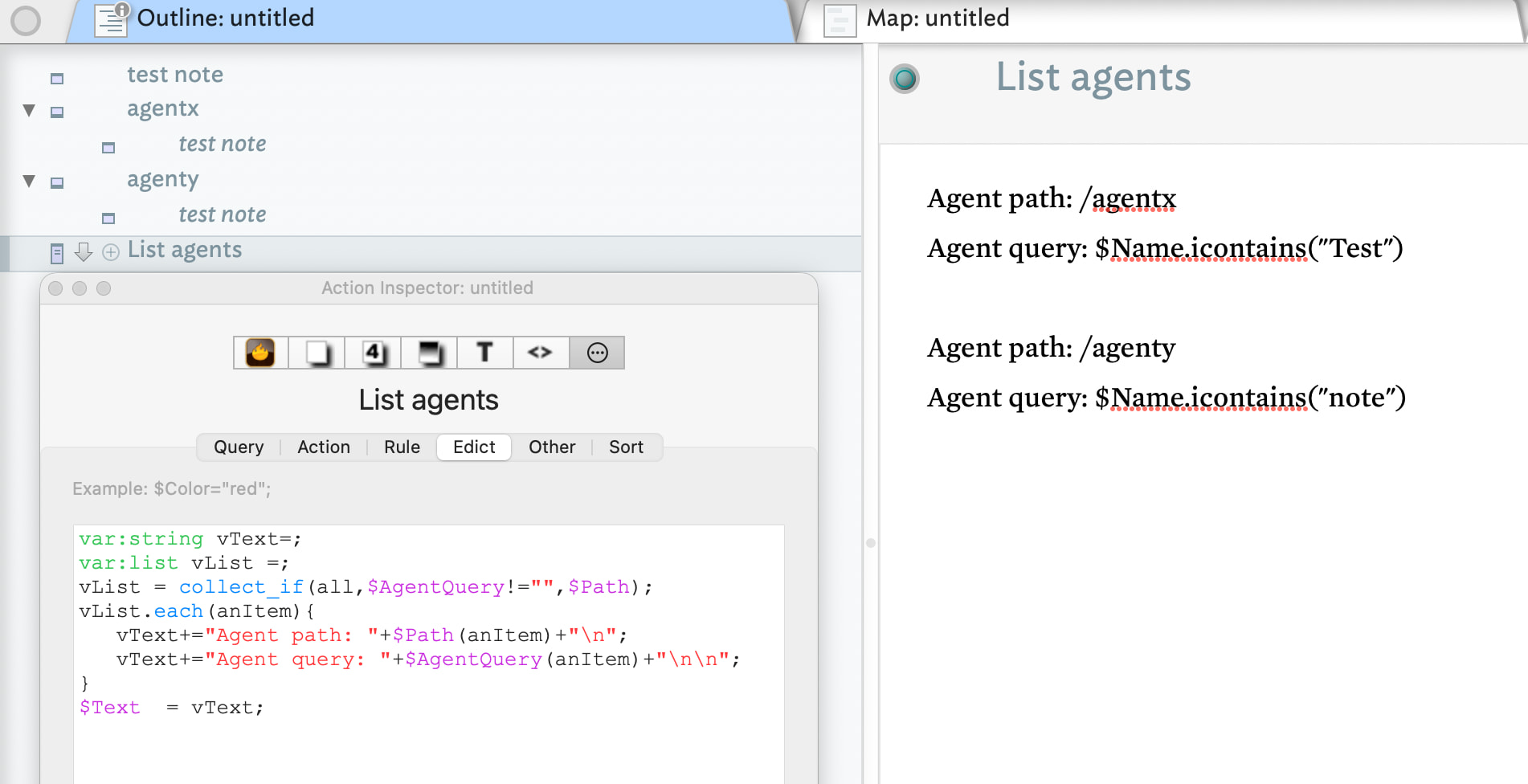
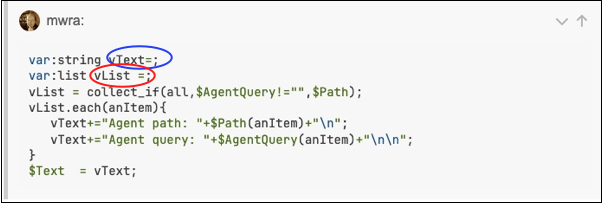
I’m confused, I definitely did not vary the spelling the variables. Note that each variables must have a unique name and perhaps that is what you’ve missed. My code declares two such variables: vString and `vList. The older usage would be:
var vText;
var vList;
Here I do two extra explicit things, I give each an elicit data type, so the app doesn’t have to guess our intent:
var:string ...
var:list ...
and I set both to the per-type default using =;, as is documented here: Setting an attribute to (no value) via code.
vList is used to hold the result of using collect() which returns … List-type data. Using a variable adds a line of text but, I’d hoped adds more clarity for the learner as to the type of data being passed around.
vText is a String-type variable used to assemble the overall string of ‘text’ we be passing to $Text when done. Whether you make one string and set $Text to it, to add iteratively to $Text is really personal choice. You get to the same output.
Did you see the article on the `var’ operator, here: var? If so, where did you get stuck?
On the wider point of ‘understanding’ action code…
‘Action code’ as a term can be confusing due to 20 years of iterative growth.
At outset ‘Actions’ were changes made by notes to themselves ($Rule) by or containers to their (new) children; container ($OnAdd), agent ($AgentAction). Stamps are ad-hoc calls to actions applied on the current selection. In the early days (2000s) these were written mainly in export code (marked with a ^ caret, e.g. ^if()^) or in query code (no longer used).
Things expanded two ways:
- The scope of ‘actions’ increased both in where/how that could be applied and in the power of what they could do.
- The operators/syntax used for this became ‘action code’.
The older ^code^ receded to be being used only for export templates and even then, in export code many export code operators were replaced by action code equivalents used as arguments for export code operators. Compare old export code (c. v3) with now (v11). Similarly, actions then vs. now. In addition, the ‘query code’ used to write agent queries and conditional (‘if’) statements is all now part of action code (the old query code no longer works).
Tinderbox has laudable support in terms of not making new advances break old code. Few people want to have to re-write working code just so it doesn’t break and Tinderbox is now 25 years old—dinosaur age in normal software terms. It also means if you copy code from 10 or 20 years back from old demos, blogs, etc., likely the code syntax has changed.
Frankly you have two approaches:
- “I don’t want to code”. learn the basic tenets: set-colons at the end f expressions, $-prefixes when referencing attribute value, putting quotes around string values. then much of the rest can be copy space, applying the rules to check fro things you 'broke when editing the example for re-use. When you see something described as ‘optional’, ignore it as it is not talking to you, but the next type of user, below. Copy/paste means following the rules even if verbose for the expert; as a copy/paster you’re never going to be an expert so the options are just an avenue for failure.
- This is why code examples in aTbRef are generally over explicit. Experts can prune and use shorter code, but in truth code brevity or aesthetics or layout as not the immediate challenge of the copy/paster. The latter is not a second-class Tinderbox citizen but the term simply reflects that ‘code’ is something many find annoying and confusing.
- “I want to understand how action code works”. Read the getting started Help PDF then all of —skimming on first pass—Action Code. As that point you’ll have an overview of action code and some of its oddities (many reflecting its long life).
Either way, if offered a choice or new or old code, 99.9% of users should choose the newer version.