My Attribute column for $Created is just displaying zeroes. I’ve had this happen before and don’t recall how I got around it. Ideas?
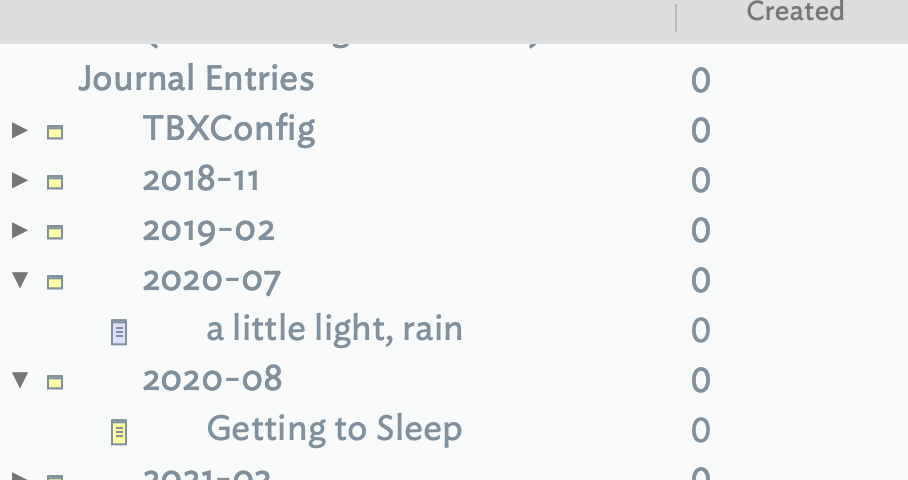
OK - just kill that tab and create a new one; sorts it out.
Glad it is fixed. For later readers a couple of things to try before a complete do-over as an AB view might have already taken some time to customise as desired.
Had I encountered this, my fault-finding would likely have gone like this, stopping if/when he error clears:
- Click the current tab, i.e. of the AB View, to force fresh it. That should clear a simple rendering glitch.
- $Created is a read-only system attribute of Date-type. In AB view the view’s host container/note’s $DisplayedAttributesDateFormat, so I’d check the view’s note for the date format for $DisplayedAttributesDateFormat, i.e. as inherited or set locally. I might somehow of set an odd date format string by mistake.
- if I knew I’d not touched $DisplayedAttributesDateFormat in this document I’d skip this step
- Checking in another note that $Created renders properly in a Displayed Attributes table or in Get Info/attributes.
- Toggle the current tab to a different view type an back again. This is because the AB view customisation settings are stored in the tab’s XML data and are only lost if/when that tab is deleted. This makes most sense if significant customisation of the AB view has already been undertaken.
- delete the tab and start over.
That said, if little view customisation work had been done and/or I was in a hurry, I’d skip to the last step, as was done above. 
1 Like
Went through more or less the same steps and in the same order lol. Didn’t try to switch that view to another type and back again, it’s a good one.
I also played with zoom settings and column widths, and tried moving the column a couple over and back - I’ve long noted doing that resets the decimal points.
1 Like