How do I assign a prototype to all children of a container? Or how to assign a prototype in Actions?
It would be even better if a specific prototype were assigned to a note when it was placed in a specific container.
Set the Action for the container parent note like this:
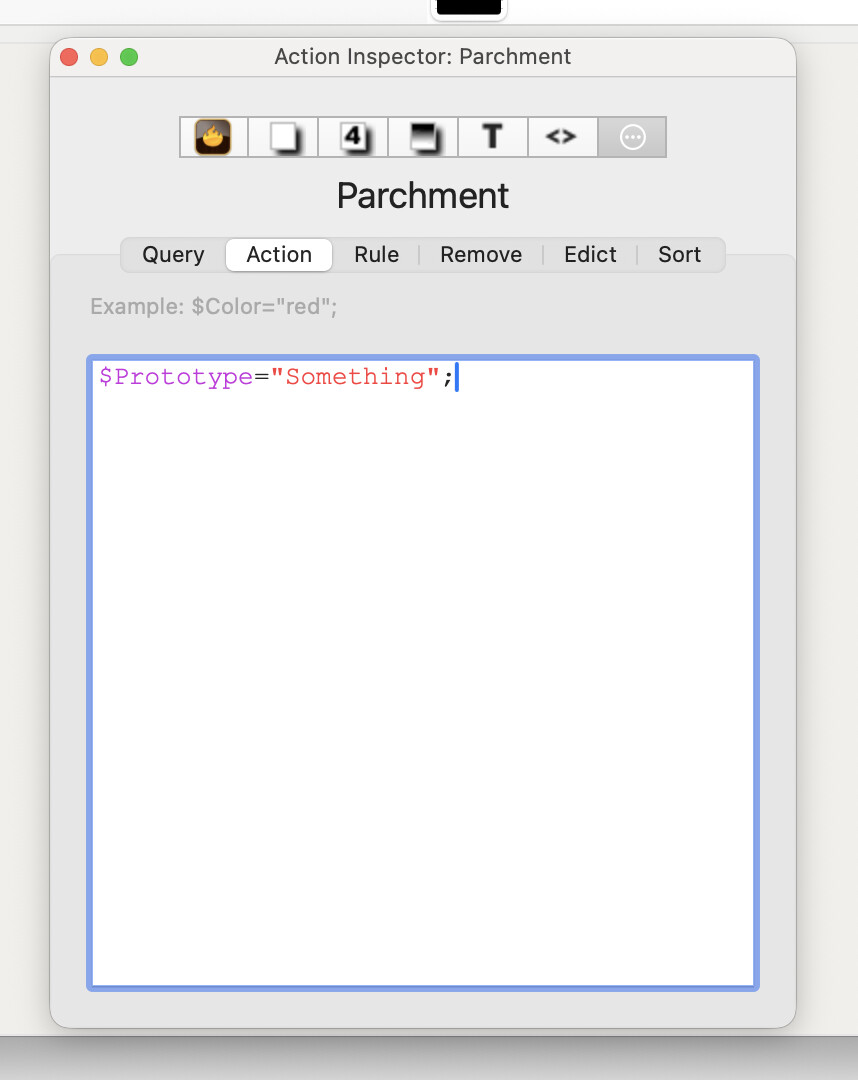
It’s also possible to set the $OnAdd attribute to $Prototype="Something", which is the same result as the setup in the image, above. See here.
2 Likes
Is it possible to add an action to all children? (For example, a parent has a tag, and the children’s names are changed to names with the tag name added to them.)
You could use this as the $OnAdd action for the parent:
$Prototype="Something";$Name=$Name+" "+$Tags(parent);
but it is limited because it doesn’t produce useful results if there are more than one tags in the parent’s $Tags. There are other cases with unwanted results.
It’s better to use an agent.
1 Like
I’d usually recommend using a DisplayExpression rather than modifying name. But if the parent tags are “Important;Inexplicable”, then a newly created note might wind up being named Expertiment Q37 Important;Inexplicacle, That’s not terrible; I’d prefer a comma (and could get that with the format() operator, but for a quick experiment this is OK.
Yes. For example, you could do this be selecting all the children and using QuickStamp. Or you could write a stamp such as $Rule(children(/Archives/Interesting)="....".
It’s more common to inherit actions from a prototype, but you can certainly do this.
1 Like
As prototypes and inheritance have come up, I recommend this set of aTbRef articles on Inheritance of attribute values, if not already seen. It should help flesh out some of the implied concepts at play here.
1 Like