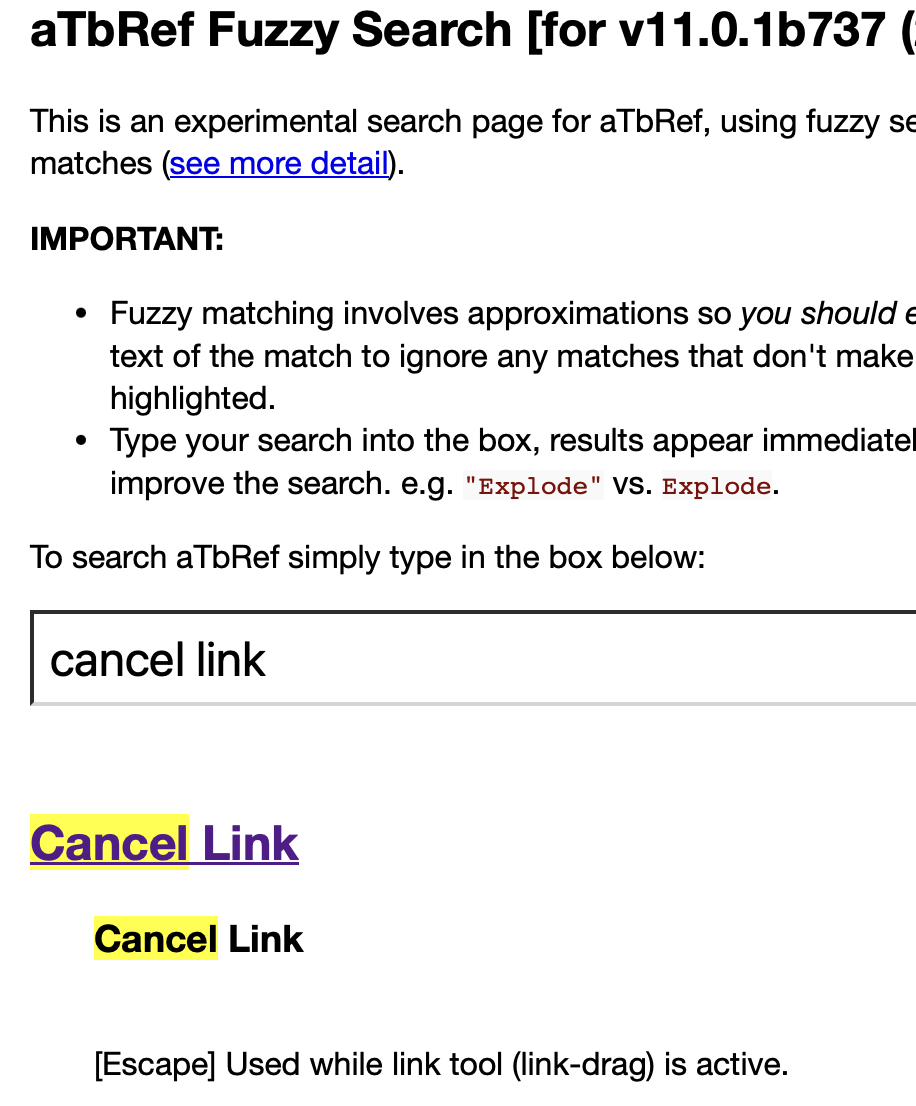
I am attempting to understand the instruction there,“[Escape] Used while link tool (link-drag) is active.”
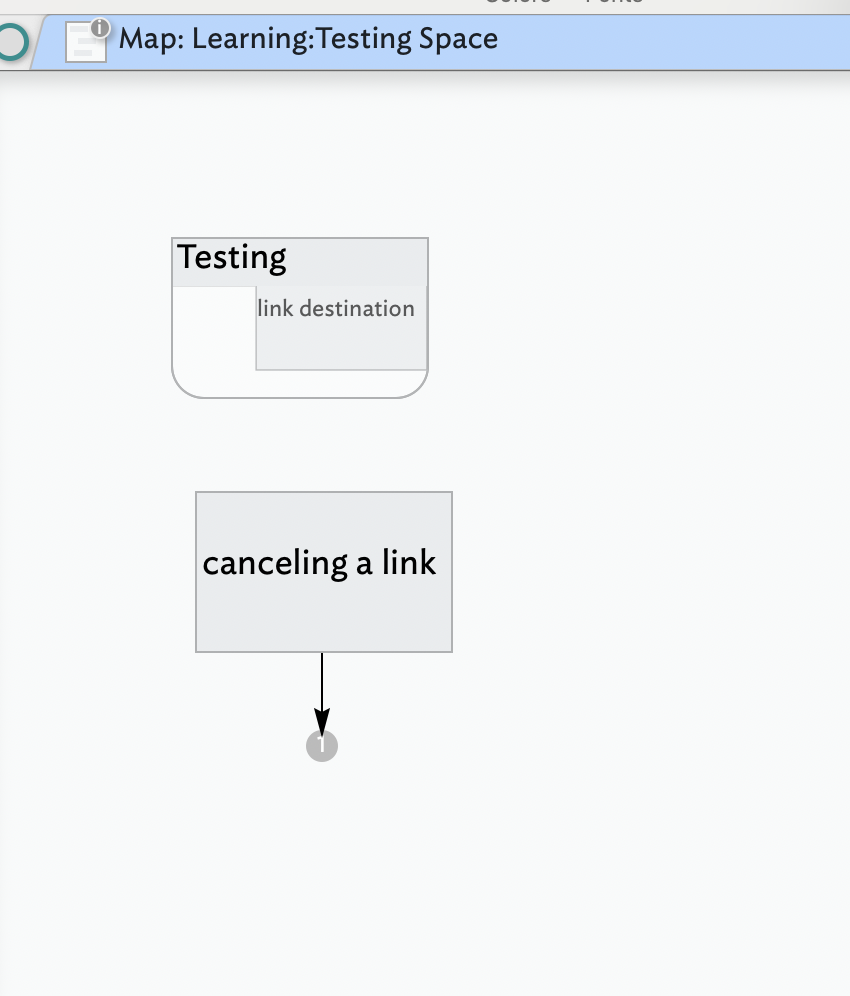
As I only want the link to disappear, I tried “grabbing” the link number while pressing delete; nothing happened. Upon rereading the instruction, I activated (clicked on) the link “fat arrow” at the bottom of the note. I then pressed escape, and the link and note disappeared.
My goal is to disconnect, to de-link, to delete the link only and not also lose the note in the process.
The link you referred to is the shortcut for canceling a linking operation during linking: “Used while link tool (link-drag) is active.”. As it describes it is not for managing already existing links
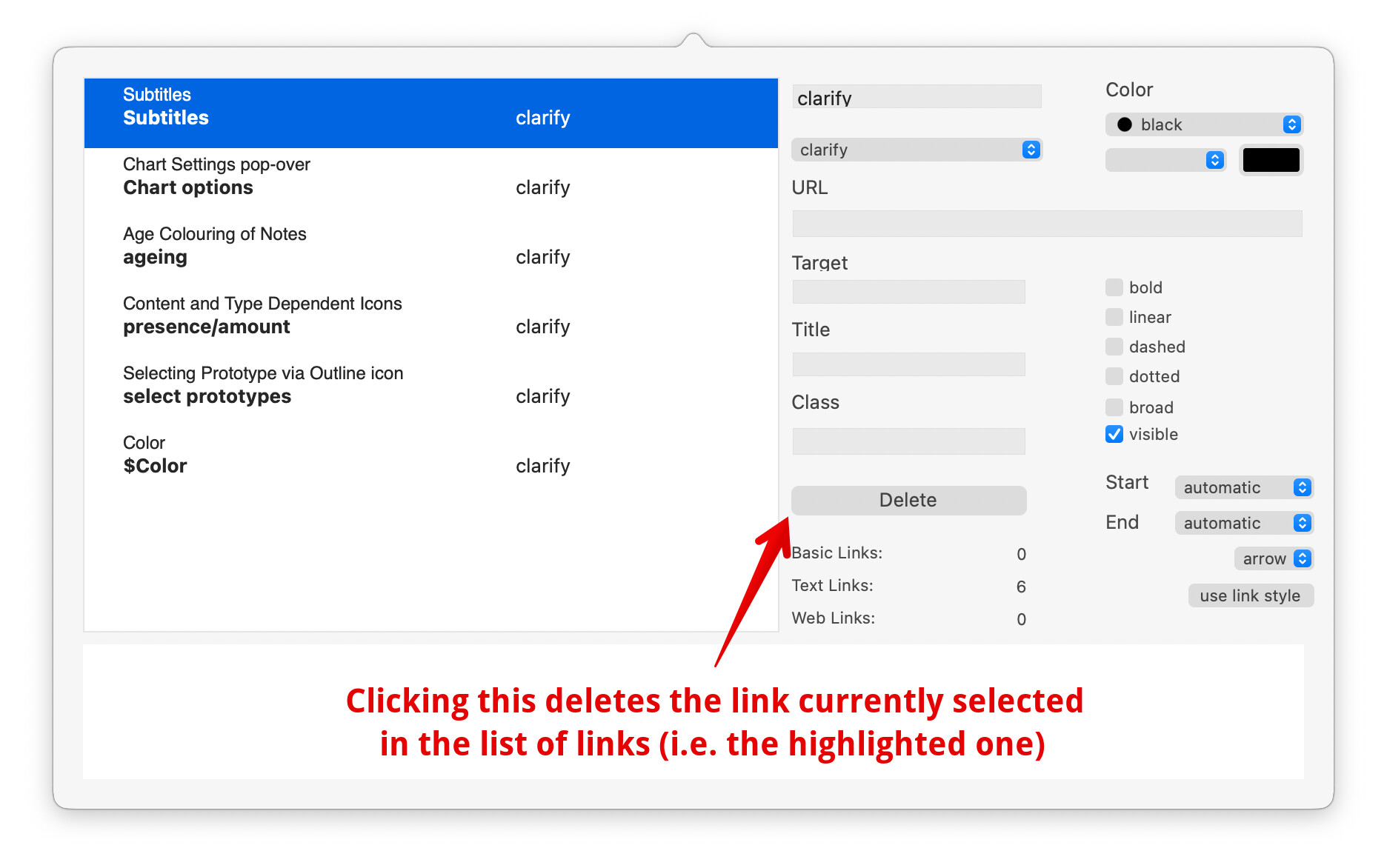
I assume by ‘cancel’ your intent is actually to delete an existing link? If so, the UI method† for doing this is to use the Browse Links pop-over dialog. The dialog is only available when the note that is the source (start, origin) of the link. Once that note is selected, Browse Links can be invoked various ways (in no particular order):
In the Browse Links dialog (read article linked above), in the list of links—main pane of the dialog—find and select the link you wish to delete. Now click the Delete button. I illustrate this with the dialog in my current document (so the list of links will look different in yours):
†. Yes, this is not the only way to delete a link. There are other methods, e.g. using action code, but these are not germane here. I note this to stop anyone confusing things by describing more and different methods at this early stage of learning the app.
Thank you.
I have been using the Browse Links inspector quite a lot actually but, as I have been accessing it differently (and that method wasn’t available here) I didn’t make the connection.
Other views, e.g. Map view does offer another methods but per other threads numerous answering your question, I’d understood that all the current triage work was being done in Outline view as Map view wasn’t working properly for you.
If in doubt and trying to see the whole of your document, I’d recommend always using Outline view until things are working again, before returning to using other view types as most generally only return part of the document’s contents … as that is what they’re designed to do!
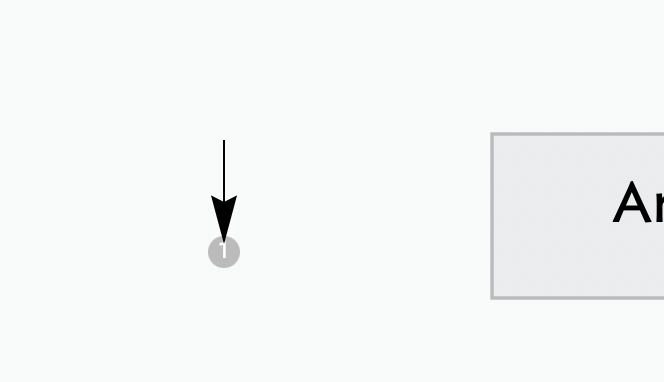
It it irrelevant; yes, it is a map view option as that is where I am finding arrows disconnected from notes. I am unaware of how to find a lone arrow, disconnected from a note, in outline view. But I will go doublecheck to see if this occurs in outline view.
Indeed, but you’re overlooking the fact that map link controls are only drawn if both source and target are on the same map. In contrast the problem you illustrated was for a link stub. In addition, for reasons as yet undiagnosed, you can’t select the source note of that stub link so can’t use that to invoke Browse Links as that is called from the link’s source note, nor can a link stub show link controls. As there are no link controls with which to interact I thus deliberately omitted mentioning a method that can’t be used in the problem context.
Therefore you need to work on the problem from Outline view, as already recommended, as at least you can see all notes even if not in map presentation. Don’t forget you can have a map view tab and an outline view tab in the same document window and switch between the two as you owrk. For instance, you can edit links in the outline view and then check the map view to see the effect.
But, I repeat, that giving deeper assistance really needs you to share a—small—TBX file (you can upload one to the forum) that shows the problem. If the only document you have is large, make a copy, and delete as much as you can that isn’t part of the problem, and upload the smaller result. this both avoids sharing possibly private detail and significantly aids helpers for whom the whole file is new at first sight, so the less there is to test/understand the greater the likelihood of getting a successful result.
Please send me a screenshot of how a link stub, alone, appears in outline view so I can work with it there.
"… make a (document) copy and delete (what)… isn’t a part of the problem… " This requires knowing what is “part of the problem.” But if I knew what the problem was I wouldn’t need to do this, correct? In not knowing this piece of the puzzle, how is it possible to “delete (what) … isn’t a part of the problem”?
Once you show me an example of a disconnected link stub in outline view I’ll be able to locate, screenshot and send mine.
Map link stubs are only drawn in … map view so you can’t see them in any other view, so the request does not make sense. Outline view icons show link indicator in/out/ but these are not quite the same as link stubs and the latter is your problem. But, trying to show map-only features in another view isn’t what was being suggested.
However, a simple logical approach can help break the task down. note, as you have the only copy of the problem document others can only make suggestions as they can’t see the document running and showing the error you describe (seeing it live vs in a screen grab offers the viewer much more information).
So:
First make a copy of your document. Make initial changes/tests in the copy. That way any mis-steps don’t affect the original. Any solution can be implemented in the original and the copies then discarded
You’ve show a grab of an outbound link stub. Therefore, the source of the the stub must be an item in the container being shown in the map.
In outline view, look at the same container. Does it have the same number of children as you see items (notes/containers/agents) in the map view?
If the same number in both, this excludes the possibility the source item is present but not visible in the map.
In the copy’s outline view, delete all items with no outbound links, or where all outbound links terminate inside the container. All those will not show a link stub in map view. The item(s) remaining must include the note that is the source of the misplaced stub. Delete each, one at a time, to see when the link sub disappears in map view. If a deletion doesn’t affect the map either undo, or start over with a new copy of the document.
If different, the items present in the outline but not in the map need inspection as being the missing source of the stub. In a copy of the TBX, delete the extra item(s) in map view, one at a time, then check the map for the displaced stub. If you do track the ‘missing’ source note, in outline view, with the original TBX and copy open, delete the problem note in outline view in your main document and use the copy’s outline to help you rebuild the note (in outline view) plus its link(s).
If the problem persists, make a copy of the ‘bad’ document, zip it and email or email a cloud link to the zip to tinderbox@eastgate.com otherwise this will just go round and round. Someone other than you needs to see the document with this problem manifested. Don’t forget to explain where (in which container/map) the problem is to be seen: you know where it is, the recipient will not.
Another angle, which has not been mentioned, and I assume not tried, is to click the numbered circle at the end of the ‘bad’ link stub. This should (see) open a pop-up list. As the stub is as outbound the list is of destination notes. As the number in the circle is ‘1’ there should only be one listed note. If you look at the Roadmap for the latter note, in the left column you will see inbound links. Look at the source(s) of those. A link originating in the map with the mis-placed stub will be the note that should be appearing above the stub. This can help you track down and delete/re-create the bad note/links. You can also look at Hyperbolic view to see the link relationships and help track down the problem link.
Anyway, I think we’ve taken this problem as far as it is possible without a shareable example file. So I suggest we tie this discussion off pending someone else getting a look at the file and replicating the problem.