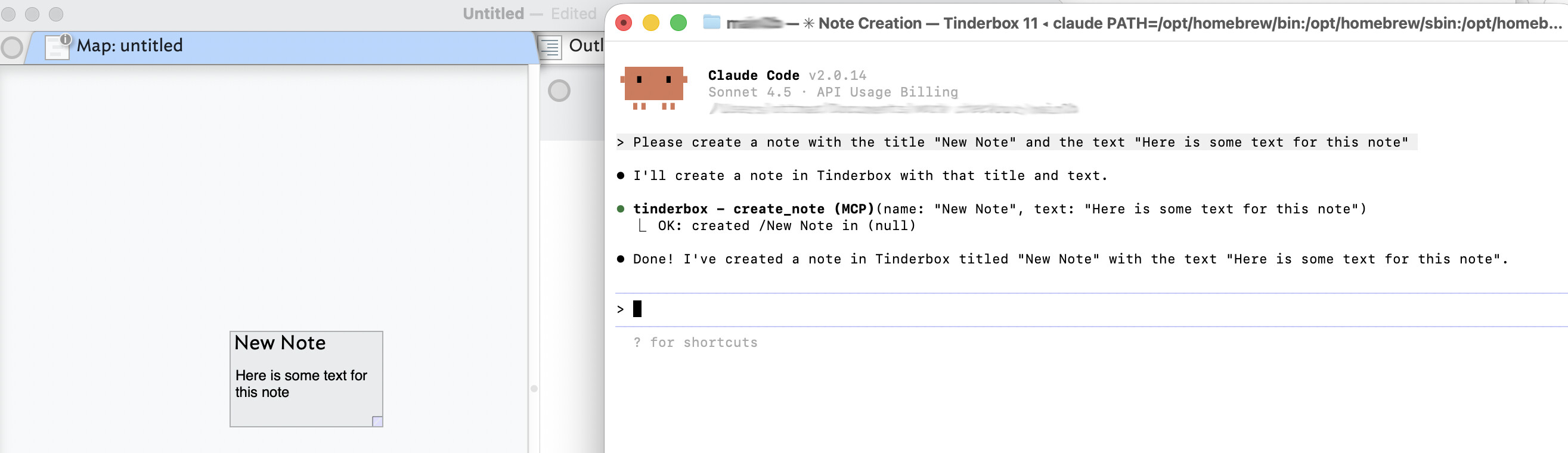
I have the free version of Claude Desktop and thus I do run out of tokens more often that I’d like. However, I do have an api key from Antrhopic that I use with Claude code and DEVONthink. I figured I try to use Claude Code with Tinderbox by simply copyig the MCP server entry that was part of the file ~/Library/Application Support/Claude/claude_desktop_config.json (installed by Tinderbox 11) and add it to the ~/.claude.json file. The latter being used for Claude Code. Surprisingly, that gave me access to Tinderbox through Claude code. Here is my first interaction simply asking to create a note:
I don’t think this is officially supported by Eastgate, but I figured it was worth posting about it. Might be useful for those people that don’t use Claude enough to justify the monthly bill for Claude Pro but also don’t want to run out of free tokens when they are in the middle of working with a Tinderbox document.
Could you elaborate on that further? Could we perhaps get a small demo video on this?
And could we maybe make it a topic in one of the upcoming meetups @eastgate@satikusala?
It would be interesting to know in which environment using Claude Code is most effective to collaborate well with Tinderbox, especially if you’re not working with Node.js in, for example, vibecodeapp.com or other environments. I’m still new in this and open and grateful for any kind of input.
Hi Andreas, I certainly can elaborate some more on this. Claude code basically gives you a command line interface to claude. So instead of going through the Claude Desktop app you fire up a terminal and work there. To install you probably still want Node.js installed, instructions to do so are here: Quickstart - Claude Docs .
As the name implies Claude code was developed with coding in mind, but you can use it for any other tasks you want to use Claude for as well. It works in the terminal and has access to your file system (although the desktop app also allows you to install extensions that can provide those capabilities). I just asked it to go through my code base and pull out all TODOs it finds and stick them individually into a Tinderbox note with some context. It knows how to use unix tools like find and grep to read files and extract information. It can also edit files, create new files or delete them (so be careful).
Claude code will read a file called CLAUDE.md at startup. That is where I put the information about Tinderbox (I just copied what is put into Tinderbox notes via the Built in Hints menu command into that file). You can also add additional instructions there unrelated to Tinderbox. If you google for CLAUDE.md you will find plenty of examples.
I think the main difference between the Claude Desktop version and the Claude code terminal version for people wanting to work with Tinderbox is probably (other than look and feel) the fact that Caude code is a pay as you go. You have to sign up to get an Anthropic Console account and then you can get an API key. As you use the app you pay for the tokens you use. So you don’t run out of tokens midstream as you are trying to get work done, but you also don’t pay a subscription when you don’t use it.
So, should I actually just follow the Quickstart guide in the Cloud Docs, or is there another point you would like to mention regarding installation and initial setup for someone who is not a programmer?
FWIW, you can use Claude Code, too, if you’re a Claude Desktop user. For me, this is one of the advantages of having a monthly subscription to Claude. But yes, to your point, you can also use Claude Code on a pay-as-you-go basis.
The quickstart guide should get you to a point where you can open a terminal and type “claude” to get into an interactive shell to talk to Claude. As the guide states you will need to have an account with Anthropic and they recommend Claude.ai (which is the montly subscription service) but also offer the Claude Console account (which is the pay as you go service). Claude code is also included in the subscription service, so if you want to access Tinderbox from the Claude desktop app and the terminal you can get the subscription. If you don’t want to pay monthly and are ok with using the terminal you can go with the Claude Console account.
If don’t recall the exact sign up process for Claude Console, but you will have to purchase some credits (I think it was minimum something like $10, maybe even just $5) and then find the spot on their website where you can generate an api key. That key you will have to supply the first time you start Claude in your terminal. If I recall correctly it will ask you for it first time around.
At any time you are working in claude you can type “/cost” and it will tell you how many of your hard earned dollars have been turned into tokens
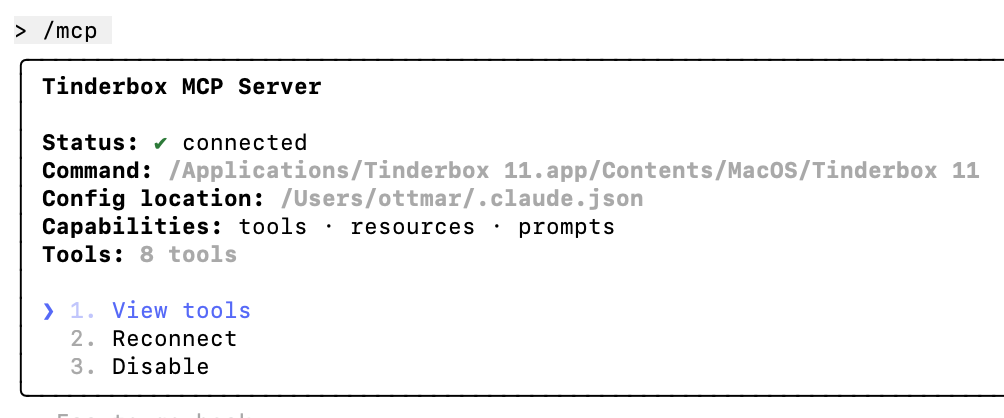
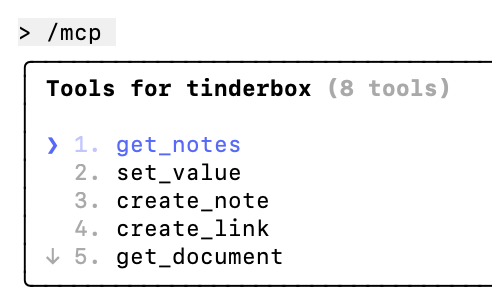
Please make sure you are comfortable with editing the files I pointed out in my first post to make sure Claude code knows about the Tinderbox MCP server. If you start claude in a terminal it will tell you about syntax errors you may have introduced. If that succeeds you can ask it for the MCP servers it knows using the “/mcp” command.. In my case I see:
You want claude to know more about Tinderbox besides the available tools. You should add as a minimum to your Claude.md file (in the directory where you start claude) what Eastgate recommends to put into the Claude Desktop apps profile to introduce Tinderbox to claude. You can then follow the Tinderbox help on how to set up the Tinderbox documents so there are notes for Claude to read (The /Hints/AI/Claude container). Alternatively, you could copy/paste the majority of what is in those notes into the Claude.md file (with some modifications to tell claude about taking notes for itself and where they should go as without the Hints folder the containers don’t exist).
“Thank you for the last Thinderbox AI meetups, beautifully done. Decisions were made this week that make it easy for me to better support Anthropic and avoid other companies going forward.“
I’ve updated Claude Code to reflect the Claude Code cannow be accessed via command line or the Claude Desktop app.
NOTE: Claude code is only available with a paid Claude subscription and does not appear in the Desktop aspp as an option if the user is not subscribed (or signed in)