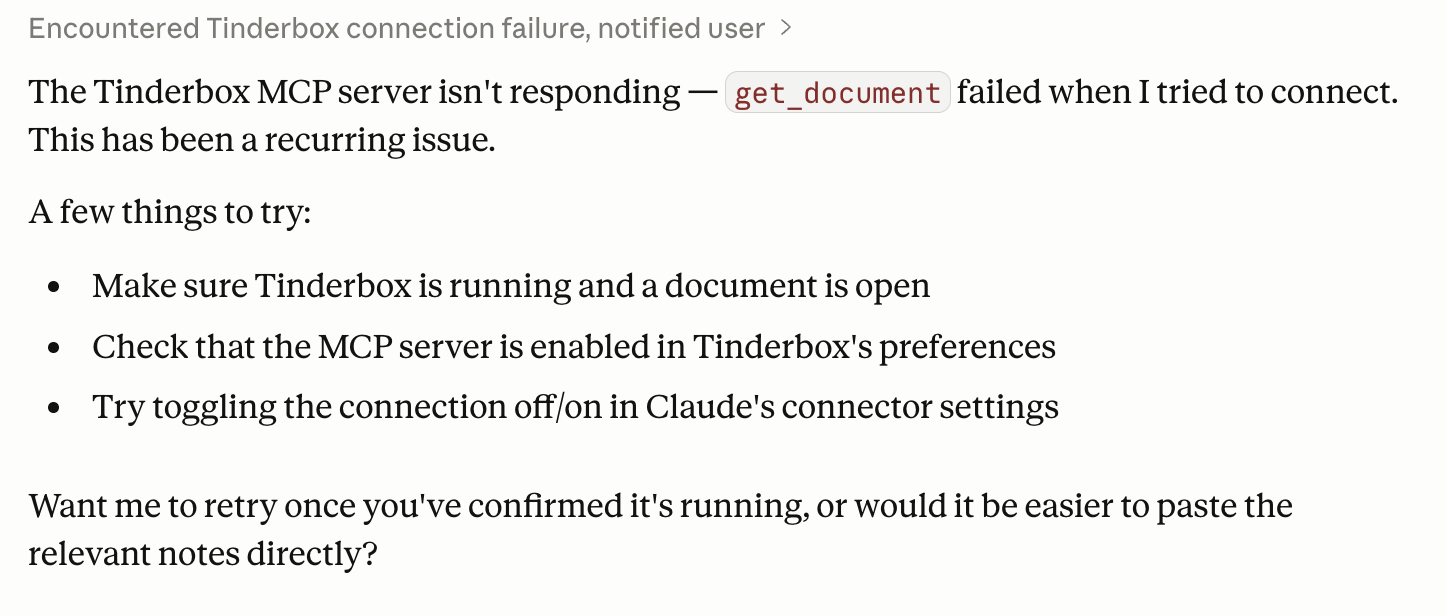
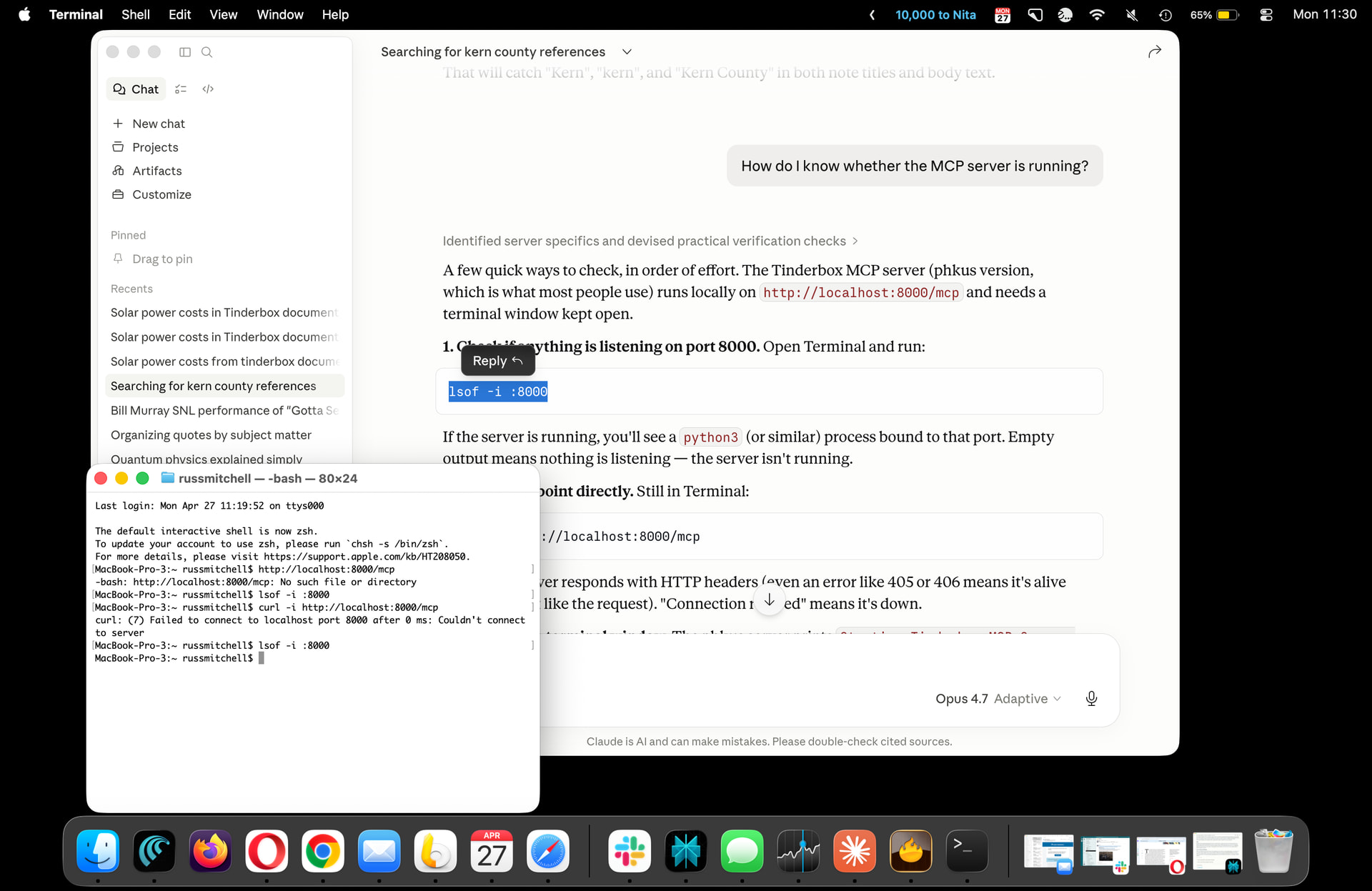
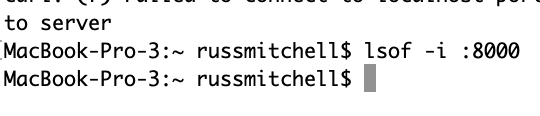
I’ve strictly followed the procedure on what to open and close. I’ve tried the fixes recommended by Clause. I did go into terminal which tells me the 8000 server is not running.
Assuming Tinderbox is installed and is set to allow AI use, close it. Close Claude, then re-open. If all is correctly configured, Claude will open Tinderbox†.
If Claude opens to blank window and appears to hang, close it and re-open.
If his doesn’t work, I’d guess it will be a permissions problem but that’s hard to diagnose here.
Regardless, Claude needs to open Tinderbox else it seems the MCP is reported as not working.
†. Whether Tinderbox then (re-)opens docs from your previous session is a macOS setting, not a Tinderbox one)
Your Claude has gotten a bum steer on using Tinderbox. Here’s how to straighten it out. (This will be easier later this week when Tinderbox 11.7 is out)
Quit Claude and Tinderbox.
Open Tinderbox.
Disable AI Integration in the Tinderbox menu
Enable AI Integration in the Tinderbox menu This makes sure that Claude’s initialization files are set up properly.
Open the Tinderbox document you’re interested in using. Close any others.
Open Document Settings:General. Make sure that AI Integration is enabled in this document.
Make sure this document has the AI section of Hints. If it doesn’t, File ▸ Built In Hints will create it.
Quit Tinderbox.
At this point, everything should be correctly configured. Open Claude Desktop, and use the Claude tab. Claude should open Tinderbox, and should be able to consult its Tinderbox Readings.
In Tinderbox 11.7, the Tinderbox Inspector has an indicator for details of MCP status, which makes diagnosis easier.
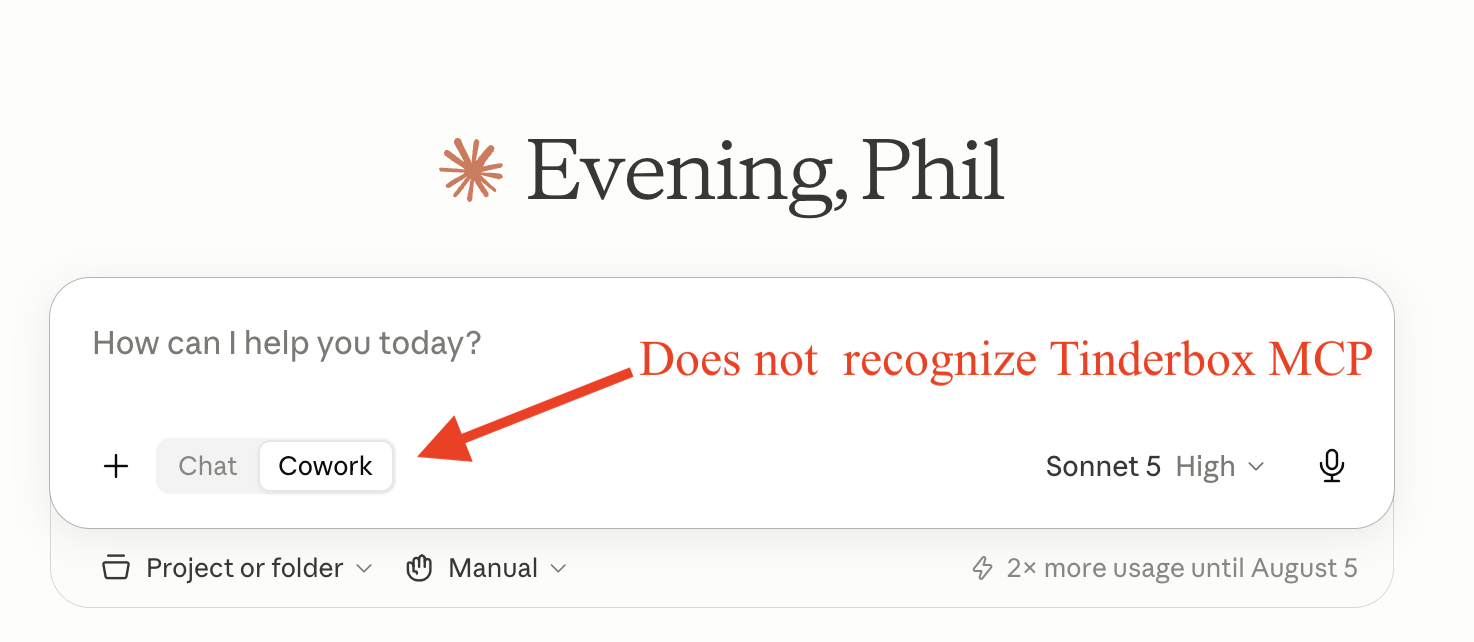
I just had a weird issue after a Claude update. Suddenly Claude wasn’t able to recognize the Tinderbox MCP server. It claimed that Tinderbox had never been configured…even though I’ve been using it for months.
It took me a bit, but I finally figured out that Claude was defaulting to Cowork, and the New Tasks weren’t recognizing the MCP configuration. It could see Devonthink just fine.
The frustrating part was that I explicitly asked what a “New Task” was and how it differed from the previous conversations, and Claude wasn’t able to tell me the difference.
All sorted now, but it was pretty frustrating for a while.