Collating part of each note into and pasting them into a single note

Hello,
I received 20 emails. I created a note for each email. Into each note, I pasted one email.

Then I wrote my reply in each note below the respective email.

Is there a way to collect all the replies(only the replies) from the 20 notes into a single note.

Thank you!

Followed the advice from Clause; still no joy

Step 1: Create the Agent

  1. Create a new note and set its prototype to “Agent”

  2. Name it something like “Reply Collector”

Step 2: Set the Agent Query In the Agent’s query field, enter:

$Name.contains("Email")

This will find all notes with “Email” in their name (Email 1, Email 2, etc.)

Step 3: Set the Agent Action In the Agent’s action field, enter:

if($AgentPriority==1){
   $MyString = $Text.after("---");
   $Text(parent) = $Text(parent) + "\n\n=== " + $Name + " ===\n" + $MyString;
};

The idiomatic way to do this in Tinderbox is to create a note for the email and another note inside it for the reply. This provides better granularity for linking and agents than “block” addressing, which Roam adapted from Engelbart’s NLS/Augment.

There are ways to do block addressing in Tinderbox (but no way to collapse part of the text of a note). But this is the simplest and most natural.

If you put both the source email and the reply into the same $Text, then you need a consistent want to tell one for the other. So before assembling the list of replies you first need to deal wity how to tell them apart.

For instance ad a divider line ~~~answer~~~ before the answer. Now, for any given such note the answer text is $Text.split("~~~answer~~~").at(1), list items #1 being the second item in the list, ie. the text after the split string, i.e. the answer to the email.

@mwra Thank you!I added the separator ~~~answer~~~.

Each note has the text Email (e.g. Email 1, Email 2, Email 3).

I tried the followingAgent Query:

$Text.contains("Email")

AgentAction:

if($AgentPriority==1){
   $MyString = $Text.split("~~~answer~~~").at(1);
   $Text(parent) = $Text(parent) + "\n\n=== " + $Name + " ===\n" + $MyString;
};
  1. I moved the Agent (‘Collect All Replies’) into a note (‘All the replies’).

Nothing happened i.e. the replies were not collated in either the Agent (‘Collect all Replies’) or in the note it contained (‘All the replies’)

  1. When I moved the Agent out of container note (‘All the replies’), the collated replies appeared on the Agent. However, it kept repeating i.e. The replies were kept being appended to the end of the note.

How can I stop the replies being continuously added to the Agent (‘Collect All Replies’)?

Thank you!

@eastgate Thank you! I will explore the Roam.

There are several ways to do this in Tinderbox. In fact, I do this kind of think all the time! It depends on your workflow and how you sen things up.

As was noted below, you could

  1. have a consistent divided and extra everything below it
  2. highlight the reply and extract the highlights
  3. create a child not for your reply under each email (this is most definitely the cleanest approach)
  4. other

It really all depends on your pattern. #3 is the cleanest.

Could you mock up a sample file so that I could see what you’re doing and I’ll script a couple extract examples for you.

collect_all_replies.tbx (179.2 KB)

@satikusala Thank you! Please find a mock-up attached to this email.

If you click the Agen (‘Collect all replies’), it collates the replies to the Agent. (it did not work when I moved the Agent into a note (‘All the replies’).

I would be keen to learn your tidier solution using child.

Thank you!

I made a quick test document: Get Answers.tbx (208.9 KB)

Note I added one user boolean attribute: $AnswerAdded, a boolean, default value false.

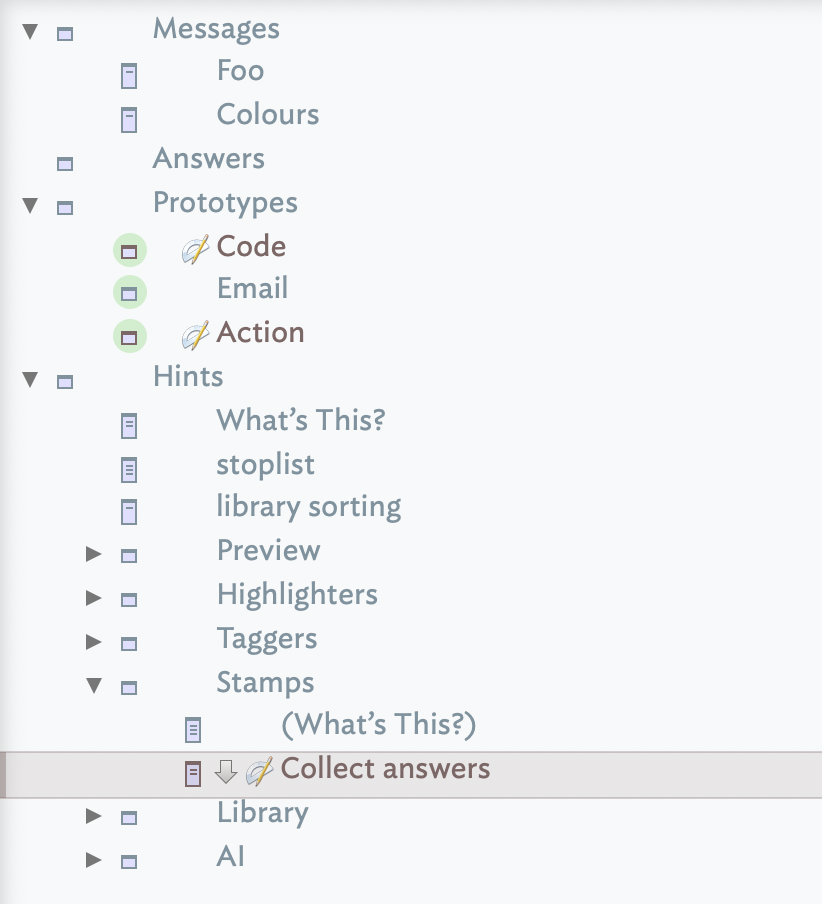
Select container ‘Messages’ and apply stamp ‘Collect answers’. The answers in the email notes inside Messages will be set as the test of note ‘Answers’.

(Sorry for terse answer - busy at a conference)

Here is an example.

collect_all_replies—Becker.tbx (218.8 KB)

See two stamps: 1) Extract text, use this when the answer is in the text, 1) Child text, which extracts the answer form the email’s child answer. To fascinate this I created an Email and Answer prototype.

There are LOTS of other ways you could go about this.
Michael

BTW, not sure where this came from. .after is not a valid operator.

@satikusala Thank you! Very elegant solution. I like the fact it gives ‘Collect all the replies’ and ‘All the replies’.|

Thank you to @mwra and @satikusala you for the time and sharing your expertise i.e. for the big hearts!

1 Like

Attached, is a simple version that works well. Developed and refined based on the advice of @mwra Thank you!

collect_all_replies_3.tbx (178.6 KB)

1 Like