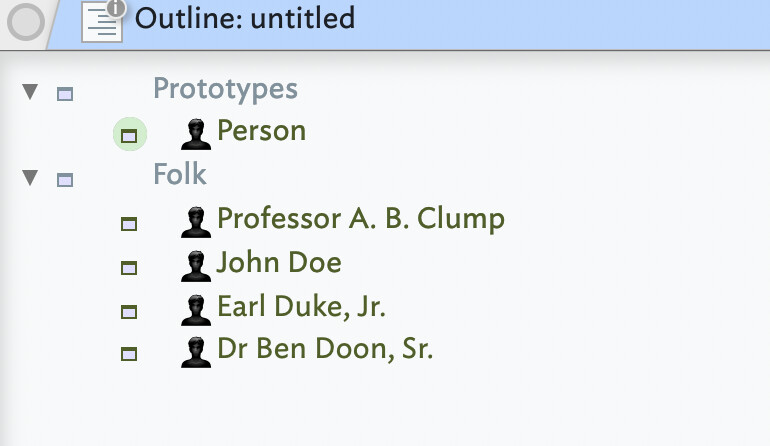
In a Tinderbox file that contains many persons of prototype pPerson, I have the attributes $FullName, $PreNameTitle (such as “Prof.” or “Baroness”) and $PostNameTitle (such as “MP” or “MdB”).
I want a $DisplayExpression to put these together if either fields are populated, but otherwise only give $FullName.
For that purpose, I put the following in the prototype’s $DisplayExpression attribute, expecting it to do the job:
However, I don’t get any $PostNameTitle displayed, and before the $FullName (irrespective whether the $PreNameTitle is populated) I get an unsightly double ““. Obviously there is a mistake, but no amount of tinkering has helped, so I hope someone with more insight on this forum might have a bright idea… I am using Tinderbox 11.6 if that is of any help.
The Display Expression fails for two reasons: it isn’t valid code and a Display Expression doesn’t allow multiple if() statements. The use of ? is not clear and it likely a guess made on some other coding system.
You have four possible states:
*Full name only
Prefix / full name
Full name / suffix
Prefix / full name / suffix
Using a single if() that means nesting two subsidiary if()s to get all four states. For example ( with line breaks and comments for clarity):
if(!$PreNameTitle & !$PostNameTitle){
   // full name only
   $FullName;
}else{
   if($PreNameTitle & !$PostNameTitle){
      // prefix and full name
      $PreNameTitle + " " + $FullName;
   }else{
      if(!$PreNameTitle & $PostNameTitle){
         // full name and suffix
         $FullName + ", " + $PostFullName;
      }else{
         // prefix, full name, and suffix
         $PreNameTitle + " " + $FullName + ", " + $PostFullName;
      }
   }
}
Messy! But in a single action we only need 3 iterative tests:
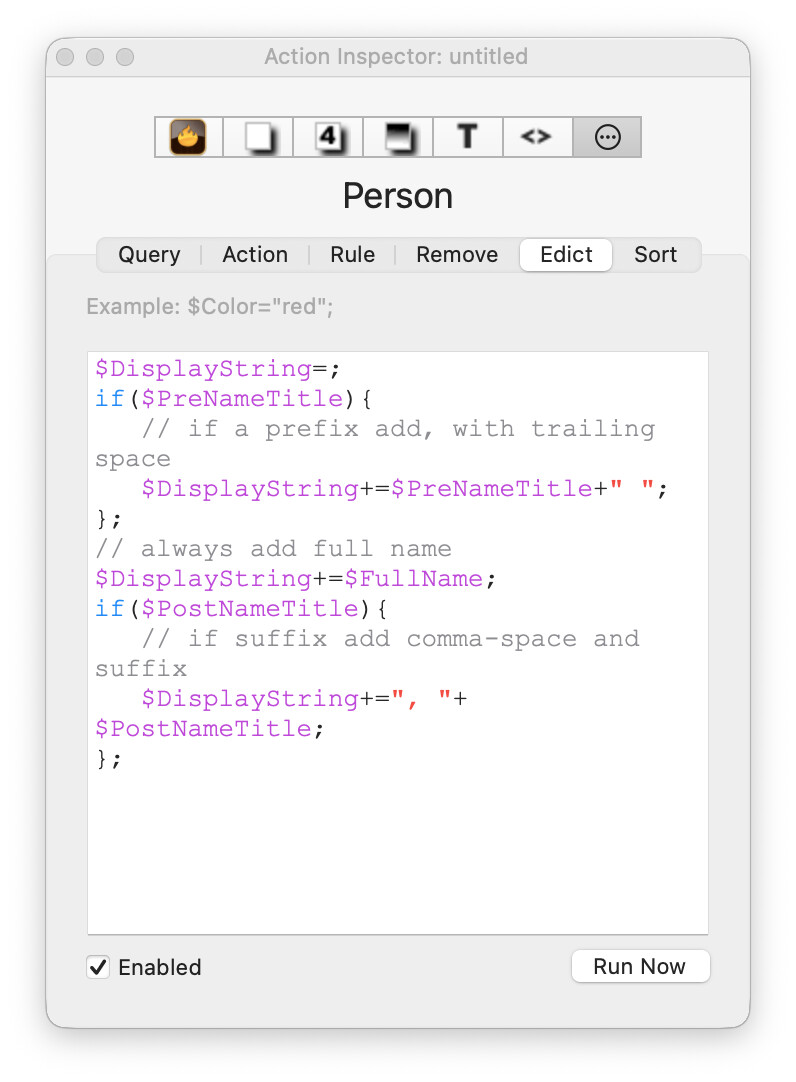
// reset the output string
$DisplayString=;
if($PreNameTitle){
   // add prefix with trailing space
   $DisplayString+=$PreNameTitle+" ";
};
// always add full name
$DisplayString+=$FullName;
if($PostNameTitle){
   // add comma-space and suffix
   $DisplayString+=", "+$PostNameTitle;
};
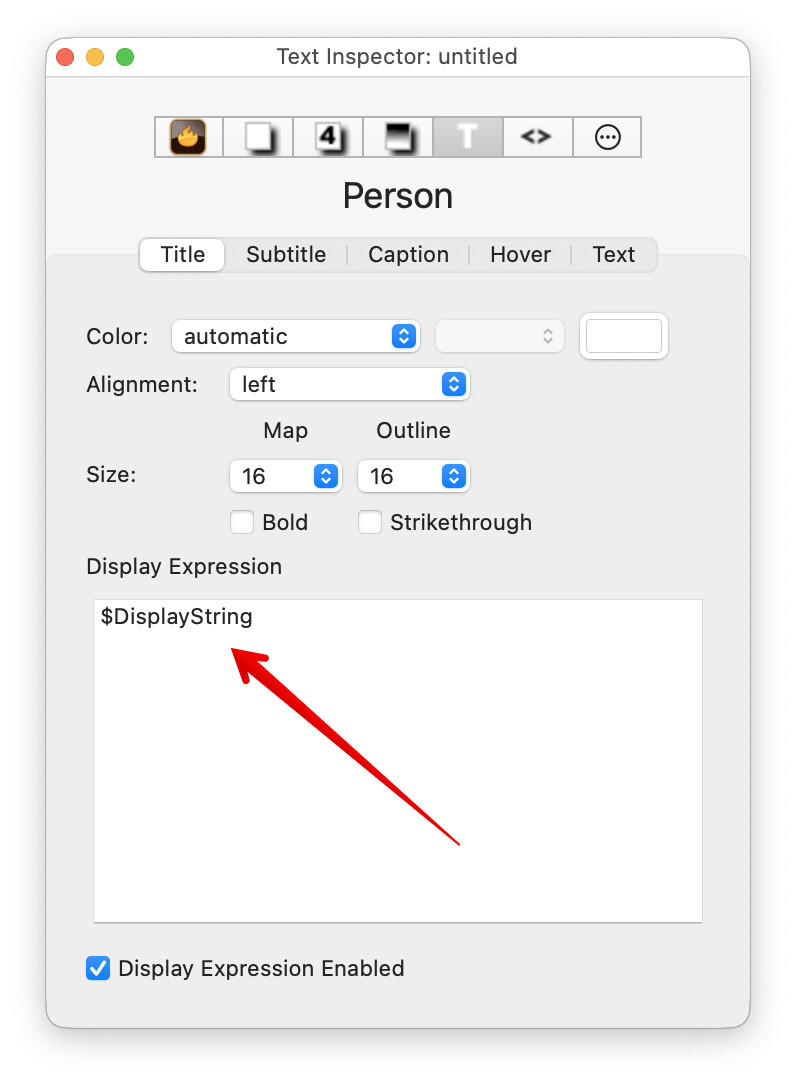
You could use this action in the prototype’s $Rule for quick testing, but for a real document $Edict seems a better choice:
I’ve also updated† aTbRef’s note on Display Expressions to try and clarify the point about allowing only one if() at top level (i.e. non-nested) in the expression.
Nested if()s are OK but as discussed once a Display Expression uses anything more than very simple action code, the output string for the Display Expression is better pre-compiled. The point of the latter is to avoid the $DisplayExpression action code evaluation occurring during per-note expression set-up. In a large document with complex expressions, doing that in $DisplayExpression can slow down the UI.
†. I also took the opportunity to remove some outdated suggestions that pre-date some current action code affordances.
I won’t amend aTbRef just yet, but it appears my testing of if() in $DisplayExpression, led to a false conclusion, or rather mis-diagnosis. for note (v11.6.0) a workaround for this seeming limit is simple. So this as Display Expression code stops evaluating at the end othe first `if(){}a, i.e. as the ‘}’:
Many thanks to all who took the time to reply and think of solutions, especially @mwra who did so with his customary friendliness and thoroughness.
But his solution, though convincing, may somewhat overdo it for my purpose, especially if there is substantial compute effort involved in the case of many such notes. I thus resolved that I simply put “$PreNameTitle +" "+ $FullName + " " +$PostNameTitle” into the $DisplayExpression in the prototype - which gives me by and large what I want, at the cost of having a leading space if there is no $PreNameTitle (and a space after $FullName which also is no great disturbance).
But I am happy that this triggered a review of some unexpected results in Tinderbox which resulted in @eastgate clearing out a few cobwebs from old code! Many thanks again to all involved.
This issue re if vs if/else use in directly in $DisplayExpression values is now rectified and the constraints above will no longer apply as of the next release (for any Backstage users, fixed as of b782).
aTbRef’s Display Expressions article will be updated for the next release to reflect this.