I have several attributes to my notes that are functionally $Text content in and of themselves. Is there a way to expand the viewing window size of an attribute? I really need something larger than just a one-line viewing window. Alternatively, switching the main note-taking area of a note from the $Text attribute to another attribute as needed on demand would be very nice.
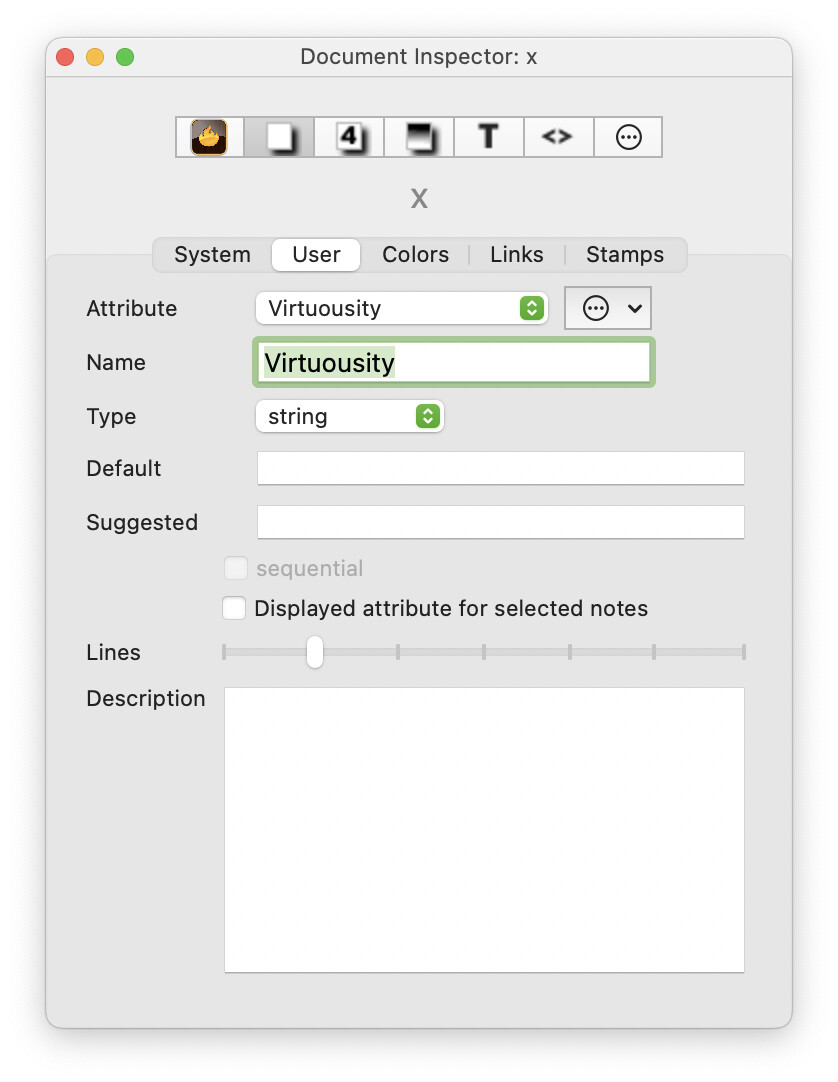
In the User Attributes pane of the Document Inspector, note the Lines slides near the bottom, which appears for string, list, set, and dictionary attributes. This controls the number of lines of text that will be displayed in the Displayed Attributes table.
2 Likes
Awsome! I had no idea that was there! Solves my problem.
Thanks for the quick reply and solution.
1 Like