Hi! I was wondering if it was or would be possible to make a note window, when using the keyboard shortcut alt + command + X, be in the center of the file, like in the screenshot below? I know there are applications to do this, but it would multiply keyboard shortcuts and would be counterproductive. Thanks for your suggestions.
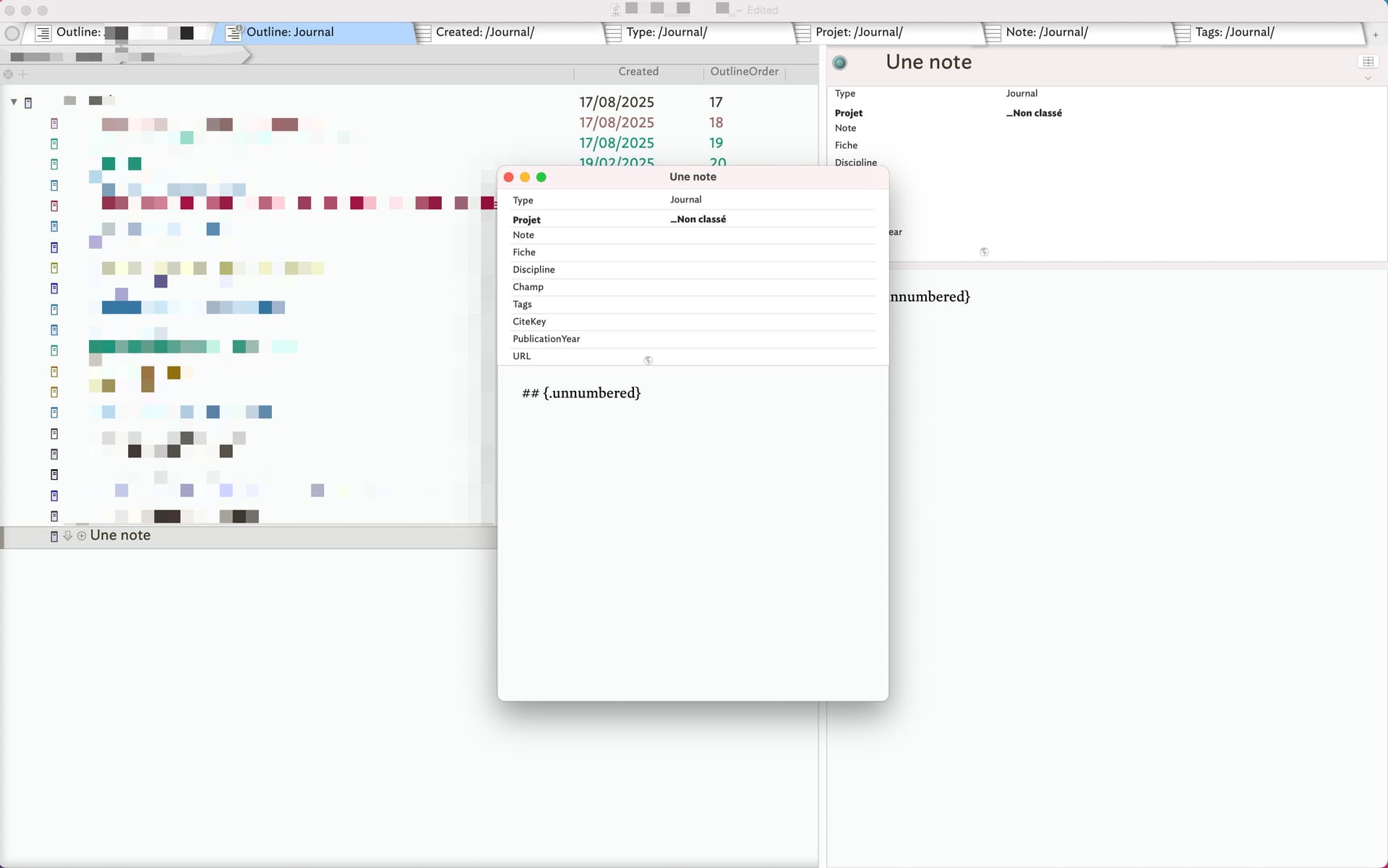
It’s not possible in Tinderbox right now. I think it might be possible with Stage Manager, part of macOS.
A problem arises when there are multiple text windows. It’s probably unwise to place them all at the same place.
Hi Dominique
I do this with 2 apps.
Moom: which assigns shortcuts to “spaces”/desktop areas (desktop-real estate) from your screen desktop. Very customizable, WHERE you want the window to open with the shortcut
Keyboard Maestro: create a chain of actions with keyboard maestro
- Trigger the macro with a keyboard shortcut you choose
- Let KM open the tinderbox file you want
- Fire off the Moom shortcut you created earlier to place the window where you want
Keyboard Maestro 11.0.4: Work Faster with Macros for macOS
Here is my example which will mean nothing to you except to show you how I did it… my shortcuts are specific to my system. The grayed out are inactive parts of the macro
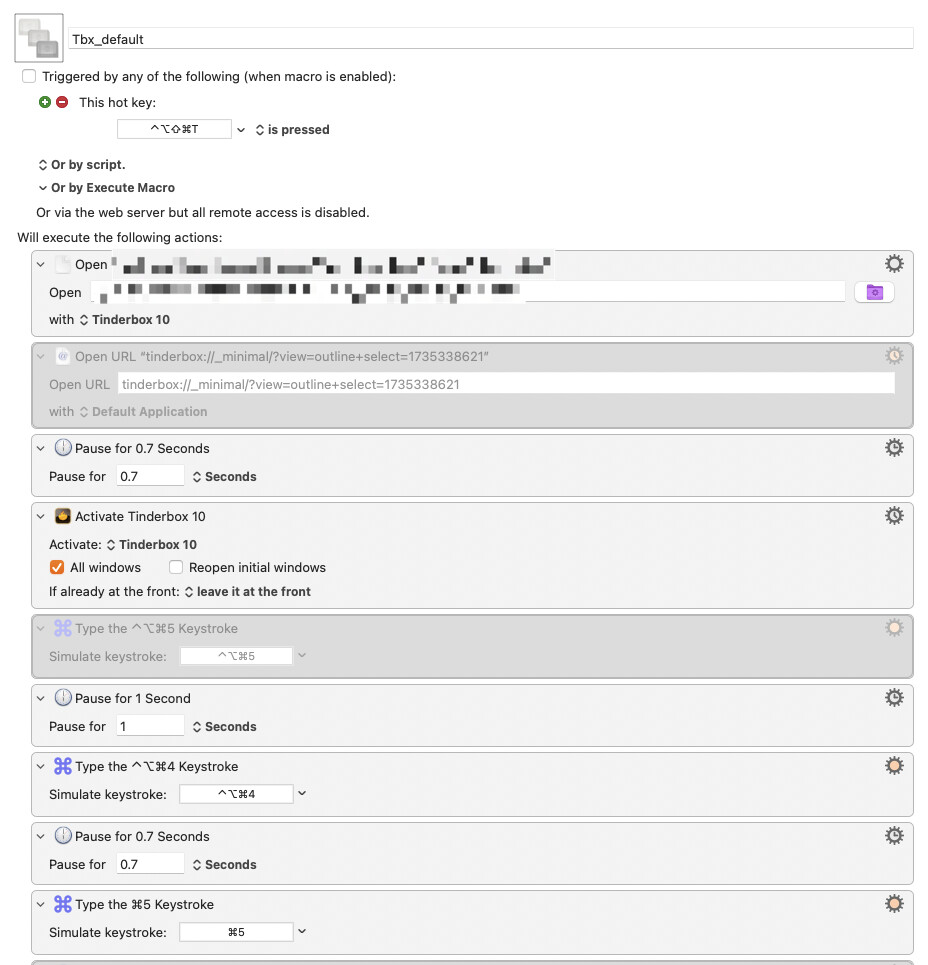
A system like this will allow you to place any ACTIVE window, anywhere you want with a keystroke.
There are other apps similar to Moom, it is just one I have used for years.
Keyboard Maestro is an app I have grown up with. Its like Applescript for non-coders, like me.
Cheers
Tom
1 Like
Thanks Tom for the suggestion. For now, I’m using a shortcut with Magnet.