Is it possible to change the $Created date format?

Besides setting the prototype for a new note the action $Prototype = “pDay”; $Text = $Created; inserts as expected date and time as “2025-09-10T10:06:34-05:00” into the text of a new note. Can $Created be formatted instead as e.g. “Wed, Sep 10, 2025” ? Exploring aTBref I could not find a way. Perhaps there is a different/better solution for this.

Thank you,

Chris

Instead of $Text=$Created, you want $Text=$Created.format(format_string) where the format string can include a variety of codes:

L: local time, in long format, using the system format settings (example: Tuesday, April 29, 2003.)

l: local time, in short format, using the system format settings (example: 4-29-03)

d: day of the month (example: 29)

D: formats date 01-31, with leading zero

m: number of month (example: 4)

M: abbreviation of month (example: Apr)

MM: name of month (example:April) w: abbreviation of weekday (example: Tue)

M0 (em-zero): formats month numerically 01-12, with leading 0

W: name of weekday (example: Tuesday)

y: year (example: 2003)

t: time, in local format (example: 2:32 pm)

h: hour of the day on a 24-hour clock (example: 13:39)

H: hour of the day on a 12-hour clock (example: 1:39)

mm: minute of the hour (example:05 for five minutes after the hour)

s: second

p: AM or PM

*: date/time in RFC 822 format (example: Thu, 18 Feb 2004 19:12:00 0500)

=: date and time in ISO 8601 format (example: 2004-02-18T18:00:03Z)

==: date in ISO 8601 format (example: 2004-02-18)

U: date as Unix epoch (seconds since 1 January 1970)
1 Like

Mark beat me to it, but here’s the atbref page.

Note, you can’t alter the format of the data stored in $Created, and perhaps that perspective is part of the confusion. As Mark B notes you can make formatted strings from data read from $Created using .format() and format().

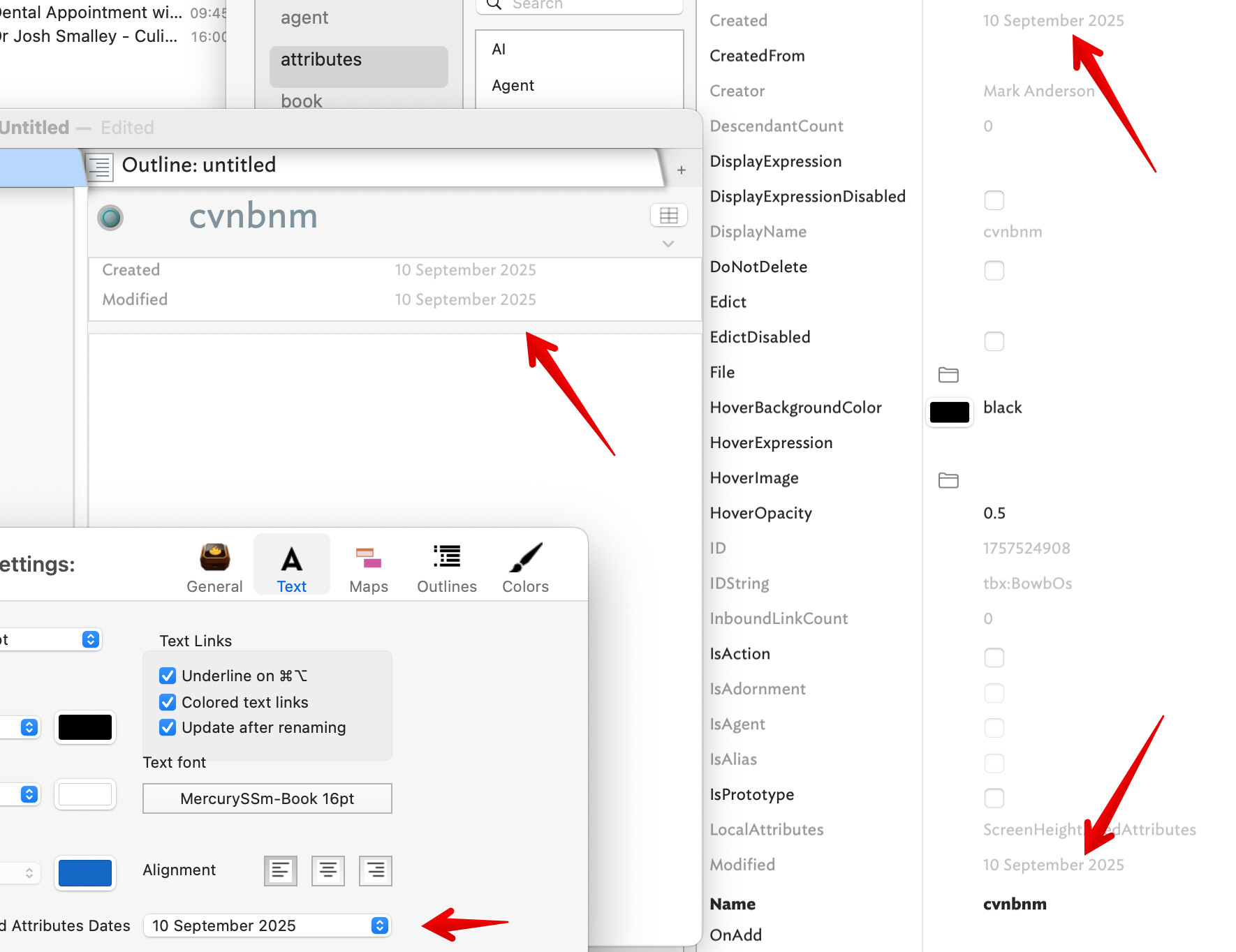
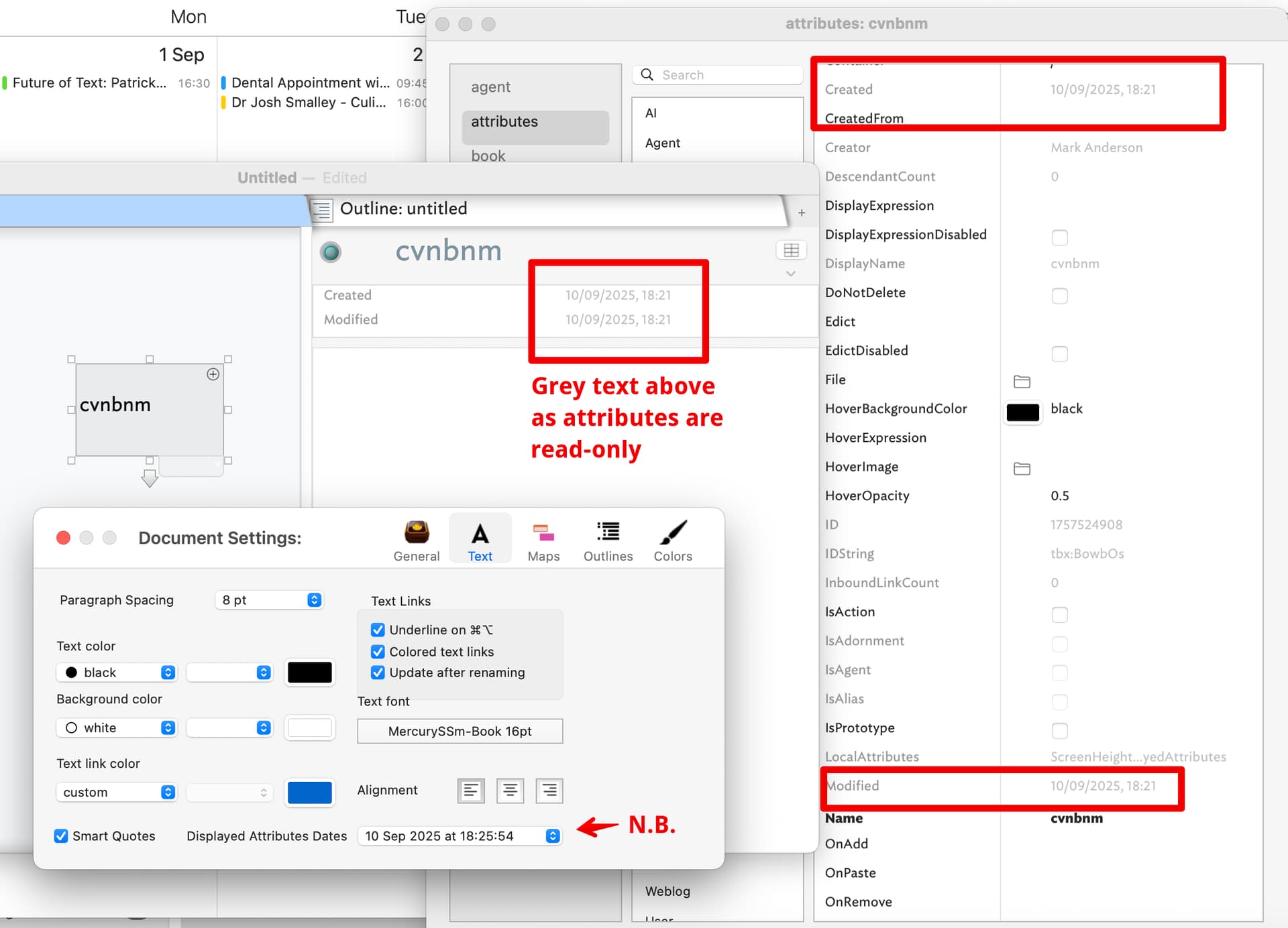
A different angle is the display inside Tinderbox, which means either of two places: Displayed Attributes tables or the attributes sub-pane of the Get Info pop-over/dialog. The default is thus:

Note the Doc setting label says ‘Displayed Attributes’ but the format is used for Get Info as well. Here we are seeing $Created and $Modified but the same format holds for all Date-type attributes. The format shown can be altered, but not per-attribute. So, if we change the document settings for displayed (attribute) Dates:

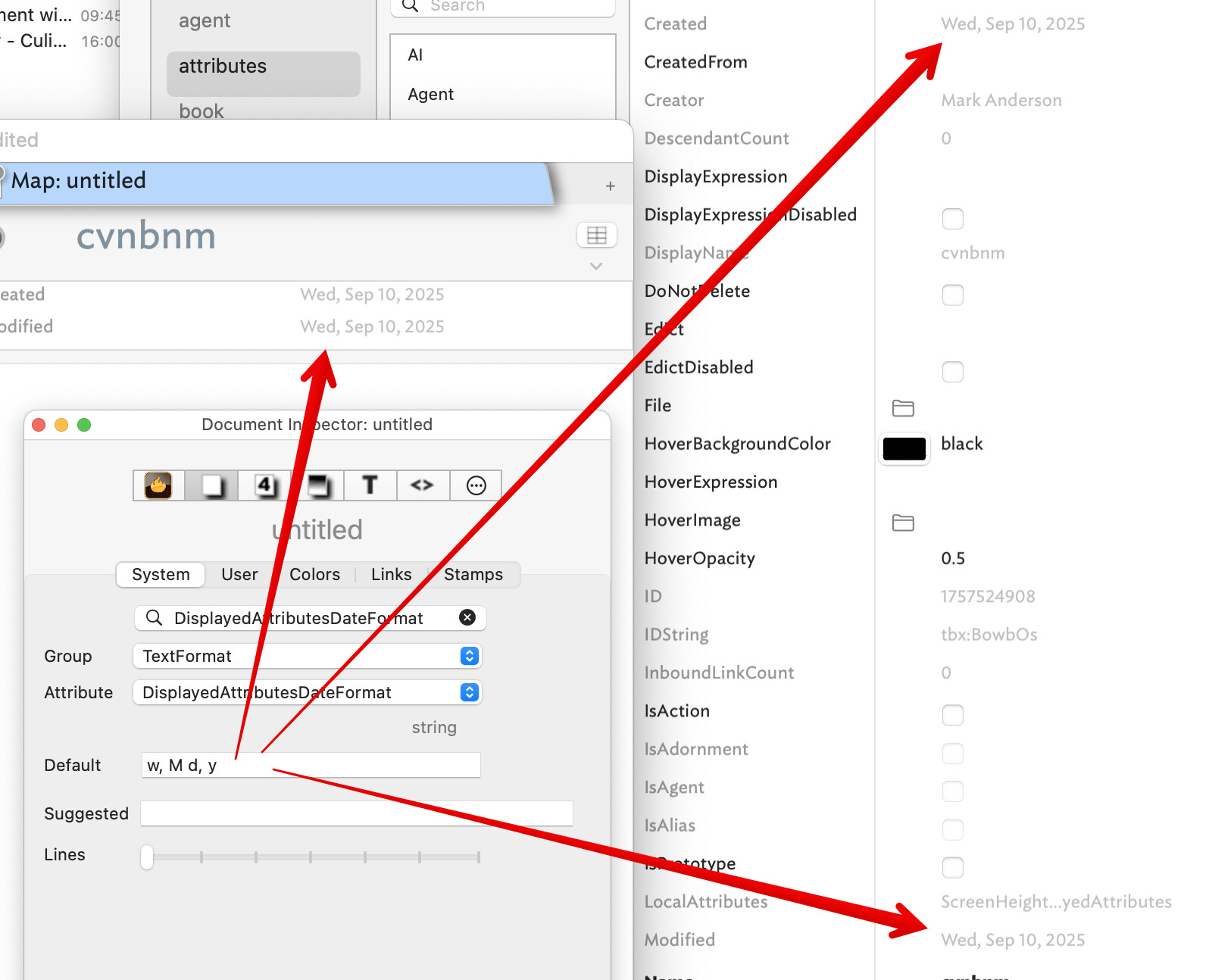
Notice the change?

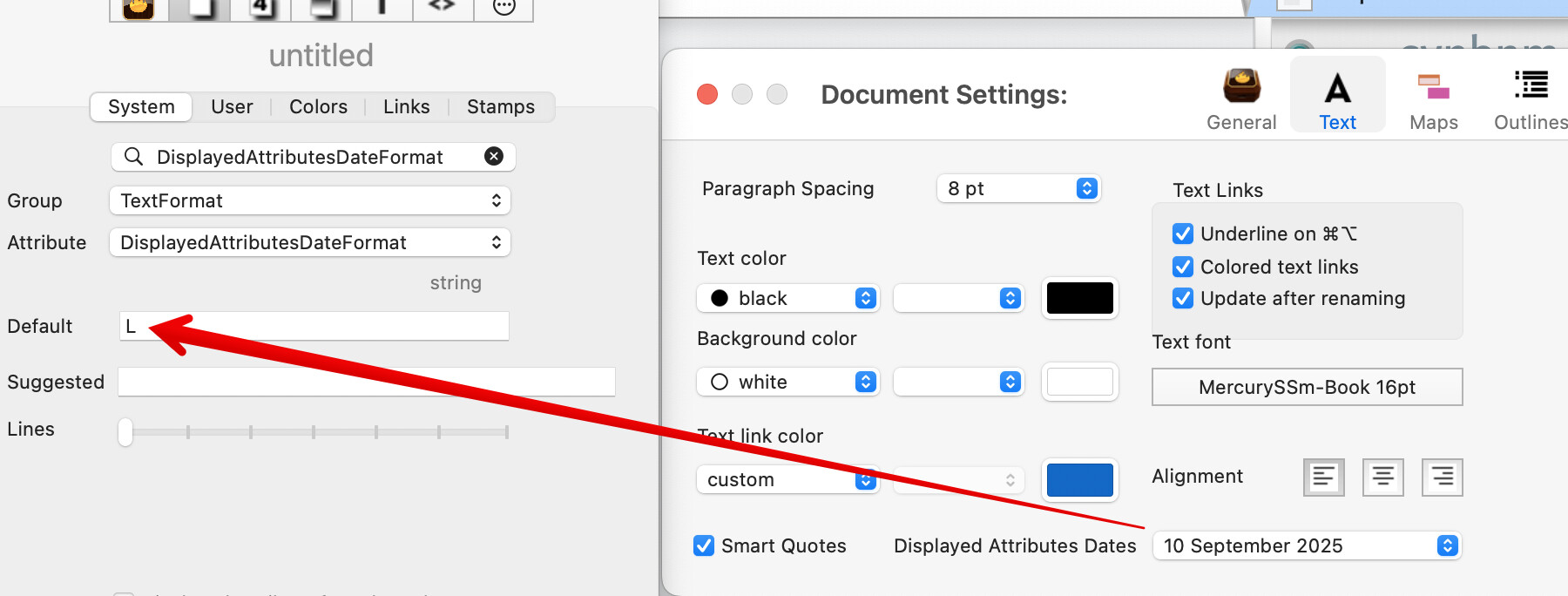
Although the Doc Settings date format picker offers only three choices, the Setting dialog is actually seeding the document level default of $DisplayedAttributesDateFormat

But we can set the latter directly in the Inspector to a value not offered in the Doc Settings pop-up.

So, “Wed, Sep 10, 2025” is format string (see info/links in previous posts) “w, M d, y”

Remember though that the format you set for I display is used for all Date attributes. You cannot have $Created display in Displayed Attributes, etc., in one format and $Modified, or $MyDate is different formats.

2 Likes

Thank you everybody for taking the time to respond in such detail. I am looking forward to better understand and solve my puzzle.

Chris

1 Like

Using “$Prototype = “pDay”; $Text = $Created.format(w M d y);” gives “Thu Sep 11 2025” as it should. Close, but adding a comma to the date format such as (w , M d , y) for the wanted Thu, Sep 11, 2025 gives only Thu while ignoring the rest of the date. I experimented with various spacings, quotes etc, but could not solve this.

Thank you,

Chris

This:

$Text = $Created.format(w M d y);

uses a quoted format string:

$Text = $Created.format("w M d y");

as documented: Date.format(formatStr).

So, format string is:

  • w : abbreviation of weekday. Wed
  • comma+space ,
  • M : abbreviation of month. Sep
  • space
  • d : day of the month, not zero-padded: so ‘9’ not ‘09’. 10
  • comma+space ,
  • y : 4 digit year. 2025

Put all those bits together and use as a quoted string:

$Text = $Created.format("w, M d, y");

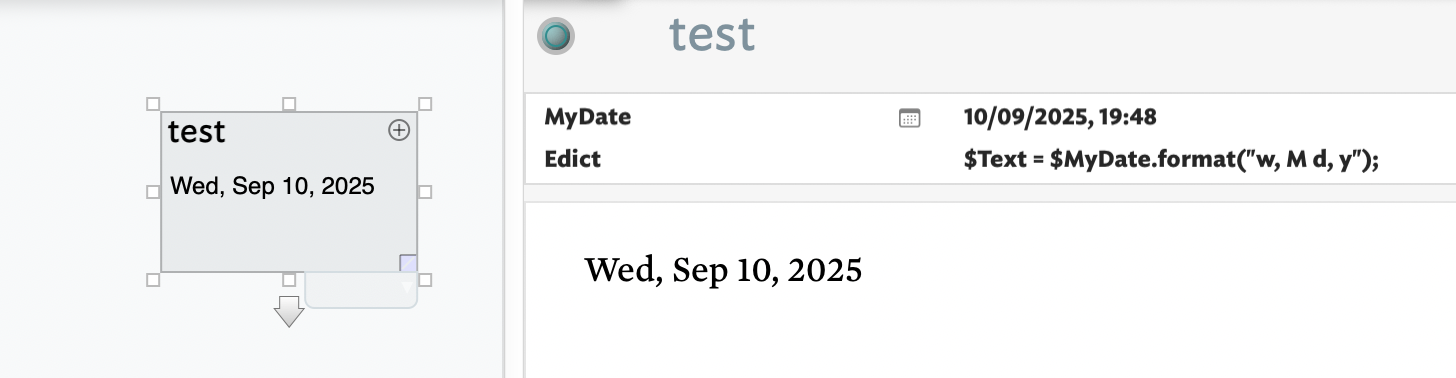
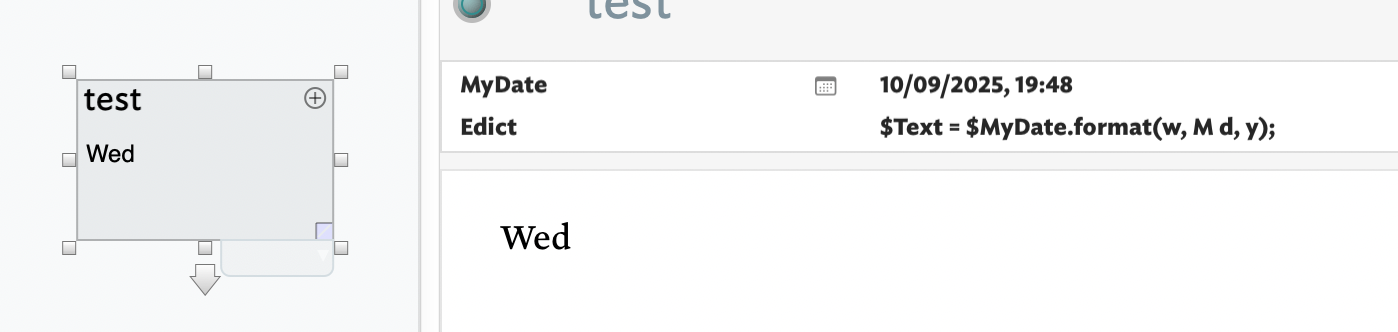
Demo-ed here using a Date $MyDate instead of $Created as the latter is read only and we want yesterday’s date:

But, if I don’t follow the documentation and leave out the quotes around the date format (see the $Edict code in the Displayed Attributes table below) we get this:

If in doubt, check the documentation available. I do, as there are too many actions with idiosyncratic variations to remember them all. :slight_smile:

Thank you. I suspected that this is in aTBRef which has been temporarily down. That is why I asked in the forum.

1 Like

Oh, sorry, I realise now my encouragement above might have sounded like a rebuke - far from it! :slight_smile: And you’re right this is exactly the sort of thing the forum is good for. Apologies!

Absolutely no need for an apology! I did not take it in any other way except you being very helpful.

1 Like