I use TB primarily as a learning tool and do nothing complicated. After UG to 11.5.2 I seem to have a couple of problems with my document. Firstly, sometimes all the cross links disappear from the map view. Occasionally I do get all the links back but this is more of a hit and miss type. Opening older .tbx files have the same result - no links.
When I have the links back, TB tells me that the document is in Edit Mode. Saving the doc removes the Edit Mode sign. However clicking anywhere in TB will bring back the Edit Mode i.e. any edits from hence forward will not be saved. I have started to not made any changes to my doc as such changes will not be saved.
I also have downloaded a new copy of TB twice and installed over the existing version. Issues not resolved.
I am using an older iMac running Monterey 12.7.6 but will be changing my machine later in the year when the M5 devices are out. Could this possibly be a reason for the problem?
We have no other reports of anything like this.
Tinderbox has no Read or Edit mode. Those are Storyspace features.
Tinderbox 11.5 should be fine with Monterey
I noticed that there were no other reports of loss of links.
If you look at the sign just below the document name you will see “Edited” which I assume as changes but not yet saved. So I saved it and the sign disappeared. However, a click anywhere in the map will trigger the sign again. And in my experience, any changes made will no be saved.
I did try to open the said file to screen shot the links but was not able to do so.
I also replaced the latest version back to 11.5.0. Still no success.
Is there anything I can do?
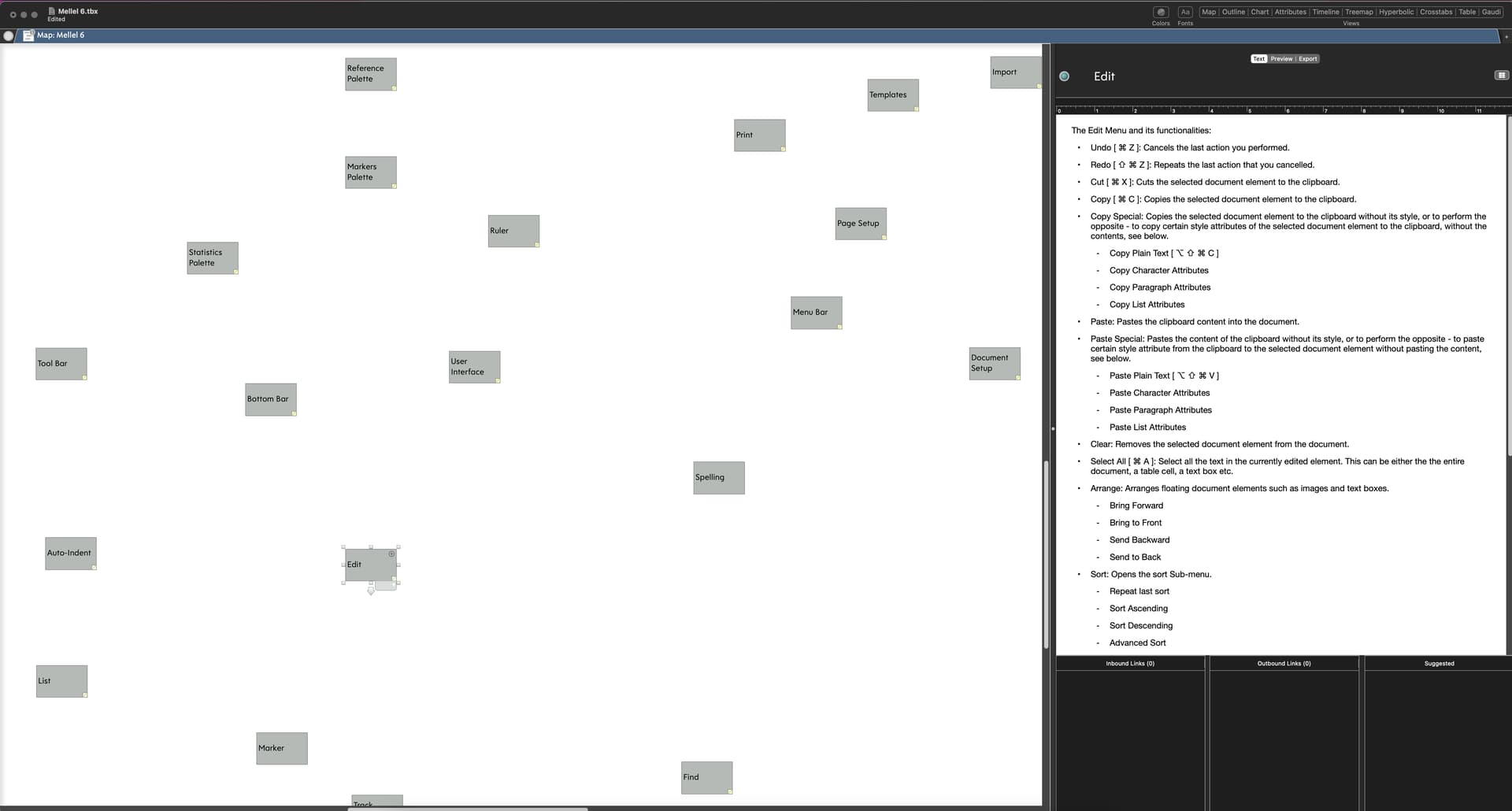
The selected note in your screenshot is named Edit; its text describes the Edit menu and its functions. This information pertains to some application, though it’s not a description of the Tinderbox Edit Menu; as the document is named Mellel, I assume it’s the Mellel menu.
It appears that the note named “Edit” has no inbound or outbound links. Is that not what you expected?
The TinderBox document name is “Mellel 6.tbx”. “Edited” comes on the TB document screen when opened. “Edited” goes when saved. “Edited” comes on when clicked anywhere on TB map screen. “Edited” is never part of the Mellel menu. I have never seen “Edited” on the TB screen before too.
Oh — you mean the “edited” in the window title bar? That appears in many document-centered macOS applications, and indicates that the document has been changed since it was last saved. It’s not a mode, and has no effect other than to indicate that the document has been modified since it was saved.
That was what I said in my first posting. The trouble was that after saving the document, the “Edited” sign disappeared BUT a click on anywhere brings it back. And anything added/changed is not saved. Hence my problem of not being able to continue with the document as I will lose all changes thereafter.
Tinderbox documents are almost always “edited”; every attribute change and every agent update may mark the document as requiring saving.
I do not understand why your changes are not saved. Can you make a document, add a note, and save that document?
I created 3 notes and linked them. That was fine. Saving the document was fine too.
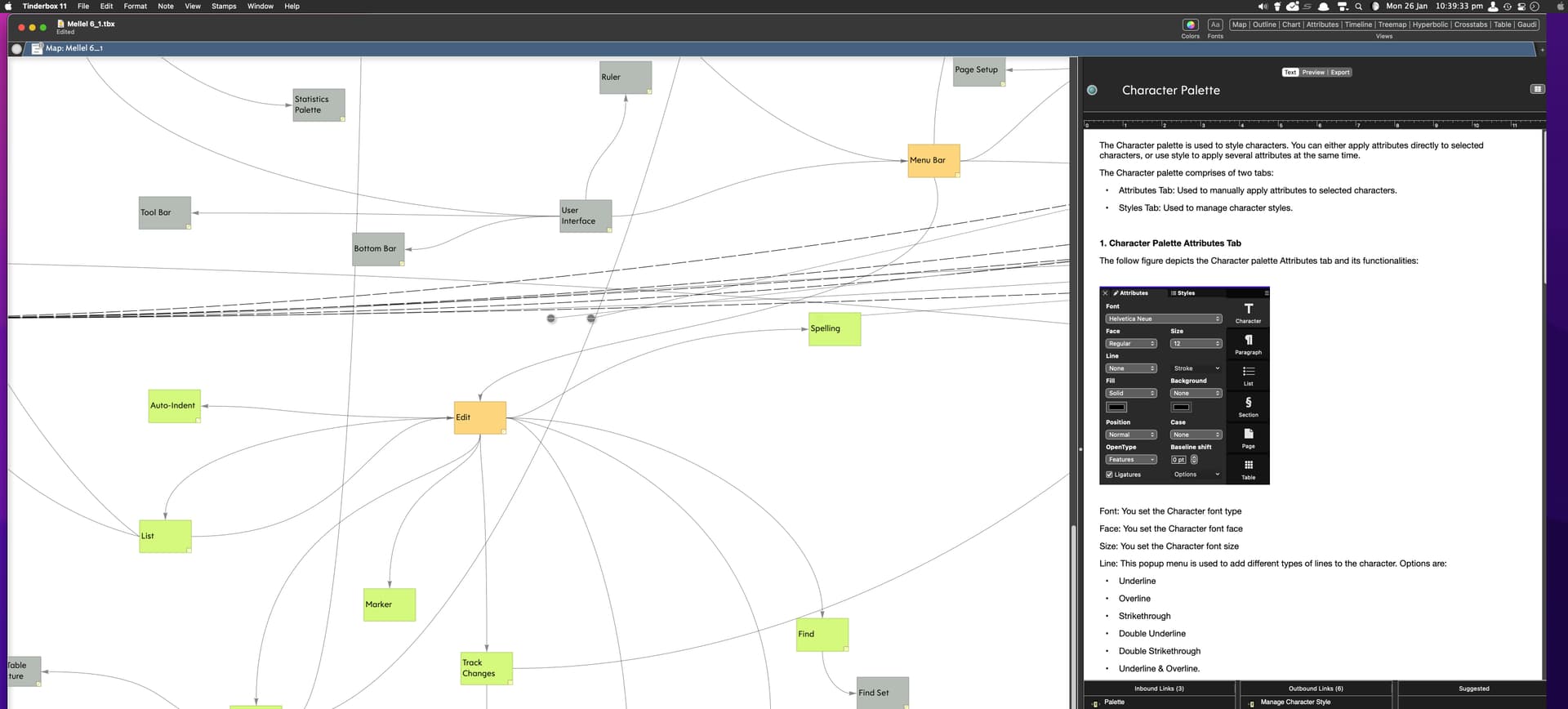
Yesterday, I thought that the document might be corrupted so I got a Time Machine copy just before the UG to 11.5.2 and saved it elsewhere. The opening of this copy was, as previously mentioned, a hit and miss, with regards to the links appearing or missing. Just happened that I managed to open it with the links visible - see upload. Also managed to create a couple more notes and successfully saved them too. However, it has been very tedious attempting to open the .tbx file, hoping it will open with the links. Tried several times, more times without links than with links. Too inconsistent to be helpful continuing editing the file at the moment.
Would copying ALL the notes to a newly created file work? I will attempt that tomorrow.
Tinderbox files seldom “get corrupted” or, rather, when they do, they won’t open at all.
Why not send me a copy of your document, with instructions for reproducing the issue? bernstein@eastgate.com
(We”re having a blizzard, so everything might be a little slow for another couple of days)
Document sent.