Tinderbox attributes in notes keep track of the values of each attribute which provides a convenient shortcut (and other benefits such as consistency) when setting an attribute value for a new note. As an example for the attribute $Country I might already have 3 notes with values “Norway”, “Italy” and “Spain”. Creating a 4th note and typing “No…” into the attribute field I get the suggestion “Norway” and only have to hit return.
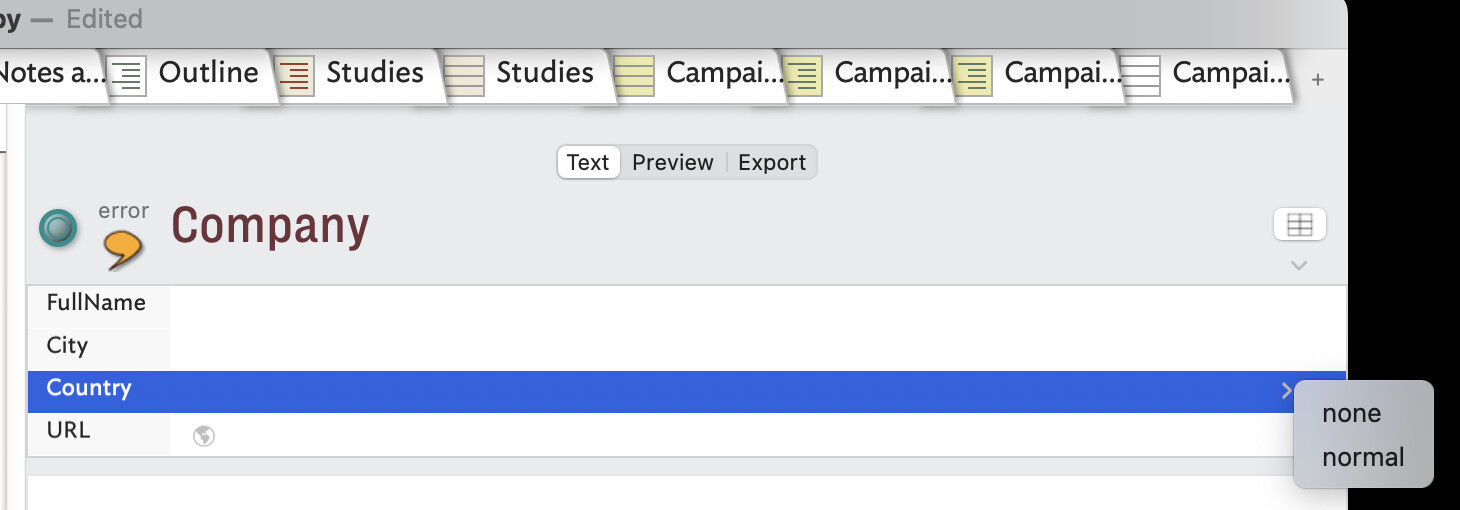
So far so good except somehow I’ve lost all suggested values in my main working document since some weeks. It’s a large document with many notes. I’m wondering i) how to repopulate the suggested values or ii) identify whether the file is corrupted and if so what steps I can take to reinitiate this functionality.
One possibility comes to mind, since you mention that it’s a large document. The number of distinct values that Tinderbox is willing to put into a values menu is capped at some modest number, because huge menus are not very useful. That might be an issue here.
Without meaning to be pedantic, I think we are actually talking about Displayed Attributes, Value pop-up list. As the inked article notes, the default for this list is 999 items (very old Tinderbox files may have a setting of 99 max items.). The max length of any given item is 255 characters. Aside from the max item count, if the list is very long and the Mac is lower-spec or heavily loaded a long list might also not get shown (lack of free resources). I would stress that this is a higly uncommon scenario, especially on modern Macs (compared to the early 2000s)
An attribute’s Suggested values are a discrete feature and as set directly in the system/user Attributes Inspector are unlikely to be the problem.
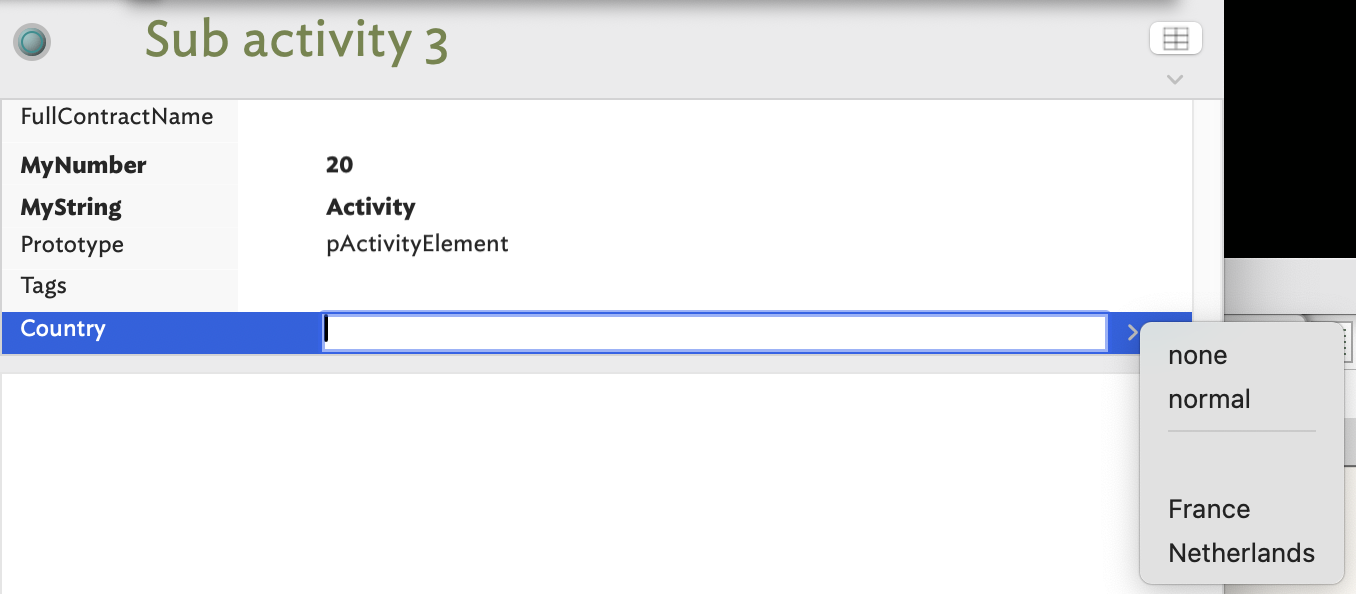
Just to be 100% clear on my side @mwra is I think partially correct e.g. the value pop up list does not provide a list of items. However, neither does the Suggested values.
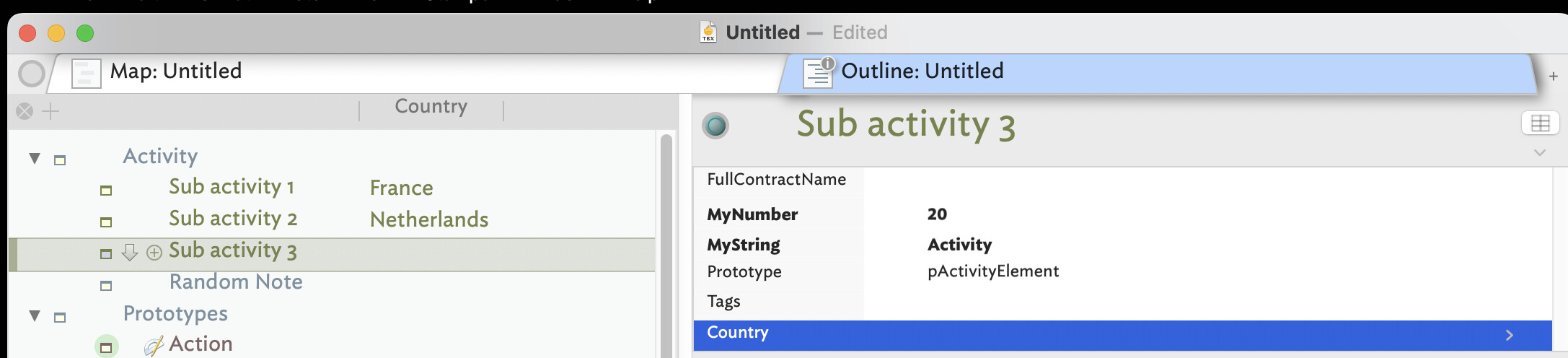
Here an illustration on a small test document how it should work. I have 3 sub-activity notes with a Displayed Attribute called $Country.
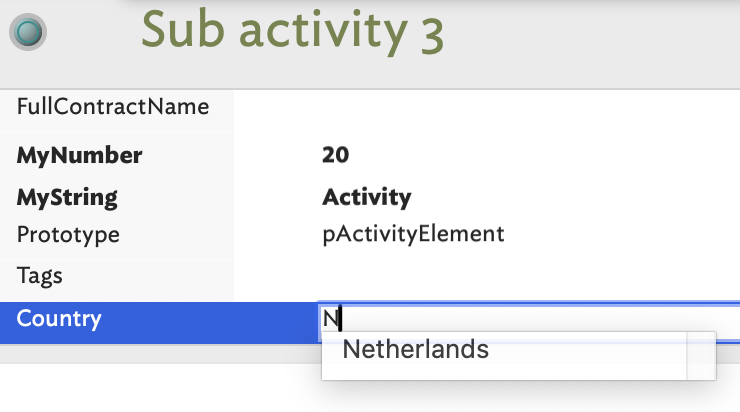
Let’s say the note named “Sub Activity 3” should also have as country the Netherlands. I start typing “N” in the displayed attribute field for Country and “Netherlands“ is suggested right away
Thanks for the tip @mwra. The problem persists after closing and reopening the app.
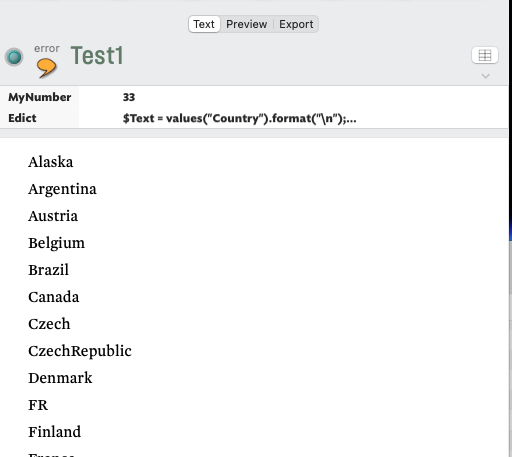
I tried out your edict and clearly the suggested values are still stored in the document (see screenshot below) and accessible via your edict code. Both $MyNumber and the $Text are what I roughly expected, to whit 33 countries and a list of each country name (you might quibble about Alaska being a country but that’s a different story :-).
Then I’m still stumped as to why neither the value pop-list or suggested values functionality works for this document.
He, @eastgate got there first - yes this looks like something the experiments above didn’t resolve, but I commend them fro general faultfinding. As values are case-sensitive, it’s also useful for finding you have a ‘France’ as well as ‘France’. this is something easily missed until tin the middle of some other task when the discovery becomes all the more annoying.
If i’ve been doing a lot of data entry and with hundreds of notes involved, I often do these simple checks so i spot the one note where i mistyped a value, etc.
Thanks - As there is some sensitive information in my main work document I was wondering if anyone has experience with obfuscating or anonymising Tinderbox documents ?
The problem is the data might be the cause of the glitch, but…
Take a copy of your document and after each step verify the issue is still there (a step easily forgotten).
make one or more notes with dummy data, then delete the notes with real data (from the copy document!)
if the sensitive part os in user attribute(s). Delete those attributes as that will delete all their data.
Here, as the cause is not totally clear, building a new doc to show the issue isn’t really an option. However, if you can reproduce the error, on remand, in another doc, simply making a new minimal doc and sharing/sending that can be less work all round. Less work for the user to create/describe and easier for support as there are fewer moving parts to consider.
Another tip in either case, add note(s) to the TBX describing the issue. For those assisting—be it community or tech support—having the info about the problem close at hand in the doc and not elsewhere in same email, can be a genuine help.
But, if the sensitive data can’t be removed without removing the problem and without being glib about hard-edged constraints (sharing government/commercial secrecy, personal data/health records, etc.) it is worth repeating the old saw that "A man has no secrets from his tailor … or software developer).
It also helps to re-start the app/document. More than once after I’ve written a long screed explaining the issue, a re-start clears the issue. Such a scenario doesn’t negate the previous experience but it means today isn’t the day it’s going to give us diagnostic info we can dig into. Grr.
You guessed correctly that trimming the document sufficiently removes the problem. I’ll try to do a selective trim later today and pass on the document via email to @eastgate . Thanks also to @satikusala and @eastgate for their offer to help.