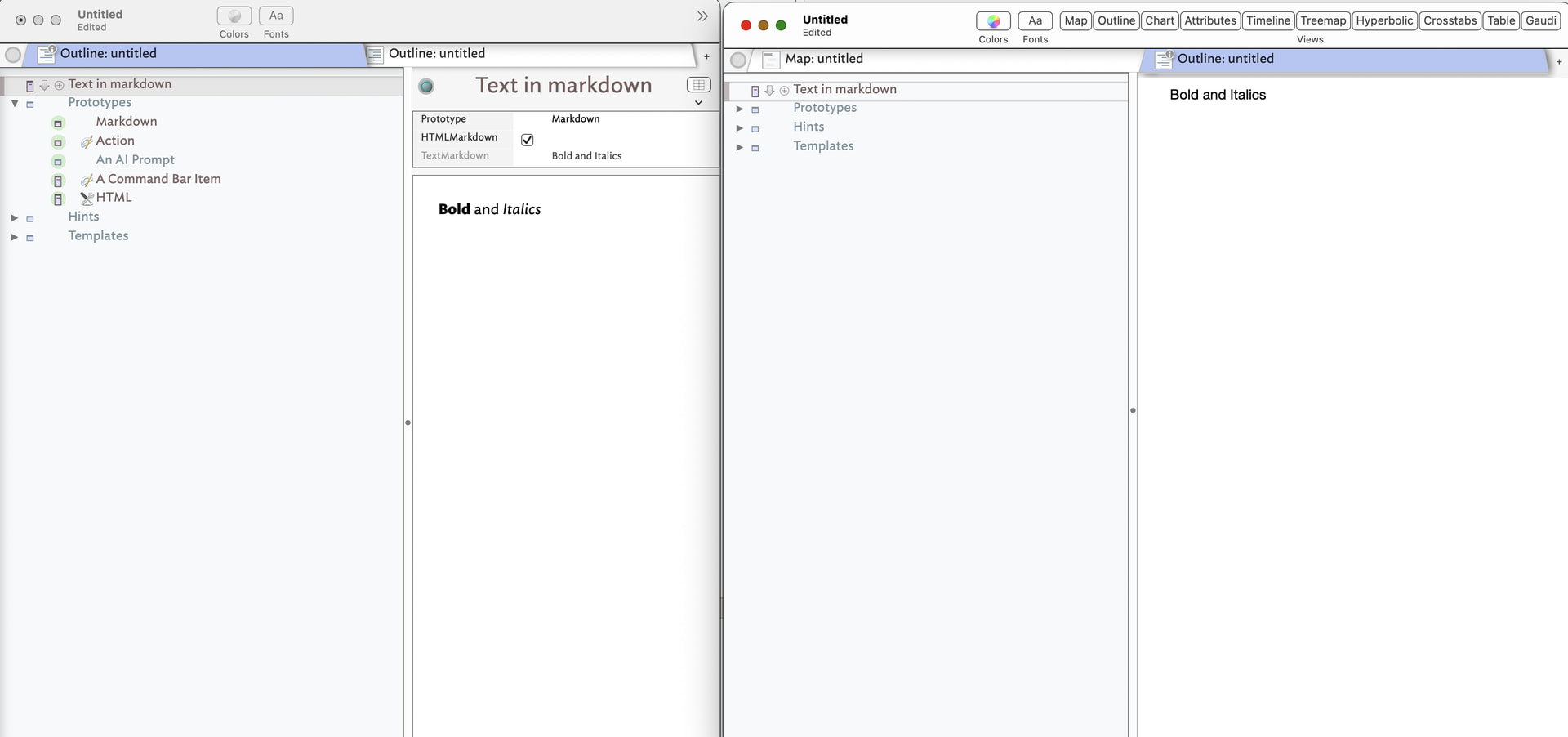
From v11.7.0, many changes and improvements address the scenario in which the Tinderbox user has written styled text in a note, but would like a Markdown representation of the text. AI tools, for example, like Markdown. As a result, Markdown export now correctly interprets styled text like bold, italic, superscript, subscript, strikeout, and code font within $Text.
… after 11.7, I should be able to use cmd-b/i to produce bold / italics etc in a note with a Markdown prototype – without the markdown markup – and they will be rendered in the Preview.
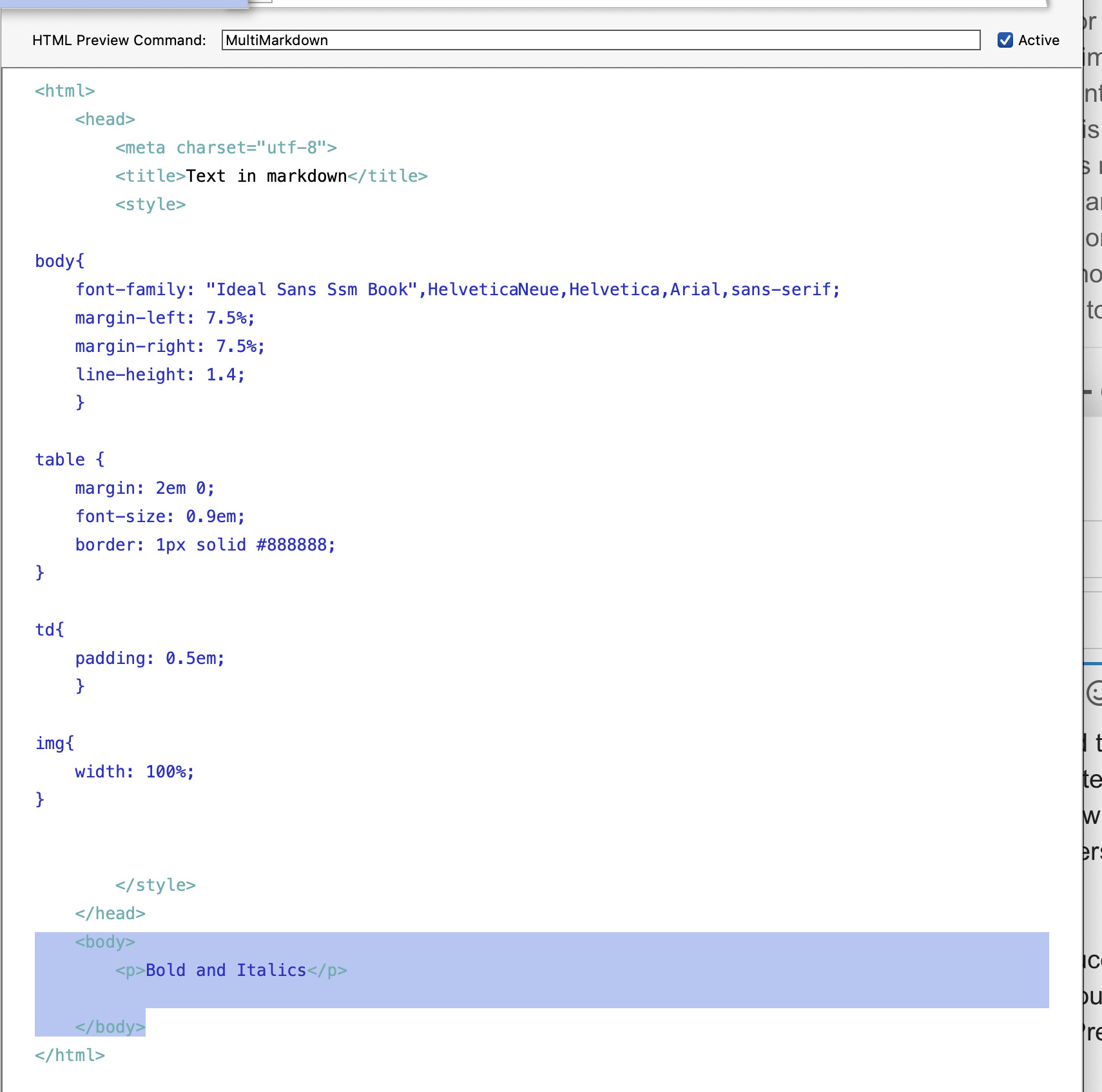
I can’t get it to work, as these screenshots show:
None of $TextMarkdown, the Preview, or the HML is reflecting the formatting.
What am I doing wrong, please?
Thanks!
EDIT:
Found it: to make this work, $HTMLMarkdown must be set to True, and $HTMLPreviewCommand must not have an entry, then the markdown (**bold** etc) will be automatically generated in the preview / HTML.
I’ll leave this post up in case anybody else has the same question.
If I man, I’d like to suggest a bit more refinement to getting markdown to work in Tinderbox.
There are three attributes that you need to consider, and their values:
$HTMLMarkdown==true. (there is a legacy attribute $HTMLMarkDown…ignore this one) $HTMLMarkupText==false $HTMLPreviewCommand==CommonMark. Tinderbox also will support $HTMLPreviewCommand==Markdown. Finally, if you’ve installed a command line markdown processor of your own, e,g., pandoc or multimarkdown you can put the path to the command line app to process your markdown, e.g., $HTMLPreviewCommand==/opt/homebrew/bin/multimarkdown
Few other important things to consider, when working in markdown notes. I find it help to:
Set $QuickListHangingIndent to 0.
Set $QuickListIndent to 0.
This will stop Tinderbox from auto indenting when you use a * or - when starting lists.
Also, I set $SmartLinks to false so that links don’t auto resolve. With many markdown parsers I’ve found the link gets broken with the url section of the markdown syntax, e.g., [URL] has an active link.
Also, don’t forget, you can create your own prototypes that have these values preset. You can also create stamps.
I have several other markdown tips and tricks, but these are the big ones.
I used to use the Homebrew version of MultiMarkdown – Commonmark’s lack of tables is a deal-breaker for my use – but recently (11.7?) it’s been bundled with Tinderbox so you don’t need the path any more. And like you, I found the auto-indent distracting in Markdown, so have it turned off in the prototype.
I’ve never really got a handle on exactly how Markdown links interact (there seem to be a lot of moving parts and you need to prioritise which ones you actually want) so I’ll give $SmartLinks=false a go.
In fact, I’ve been meaning to go through your excellent material on using Markdown in anger, particular for links and images, so this is a good reminder…
I just use the built-in ‘Markdown’ prototype (File > Built-In Prototypes > Markdown) and assign my notes to that prototype. Saves having to worry about all those individual attribute settings.
@brookter Yes that is exactly what I do, cascading inheritance or whatever it’s called, much simpler than it sounds. The key takeaway for me is that Markdown is now easy in Tinderbox. I’m not a “fan” of Markdown but have found it a boon in long-form writing with footnotes, because it makes the footnotes part (the renumbering and all that when things change) so easy. I was skeptical when @satikusala talked about writing books in Tinderbox using Markdown, but moved over a project from Scrivener and have been pleasantly surprised!