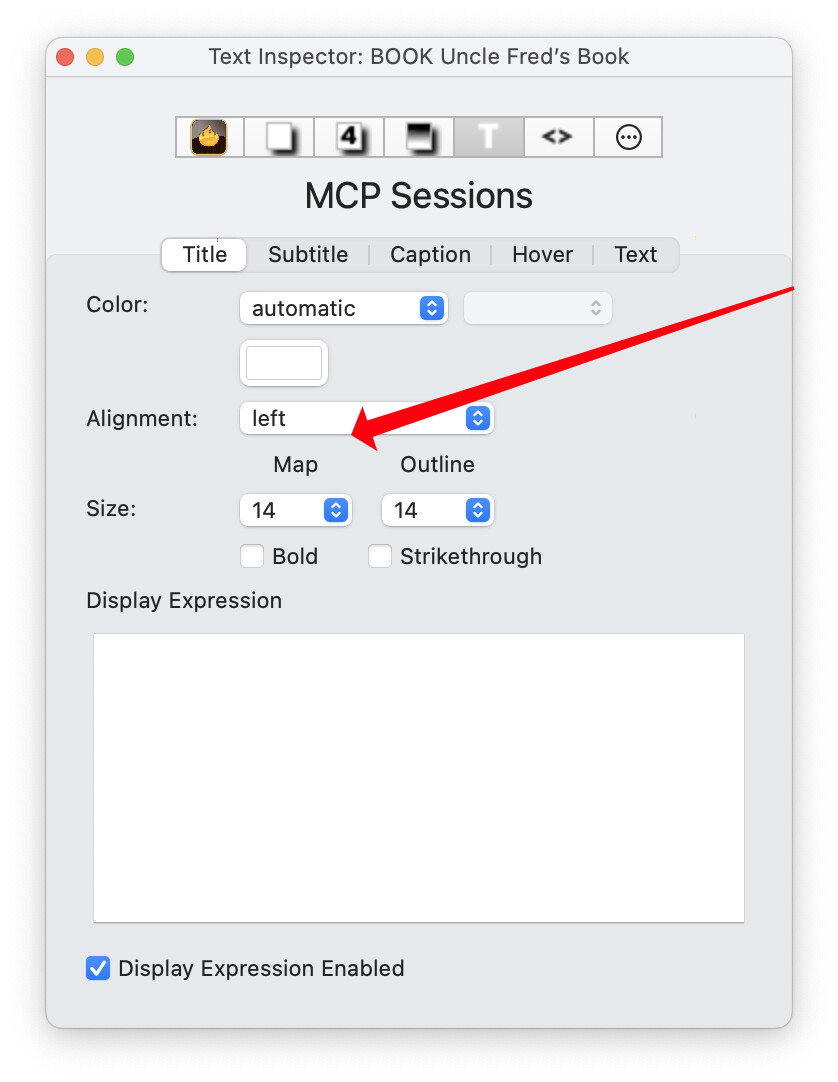
Yes. Under the hood you are setting the system (i.e. built-in’) attribute NameAlignment. The default for this in a new TBX document is left and allowed choices are left, center, or right.
The Appearance Inspector, as show 2 posts above, changes $NameAlignment† in the selected note(s). As you suspect, if you’d like all notes using a prototype to have the same $NameAlignment value, you set a value of center in the prototype. As you’ve probably already set a value locally some notes using the prototype, you can use an agent to ‘reset’ the inheritance. Let’s assume the prototype is called ‘pTask’ (you can substitute your own name in the example code). Make an agent:
Query: $Prototype=="pTask"
Action: $NameAlignment
Now, all notes using the prototype will not one look the same as the prototype but if you change the prototype’s $NameAlignment value, all those notes will change. Otherwise, notes where you set a $NameAlignment value in the note won’t change. This because the local value trumps the inherited prototype value. I cover this as it is very easy (experience is no help in this) to set a value in a note when you mean to set it in the note’s prototype. 
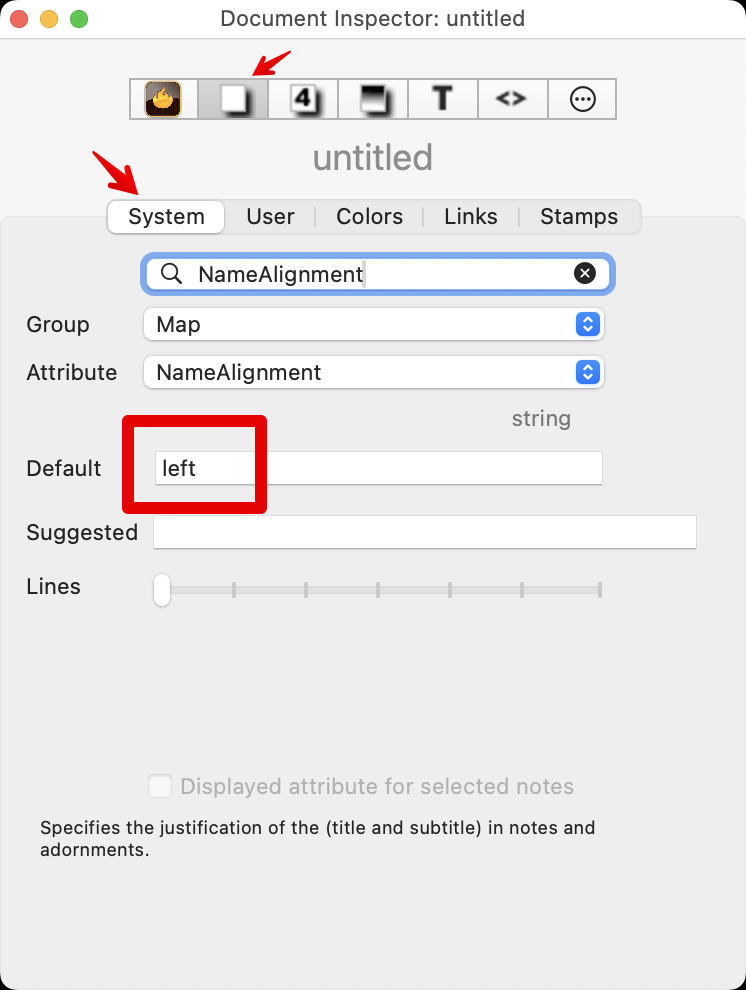
A separate case might be that you want all note in the TBX file to use the same, non-default, $NameAlignment value? For that we edit the attribute document level default in a different part of the Inspector, in the Document Inspector’s ‘system’ sub-tab. Open that Inspector and select the NameAlignment attribute to display its settings:
To make all (new) notes in the document use a centred title alignment, you’d set a value of center. Again, you might want to reset all local values of $NameAlignment (notes, prototypes notes) so inheritance of this is restored.
Probably too detailed for this moment, but aTbref has some detailed notes on inheritance of attribute values and prototypes for when you feel ready to delve a bit deeper. There is a lot of info in the section on Inheritance of attribute values; dip into it and return to clarify what you’re learning from using the app. Same with the Map vs Outline part, it’s there to help fill out or correct one’s understanding of the topic. Certainly, these are not a requirement to understand before using!
†. Here I’m using a $-prefix in the colloquial sense of indicating I’m referring to an attribute name, as opposed to its use in action code, where it means “get the value of this attribute”. For ‘single word’ attribute names such a prefix can help when explaining things; for instance, to clarify using the word 'Price ’ vs. ‘$Price’ as being an attribute of that name.