Hello, I am new at using Tinderbox. When I create a note, I can type in it and create text. However, when I try to later change part of the text, I double click on the note and the whole text is selected. I cannot click anywhere to deselect it and select only what I want. If I use an arrow key, then the text is deselected. However, if I try to select, say a word, in the text, the whole text is selected again. Basically, I have to use the arrow keys to move to the place I want to edit, then delete and rewrite. What am I doing wrong? Thanks in advance for any tip regarding this issue!
OK, this is a known problem in the current build - I reported it to the developer a few days back. I think it is an unintended side effect of recent improvements to the Map view (good).
So the problem is this (as at v11.5.2). When placed in edit-in-place more to edit the note title ($Name) the whole name is selected:
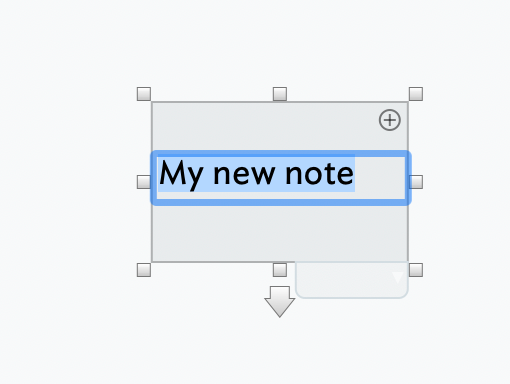
If you then click into the selection to set the cursor position to edit the name, it closes the edit! Until fixed you need (as the OP is doing) the following:
- Enter edit mode (as above) by double-click or the Enter key (⌤)† - all the title ($Name) is selected
- Press *either left or right arrow keys. ← removes the selection and sets the cursor at the start of text, or → does the same except the cursor goes to the end.
- Use left/right arrow keys to move the cursor to the desired edit position, edit and click Return (
 ) when done.
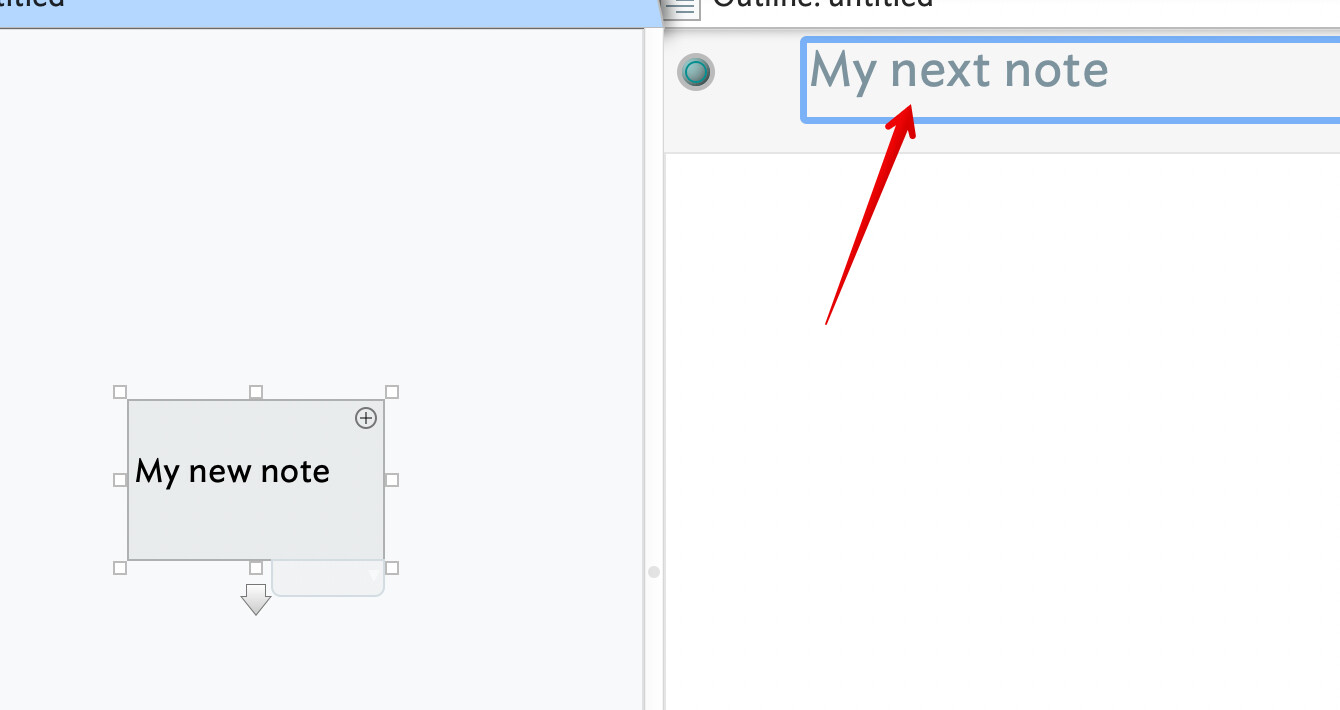
Or—and easier—select the note and use the text pane to edit the title as shown here, using Return () to close the title edit when done:
†. Only a full keyboard with a number pad has an Enter key these days. On the smaller laptop-style keyboard, use function+Return ( fn+↩) to simulate the Enter key.
This will be fixed forthwith.
2 Likes
Thank you for your suggestions, and confirming that it is a known issue. It was driving me crazy and I thought I was doing something wrong  All good!
2 Likes