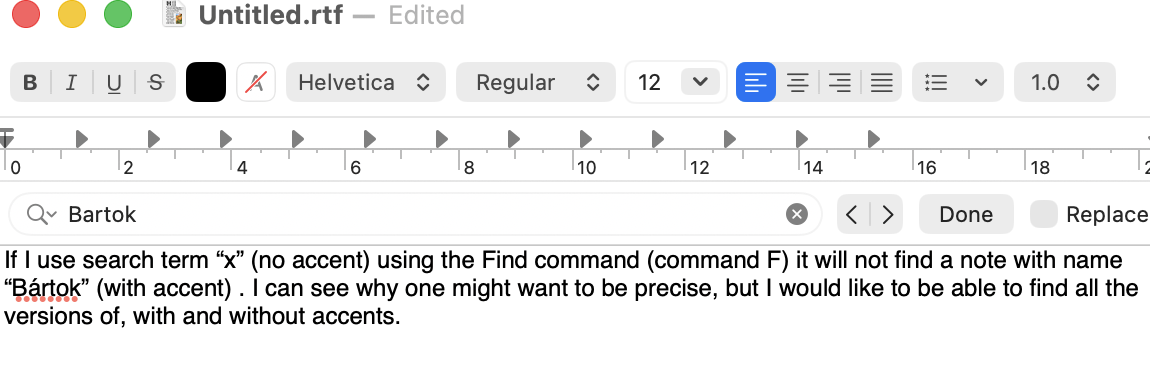
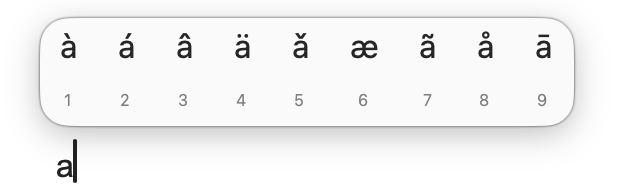
Lots of (unintended) ambiguity here. Also we don’t know your OS or app version and these could be contributory factors here.
I can’t replicate the error, testing in v11.6.0†, on macOS 26.3.1, using en-GB (British English) locale. Firstly, the type of search:
- Find (view pane).
- Search term “Bártok” works using default ‘Text’ match choice). Tested $Name and $Text separately as the target attribute.
- Search term “Bártok” works using ‘Regular Expression’ match choice). Tested $Name and $Text separately as the target attribute.
- Query
$MyString.icontains("Bártok") works using ‘Tinderbox Expression’ match choice).
- Query
$MyString=="Bártok" works using ‘Tinderbox Expression’ match choice).
- Find (Text pane, $Text area).
- Search term “Bártok” works (using ‘contains’ option)
- Filter (view pane, some views only).
- In outline
$Text.icontains("Bártok") works
- Agent query / query in action code. (If so what operator(s)?)
- Query
$Text.icontains("Bártok") works.
- Query
$Name.icontains("Bártok") works.
Also target attribute:
- note title ($Name), or text ($Text), or other attributes?
=="Bártok" works in action code..icontains("Bártok") worksin action code.
When copying/pasting, what is the source app/format? If the app copying to the clipboard provides incorrect or incomplete encoding info, the receiving app is forced to guess and may do so incorrectly. Ditta Pásztory definitely looks like the result of mistranslated encoding info. BUt without more info as to the source it is hard to tell.
Generally, the OS and app are (should be!) Unicode capable, but if not using current OS or app version it should be considered a possible factor. If I recall some diacriticals have several Unicode possible encodings (some correct, others similar looking‡) which can confuse transcription. This is especially true of digital material that pre-dates c.2000.
The OS Locale may also be an overlooked factor. For most people their system locale and their working language align. But for some, especially academics this is simply not possible. IIRC at one point we had a scholar studying cuneiform, writing in English and German on a Swedish locale Mac (presumably they were Swedish, which that used for all other general work). So, if different languages are part of your work, consider locale.
The English language (in its many flavours: BrE, AmE, etc.) is rather lackadaisical about diacritics. this is chauvinism as English doesn’t natively use accents except for loan words and over time those also loose their accent over time (résumé→resumé→resume). Unfortunately, English also happens to be the predominant language of coding and assumptions tend to be based on experience/perspective … what could possibly go wrong?
†. Actually the current beta, but there are no changes since v11.6.0 release that should affect the above.
‡. For instance, the abbreviation for ‘foot’ is actually correctly the prime symbol ′ (U+2032) but people often use the single straight quote (ASCII apostrophe) ' (U+0027) instead.