I have a problem.
When I get busy, I write sticky notes and scatter them around my workstation. These notes are reminders to my future self—things to investigate, agenda items to raise, ideas to pursue. More often than not, to my great dismay, I’ll write a word or phrase on a sticky, and later I have no idea what I meant.
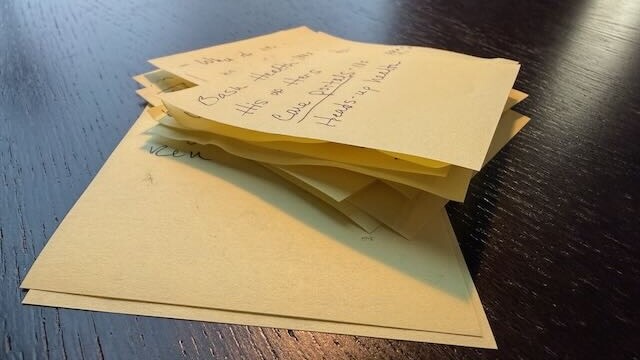
Worse, I use Drafts as a digital sticky note repository for quick capture when I’m away from my desk. As of this writing, I have 459 unprocessed notes in my Drafts inbox.
I’ve tried digital alternatives. Cal Newport’s workingmemory.txt workflow, for example. But plain text files lack the spatial and processing capabilities I need to make sense of all these fragments.
Over the past two weeks, I’ve built a Tinderbox map that serves as both working memory and processing system for these scattered thoughts. It looks like this on my 27" Studio Display:
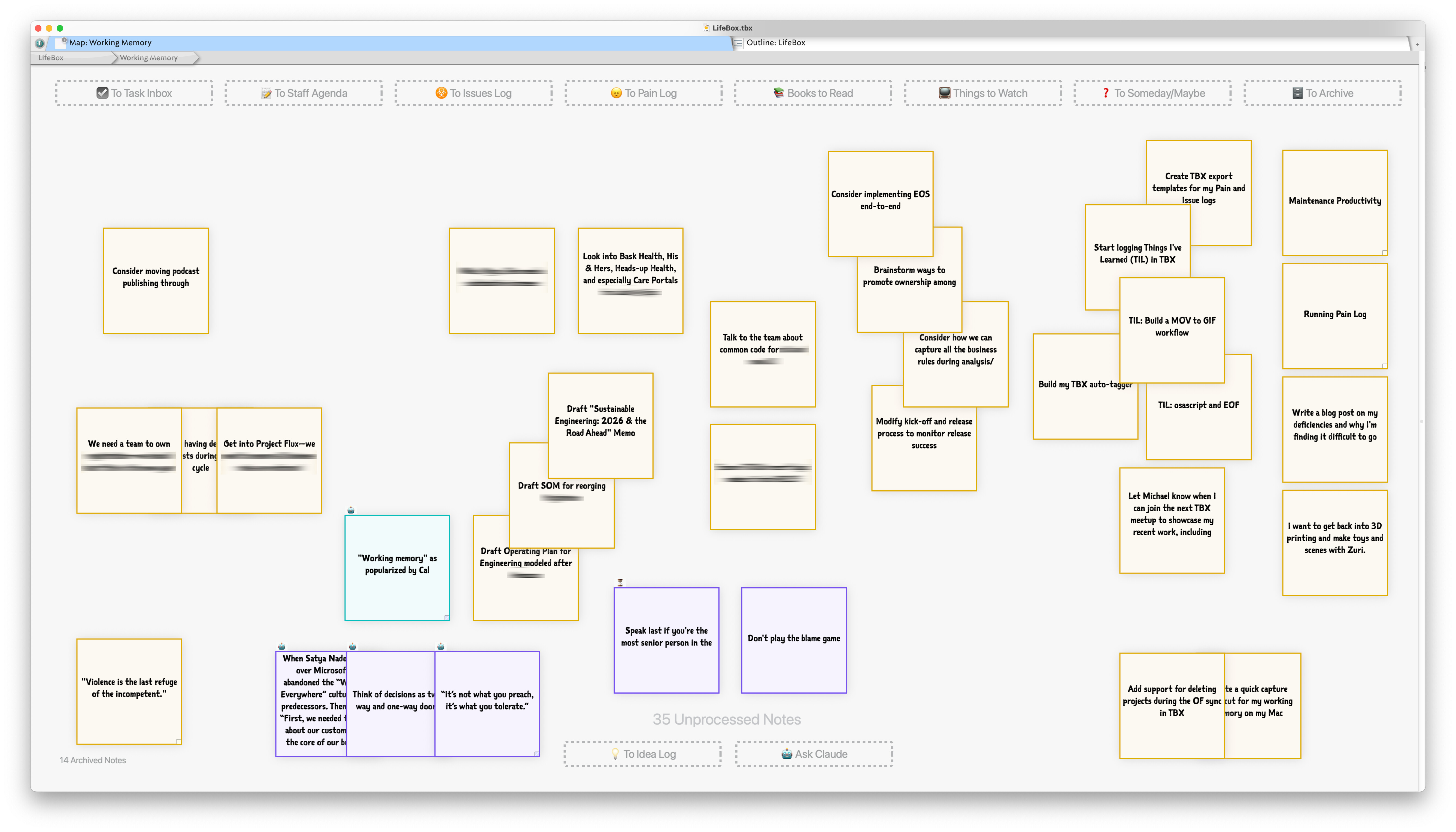
In this example, notes cluster loosely by topic. I’ve also created a handful of prototype styles[1] that help me visually classify notes:
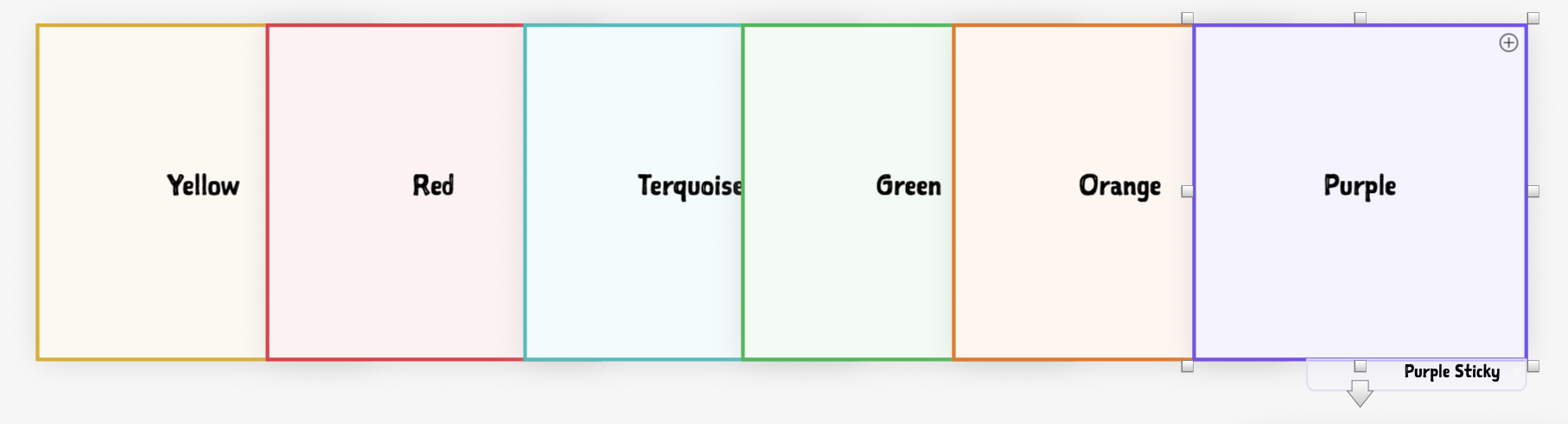
Creating new notes is trivial—just double-click the map and type. I also built an import workflow from Drafts that leverages Tinderbox’s watch folder functionality to auto-import notes saved to a specific iCloud folder.
The Processing Zones
Where this map gets useful is in its processing capabilities. At the top and bottom of the map, I have “drop zones”—adornments with $OnAdd actions. Drag a note onto a zone and it gets processed automatically. Here’s what each zone does:
 To Task Inbox – Creates an OmniFocus task with bi-directional links between the task and Tinderbox note, then archives the note.
 To Staff Agenda – Moves the note to my Staff Agenda container, which I review before weekly staff meetings.
 To Issues Log – Moves the note to my Issues Log. I document preventable problems at work to systematically address root causes (a core concept from Gino Wickman’s EOS system).
 To Pain Log – Moves the note to my Pain Log for quarterly reflection. Anytime I feel angry, frustrated, or sad about work, I capture it for later review. (Shamelessly stolen from Ray Dalio).
 Books to Read – Moves to my reading list and runs action code to fetch metadata (cover image, summary, ISBN).
 Things to Watch – Moves to my watch list with similar metadata enrichment.
 To Someday/Maybe List – Moves to my GTD-inspired someday/maybe list of things I may want to do in the future and is reviewed monthly.
 To Archive – Archives the note for posterity.
 To Idea Log – Moves to my idea container (another map of avocational and vocational projects).
 Ask Claude – Prompts Claude using the note’s
 $Nameas a query and writes research results to$Text. Useful for quick context on unfamiliar concepts.
I’m finding this map to be extremely useful. It serves as a holding pen of sorts for ideas I haven’t quite yet decided what to do with. And when I do decide, it gives me powerful processing capabilities that slot notes into existing review routines and work streams.
TL;DR: My Working Memory map provides a spatial drafting board for capturing, refining, and processing the many things competing for my attention. I’m excited to refine this concept and extend it to other workflows.
Hat tip to Beck Tench for sharing her Tinderbox sticky styles in this YouTube video. ↩︎


 Will try to take part if possible!
 )
)