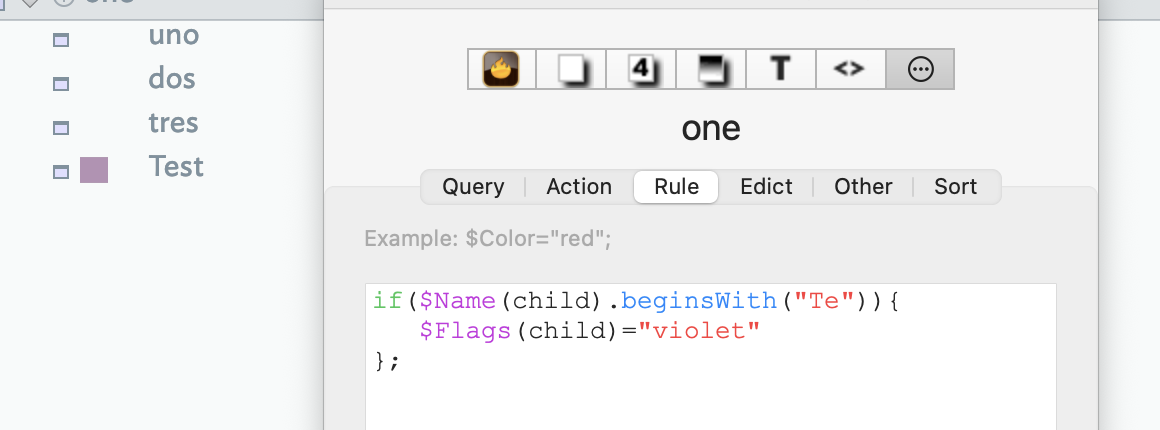
It all works fine. Thank you as always.
One Question which surprised me
if I use the Logical Assignment operator inside the iterator, like so, it fails with the iteration.
This works fine with $OnAdd: $Prototype |= “pNote”; but the iteration does not
collect(children, $ID).each(aChild){
    $Prototype(achild) |= "pNote"; //this does not work
    if($Name(aChild).beginsWith(“Te”)){
        $Flags(aChild)=“orange”;
    }else{
        $Flags(aChild)=;
    };
}
ok I corrected that, but it is still not behaving the way I thought it would. Perhaps my assumption is wrong but I thought $Prototype(aChild) |= "pNote"; would only apply a $Prototype IF there was no prototype. What happened with the loop variable is even if I set a prototype, in my case, I had already set a $Prototype as “pFolder” with the $Prototype(aChild) |= “pNote”; it did not respect it had a prototype and changed it to ‘pNote’.
However if I use '$Prototype |= ‘pNote’; on a single note, all works
Your example file acts as described which … is odd given how we understand the |= operator† to work. I note this operator does back to v4.6.0 when things were simpler. This suggests that it may be the case that for |= (and possible similar operators) the left side is not fully evaluated. Thus:
$Prototype is "" (the doc default)
$Prototype(aChild) is set to "pFolder"
but if the left side of |= only evaluates the attribute and not the offset address (i.e. the (aChild) part) then you get the result you see.
†. Interestingly this URL is valid but breaks the forum’s Markdown parser: https://atbref.com/atbref11/index/Automating_Tinderbox/Coding/Action_Code/Operators/Full_Operator_List/|=_i_e_logical_OR_assignment.html (I used code mark-up to fool the parser)