Hi,
just installed TBX 11.5 and since my Mac is running the OS in German, TBX switched to German too.
Is there any way to change this back to the English version - even running on a DE Mac? This is a real showstopper for me.
Best,
Detlef
Hi,
just installed TBX 11.5 and since my Mac is running the OS in German, TBX switched to German too.
Is there any way to change this back to the English version - even running on a DE Mac? This is a real showstopper for me.
Best,
Detlef
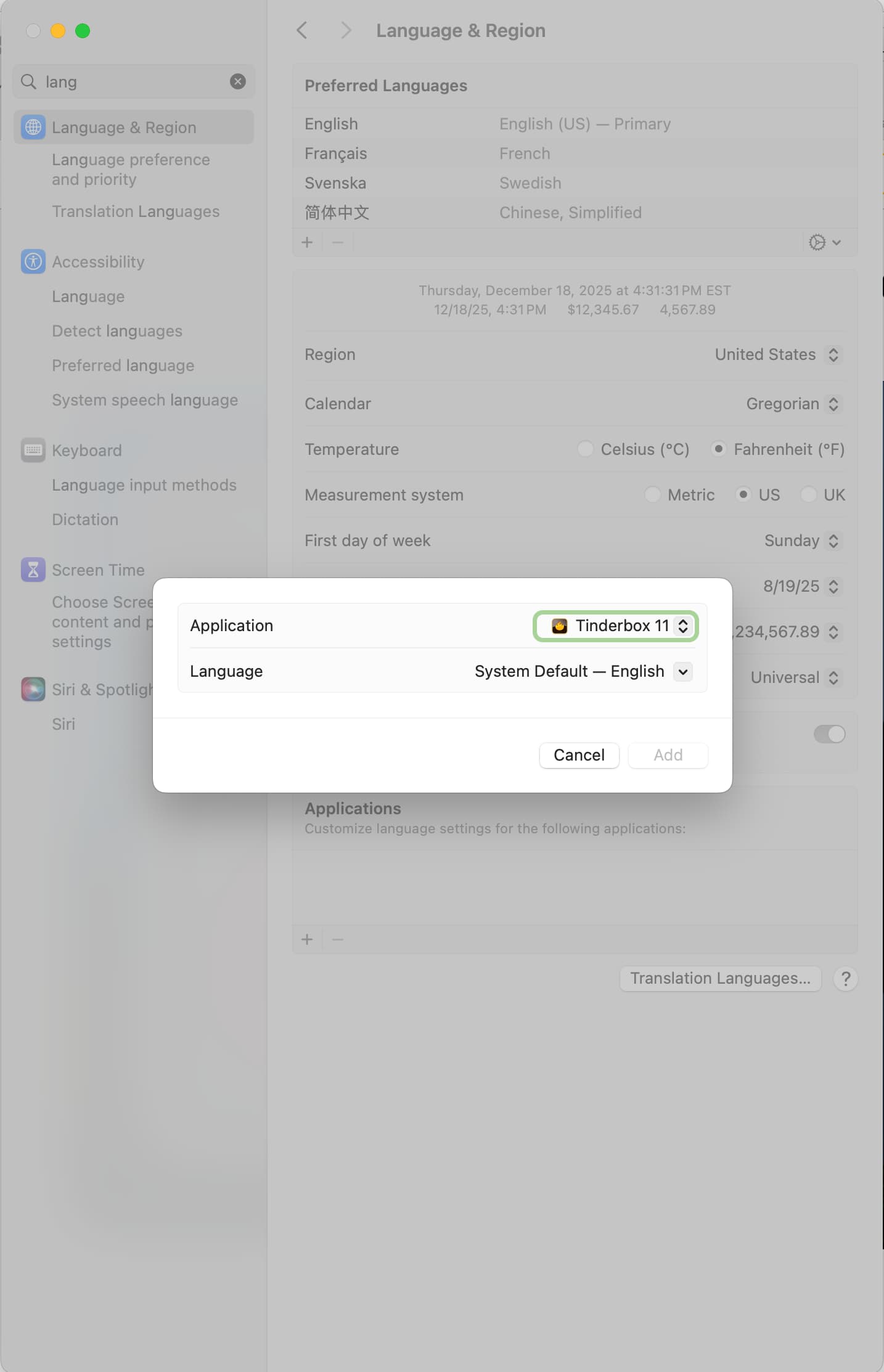
Go to System Settings: Language and Region.
Look near the bottom of the pane; you might need to scroll if you have lots of languages.
The Applications setting will let you specify that Tinderbox should be in English.
Worked perfectly - thanks a lot!
Thanks - great news! I didn’t know that language preferences could be set in such a fine-grained manner!