‘title’ alone is ambiguous. I’ll start by assuming you mean in map view. I don’t think centring in all views is possible, and for some would make no sense so to do.
Titles of notes in map view are controlled via $NameAlignment (N.B. in the system attribute ‘Map’ Group).
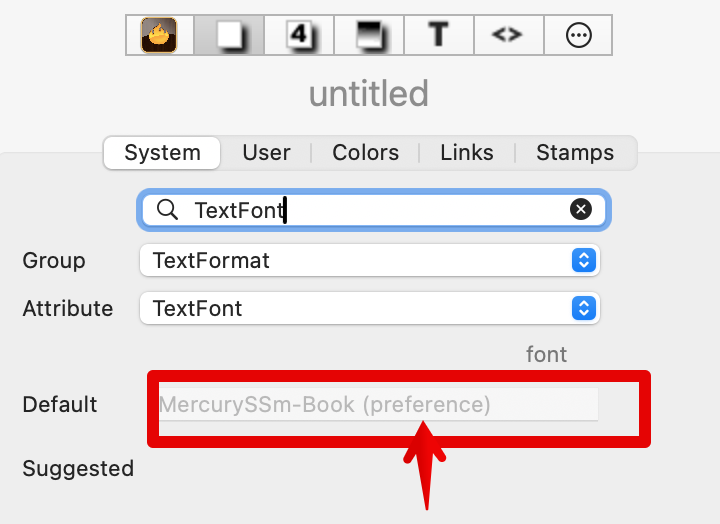
$TextFont is used to set the font face of a note’s body text ($Text). $TextFont in the Inspector looks like this:
Firstly, note the there is not ‘TextFont’ Group, rather it is TextFormat. Within that Group† is attribute $TextFont. It is the font(face) for the $Text of notes.
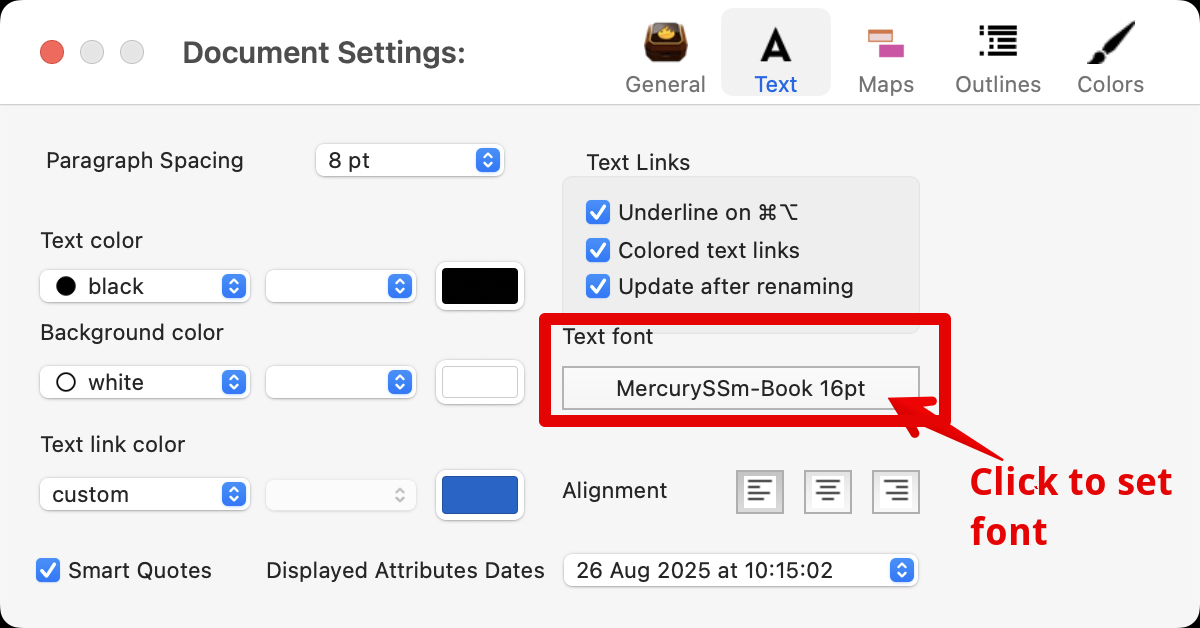
As the attribute’s Default box indicates, this setting is not made by text input but via the document’s preferences, also called Document Settings. The latter is opened via the Edit menu or shortcut ⌘+8. In the settings, dialog, select the Text tab, and use the Text Font control to choose the face ($TextFont) and size ($TextFontSize) as the default for the document:
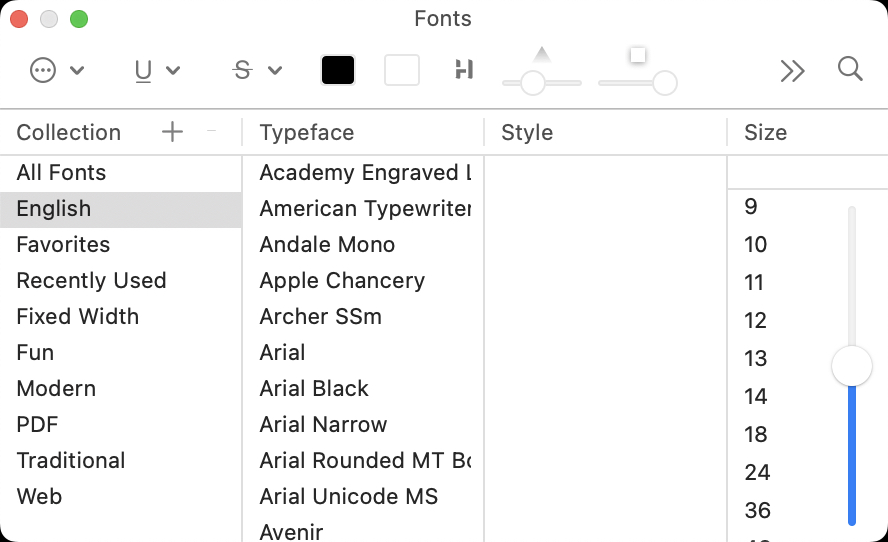
Clicking the font button—that shows the current font face/size—opens the macOS’ Fonts palette:
Note, for setting document preferences only the face and size are used‡.
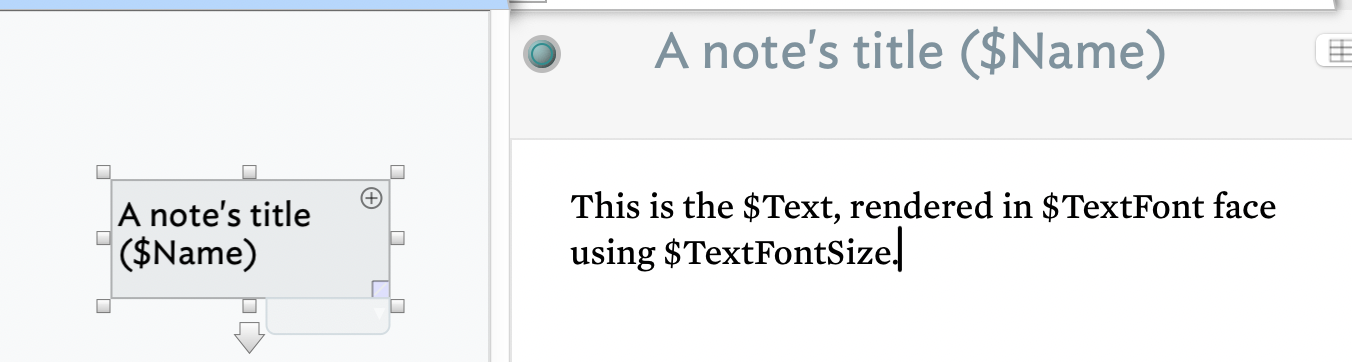
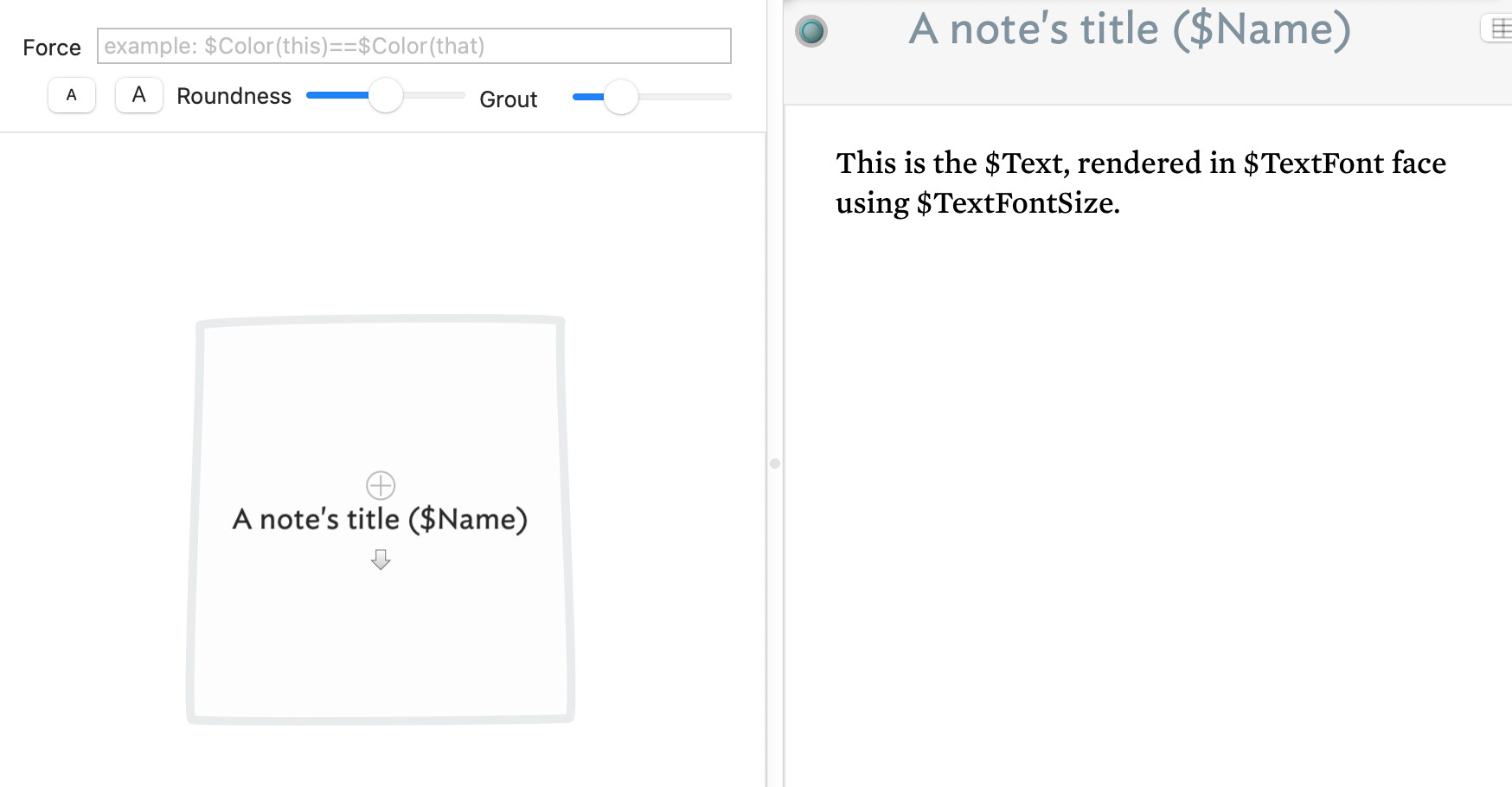
Re title vs. text. In the Text pane of a document you see this (with a Map as the view pane’s selected view type):
).
Or same note, but now in Gaudi view:
See how the text pane (at right) has the same presentation even if the view pane (at left) changes its view type.
Note the title ($Name) is used as the label of the view icon for the note and is shown above the note’s text ($Text). In map view only, depending on the map icon’s size you may also see some of $Text rendered on the icon below the $Name (note title).
Note that Tinderbox uses rich text in the text pane text area (The $Text content) but the app is a not Word Processor (like MS Word), so thinking in those terms when trying to style text is likely to be unhelpful, e.g. Words’s saved text styles. A closer app to consider in this regard is Apple TextEdit. That has limited style support hidden away in its Format ▸ Font ▸ Styles… menu. I believe Tinderbox supports some of the latter via menu Format ▸ Text ▸ Ruler to show the $Text area ruler, then open the Styles and then Other… from the pop-up list. As this might indicate, Tinderbox users don’t much use word-processor type styles: or if they do, they don’t discuss the issue.
If none of that answer the question, please describe (or show via a screen grab) what you have in mind for the meaning of ‘title’. As you’ll see from the various answers I’ve had to give above, it isn’t unambiguous! 
†. The system attribute Groups’ role is to split the 400+ system attributes into groups of (roughly) associated roles. As the app has grown, so have some groups. When using the Inspector search, it is the attribute’s name that is matched, i.e. what is selected in the Attribute pop-up list (as in the image above of the Inspector
‡. The colour of a selection of $Text can be set via the Fonts palette. The default $text colour is set in $TextColor via the Document Setting’s Tab pane’s text colour controls. Bold/italic are set via Tinderbox controls and use the default font’s bold-or italic face if on the host OS system. IOW you can’t set italic $Text if $TeXtFont has no italic face: same for bolding.