In this week’s Tinderbox Meetup, Andreas Grimm (@andreas) delivered a tour-de-force demonstration of how to integrate Claude Code with Tinderbox to “automagically” offload technical execution and synthesis to AI—so that you, the human, can return to your real work: thinking.
It was an AWESOME showcase of what’s now possible with the tools at our fingertips.
We also explored the shadow side: risks of sensitive data leakage, erosion of agency, and the potential dulling of critical thinking if these tools are used carelessly.
AI is not going away. For those actively in the workforce—especially in knowledge-heavy fields, but increasingly across all professions—learning to work with AI safely, securely, and responsibly is no longer optional. It’s foundational. Used well, these tools expand our capacity. Used blindly, they diminish it.
Is there a description available of Andreas’ setup? What level of service is he employing from Claude? I gather this isn’t at the “free” tier.
Is the MCP necessary? Or is that somehow obviated by the Claude desktop app, which is what I think he was using?
How many “tokens” did the forum thread project use, and what does that translate to in terms of cost?
I watched Claude working the command line to execute AppleScript, presumably Claude has the same level of user access to the command line as Andreas has. What guardrails are present to keep Claude from just going nuts in the command line? I didn’t see that Andreas had to enter an admin password to do anything.
Overall, a truly impressive and exciting demonstration. But these are the questions I had. If they were answered in the video, please let me know. I mostly skipped around and watched and listened to Andreas as he did the demo portions.
I’ll let Andreas answer for the system he demoed, which was based on @JacobIO’s impressive toolbox.
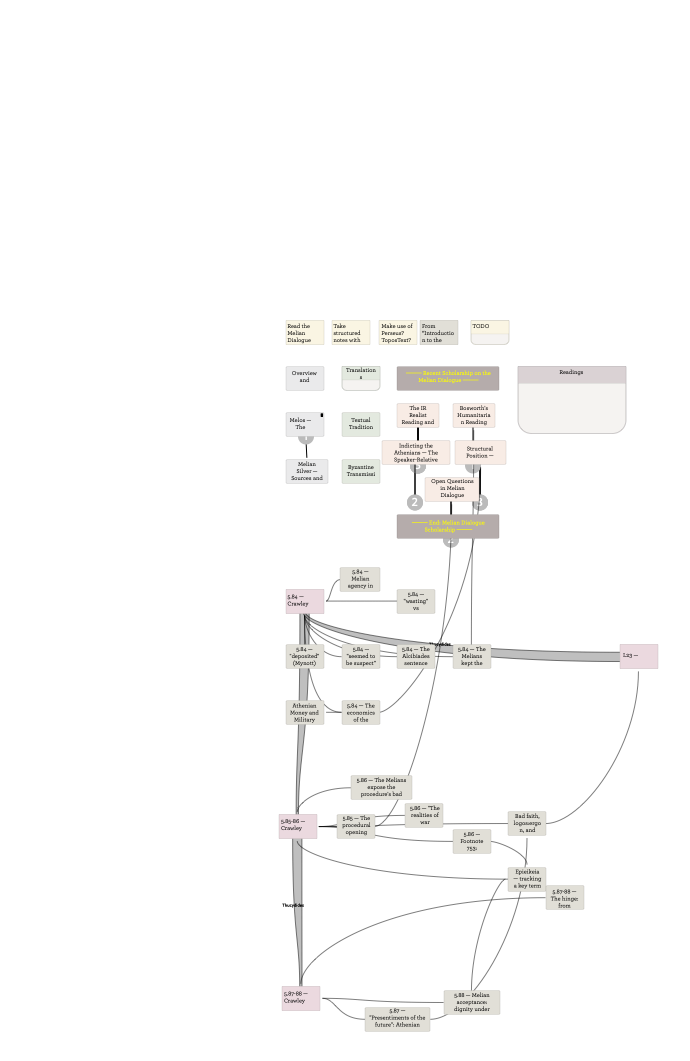
After the meetup, I used a similar though simpler approach—just Claude Desktop and Tinderbox’s built-in MCP—to start reading a chunk of Thucydides along with Claude. I use the $20/month plan, and haven’t come near my limits in either of two sessions so far. Here are Claude’s notes on the Melian Dialogue (5.84-116)
There are stumbles. Claude tried to set the color of a note to “sky blue” because that would look nice, but :sky blue" is not defined as a Tinderbox color. Another time, Claude couldn’t figure out why it wasn’t able to set the prototype of a note named “Bad faith, logos/ergon, and Thucydidean duplicity”. Interestingly, the new map view image tool proposed by @strickvl seems quite helpful to Claude.
Wonderful. Quite apart from all the powerful ideas shown, @andreas generosity of spirit in sharing back to the community really shone through. A big thank you.
I’m left with lots of ideas. Not least, are there ways aTbRef could be more AI friendly in terms of note structure, liking or in the layout in notes. It would also be interesting to see if the AI’s any good at spotting redundant or contradictory content. Mindful of Trails from Bush’s Memex idea, I’ve long wondered about the practicality for embedding such trails in the aTbRef corpus. for instance, “I’m starting with export: which pages are most pertinent, and in what order?”.
I should not that as well as being live on the Web, the TBX file used to make the site is available as zipped TBX, so you can download and make your own local copies, as @andreas did, if you want to tinker. If you want the images that two is a (separate) zip file on the site. So, anyone can have a go. It feels like we are at a point where the likes of Claude//OpenAI/Gemini/etc. are good enough that asking if we are writing, or not, in a manner they understand easily is worth asking. I don’t envisage big difference but perhaps being more obvious are certain types of facts.
A fascinating and inspiring meet. I’m sorry I missed it.
Asked at the meetup and not covered: “Why does my (Mac) Claude Desktop app not show a code tab like I see in the screenshare?”
Assuming you have updated the the Claude app to the current version, the most likely reason the ‘code’ tab doesn’t show is that you don’t have a subscription to a Pro or Max tier or are not signed into Claude.
Claude Code is not enabled (or visible) for the free tier, but Anthropic’s documentation isn’t very clear on that (so … I asked Claude!).
[Edit]
Update: I just subscribed to the Claude Pro tier and immediately my Claude Mac Desktop app shows the Chat/Cowork/Code buttons at top of the app window.
I shared the Claude TBX Skill with the Backstage folks, but haven’t had a chance to clean it up and share it with the larger community here. I’ll work to post it before the weekend.
I see @andreas used the folder of the unpacked zip of your skill in if Finder folder of teaching materials. This method isn’t in the (impressively full) instructions you gave in the (Backstage release) of the skill. I note this as for many less coding-adjacent, starting by putting the info in a hided folder might not seem the obvious start. I see why, but for those just trying to get going, it might be with adding this more low tech approach—by all means saying why that ‘visible’ location method isn’t the best approach long term.