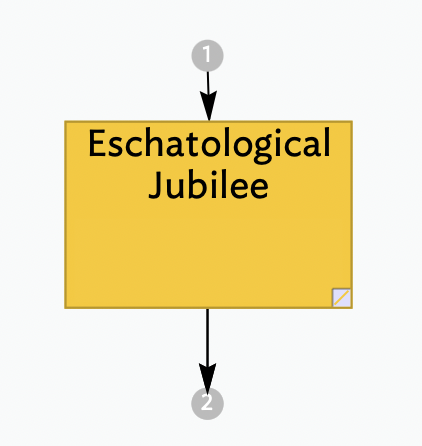
I am using links to connect information/notes in different locations. I believe the resulting arrows that appear on a note at the top and bottom indicate an incoming and an out going link are attached to a note. Those arrows also tell me the number of incoming/outgoing links.
I am able to open that link number on some of these notes/arrows but not all, ie not consistently. Either it is a mechanical/user error or that link is now gone.
Can someone point me to something in TBref to help.
Thank you.
I do see this menu sometimes, just not consistently. Where there is crowding, I do move the note to hopefully help, but often it still doesn’t open… which makes me suspect operator error. Also, some of the arrows for the link count that don’t open (if that indicates anything).
A slight qualification. The link ‘stubs’, are there to shows links connecting the selected note that either start (inbound) or end (outbound) outside the current maps. The counts do not include links that complete within the current map.