I’m building a small CRM, my most ambitious Tinderbox expedition yet. And I’m stuck.
I’m importing LinkedIn connections data as a TSV by dragging it onto the Tinderbox window (11.6.0 b779). After import, I assign the ConnectionProspect prototype to the imported notes. The notes show the correct prototype name in the Properties Inspector, but they don’t display the prototype’s defined displayed attributes.
Also, $DisplayExpression on the prototype ($FirstName + " " + $LastName) has no effect. The notes show only the first name, which appears to have been used as $Name on import. After the import, the $DisplayExpression field on the prototype shows as blank — as though it was cleared.
When I manually enter $FirstName + " " + $LastName into the Display Expression box in the Text Inspector ▸ Title tab on an individual note, it still shows only the first name.
Two questions:
Why would assigning a prototype not cause the prototype’s displayed attributes to appear on the notes?
Why would $DisplayExpression on the prototype appear blank after import, and why would manually setting it on a note have no effect?
Why don’t you post a couple of lines of your TSV here, perhaps anonymized?
As to the questions:
An instance of a prototype won’t show the prototype’s Displayed Attributes if the instance already has its own Displayed Attributes.
It’s not clear from your description whether the prototype note has a DisplayExpression. Do your notes actually have values in $LastName? If not, the effect would be much like having no DisplayExpression.
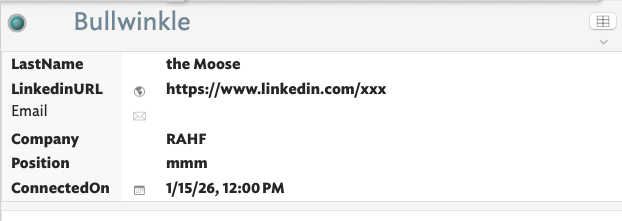
Here’s a screenshot of a TSV data specimen, faked obviously.
The questions:
I’m not sure I expressed my question clearly. At least I don’t understand your answer. I don’t mean that I want the prototype itself to display any particular assets. At least not its own. All I want is for each file to adopt the intended prototype. That includes $FirstName and $LastName for each of the imported files. Instead, the imported files have shown the first name as the title and the last name where first and last should be.
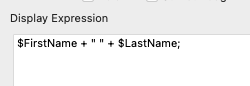
I’ve set $DisplayExpression on the ConnectionProspect prototype to $FirstName + " " + $LastName. The TSV data includes both FirstName and LastName fields with values. After import, however, $FirstName appears as the note title ($Name) rather than mapping to the $FirstName attribute, and $LastName appears as the first displayed attribute. The screenshot below shows the expression as entered — note that I had inadvertently included a trailing semicolon, which I’ve since removed, but the behavior is unchanged.
OK, I’ve temporarily added some extra Displayed Attributes, as it is not clear from your data what the $Name and $FirstName values of the text note are. If left blank, the Display Expression does do strange things. Here, as FirstName is column 1 of the input data this maps to $Name (as is documented). If that is the case do check $FirstName is actually populated as tabular data import maps column #1 to $Name regardless of its header row title. If you want a different name you need to pre-edit your source data and give it a new column #1 headed ‘Name’ with your Name values.
Better perhaps is to make LastName column #1 in the source table so this auto imports to Name and then let the Display Expression add in the first name.
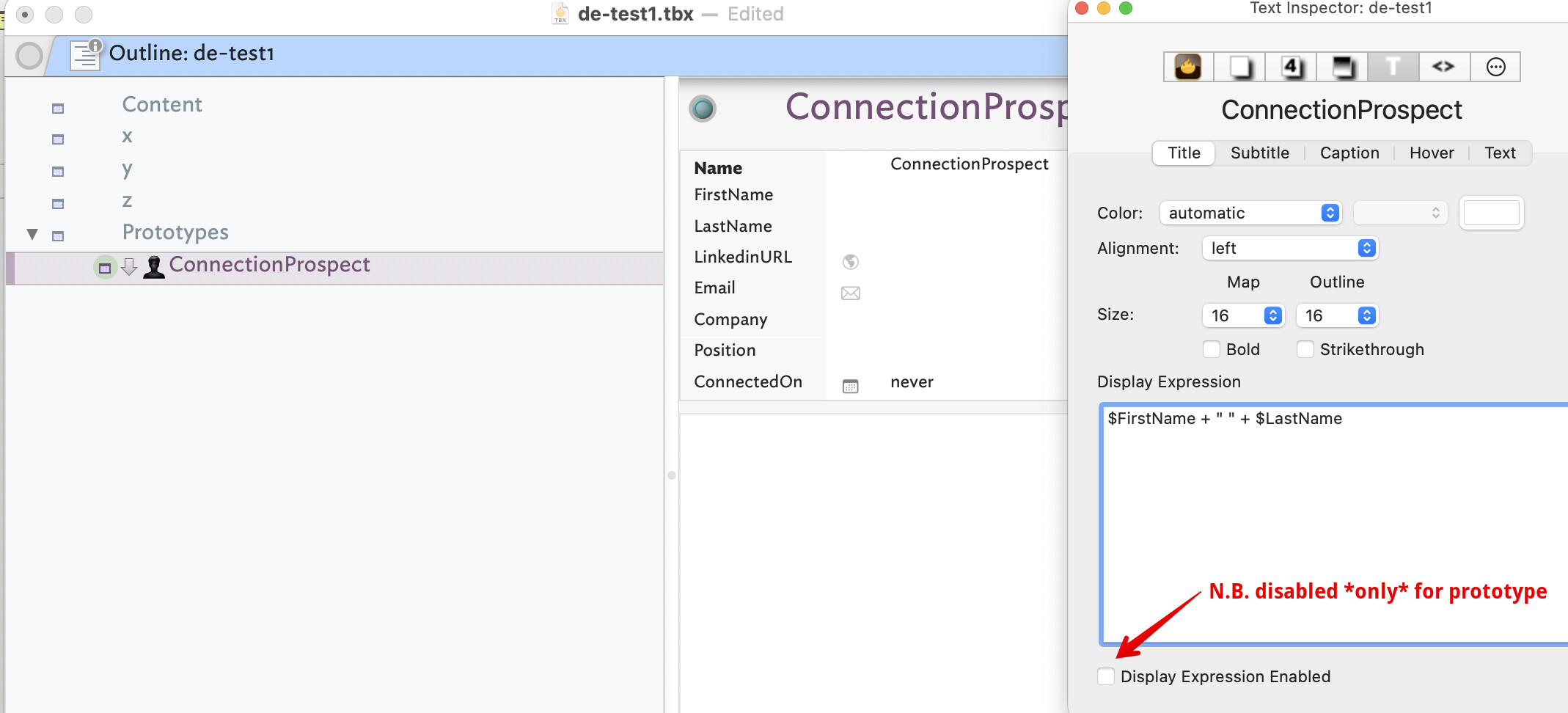
So, I built a test using your data. My prototype looks like this, noting I’ve added $Name & $FirstName to Displayed Attributes for testing purposes:
Note that I’ve also displabed the Display Expression in the prototype where it has no useful putrpose. That setting (the DE being off) is an inyrinsic attribute so doesn’t get inherited by notes using the prototype.
The ‘Content’ container’s $OnAdd is: $Prototype="ConnectionProspect";
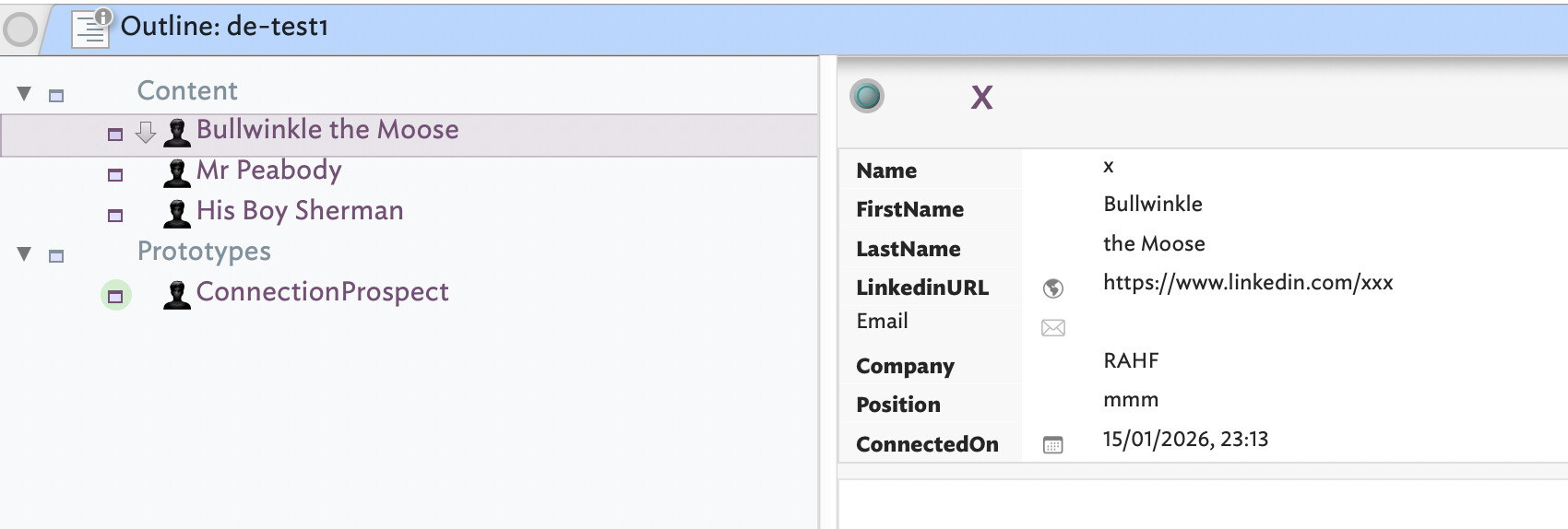
So if I now move the test notes into the latter container we see the effect of the prototype-inherited Display Expression and Displayed Attributes table. One of the text note’s Displayed Attributes looks like this:
Note how the text pane shows the note title ($Name) not the Display Expression ($DisplayExpression), whereas the view shows the note’s Display Expression.
Given that the Display Expression works as documented, I suspect that as $FirstName may not be populated. Without seeing your test document I’d hard to know what set-up errors you may have (unwittingly!) made. Plus when testing it is very easy to break inheritance from prototypes by editing an attribute you wish inherited in a note rather than in the prototype. Doing that means the note now has a local value and that state breaks the inheritance even if there is a prototypes set.
It might be worth skimming this section of aTbRef which goes into prototypees & inheritance: Inheritance of attribute values.