Is there a way to define an attribute, the value of which is the number of words in the containing (parent?) note? Suppose I have a target word count for a note on a family, but choose to write a separate note on each family member inside that note. It would be useful to be able to display both the word count for the family member I am writing about and the word count for the family as a whole.
Let’s suppose we have an outline like this:
The Bakers
   Margaret
   Mary
        Tina
        Tulip
   Milly
      Roo
A rule on The Bakers might sum all the word counts of its descendants: $MyNumber=sum(descendants(this),$WordCount). Then any of the Bakers can check $MyNumber(The Bakers).
Thank you for this reply especially over a weekend. This sounds simple, though I had hoped for an expression more general than $MyNumber(The Bakers) so that it could go into a Prototype. I shall play around and experiment.
More simply, if I read the last post correctly, the number of words in a parent note is:
$WordCount(parent)
Relevant underpinnings:
- $WordCount attribute
- parent designator.
Thanks. I think you have both given me enough leads that I should see whether I can solve the problem myself before responding properly.
1 Like
I think I am half way there. I can get what I want using stamps, though it applying the stamps to documents individually is too clunky to be worth doing. But it illustrates what I am trying to do. I guess I could create an agent to do it automatically.
What I am trying to achieve is the following, with word counts in brackets. Suppose I have
Bakers (0) (I call this the topic)
Children, with word counts in brackets: Roger (150), Mark (167), James (53)
When I am editing, for example, James, I would like see attributes listed as
WordCount 53
TopicWordCount 370
That way, if my target for the topic was 500, I would know that I could write another 130 words about James. $WordCount(parent) would give zero.
I created a new attribute, $TopicWordCount, and have a stamp $TopicWordCount=sum(descendants,$WordCount) which I apply to it.
For the Child notes I then have another stamp,
$TopicWordCount=$TopicWordCount(parent)
Is there an easy way to apply these stamps automatically, every time the WordCount in a child changes (or perhaps to save resources, every time the WordCount in a child changes by, say 10 words, or some threshold? Or perhaps a single action to apply one stamp to the parent (topic) and the other stamp to the current note whenever I want an update? I guess that would use fewer resources and not slow things down so much.
The simplest way is a rule or edict in the container:
$TopicWordCount=sum(descendants,$WordCount);
Then use a rule in the child notes (or more efficiently). If you want the children to be updated depending on a change of >10 in $TopicWordCount. So we change the above:
$TopicWordCount=sum(descendants,$WordCount);
if($TopicWordCount-$MyNumber>10){
   var:list vList=collect(children,$ID);
   vList.each(aNote){
      $TopicWordCount(aNote) = $TopicWordCount; //update children
   }
}
$MyNumber = $TopicWordCount; // update the counter
Thank you very much for this. I was a bit slow in seeing what I have to do, but eventually I pasted your longer piece of code into the Topic (parent) prototype’s rule, and then added $TopicWordCount=$TopicWordCount(parent) to the text (child) prototype’s rule, and it appears to work.
I have a trivial issues which is that I seem to need to click on another note and then return to a note before its data are updated. But that is really trivial and I guess it means fewer resources are used.
Thanks again.
But the whole point is you don’t need that. The Rule for the container, that I showed above does all the work and sets/updates the children’s $TopicWordCount, but only when needed. The way you’ve set this means all the children are constantly updating their (parent’) $TopicWordCount, when the stated aim was to do so only if the total changed by more than 10 words. I hardcoded the different, but if you you’d like the difference tested to be variable, add a user Number-type attribute $CountDifference and add it ti Displayed Attributes, then set the code below as the container Rule (
or as the $Rule of the prototype used by the container as you might have multiple discrete topics)
// The count different to set is set in $CountDifference
$TopicWordCount=sum(descendants,$WordCount);
if($TopicWordCount-$MyNumber>$CountDifference){
   var:list vList=collect(descendants,$ID);
   vList.each(aNote){
      $TopicWordCount(aNote) = $TopicWordCount; //update children
   }
}
$MyNumber = $TopicWordCount; // update the counter
Note: corrected from my earlier post, the `.each()’ iteration now updates all descendants, not just children.
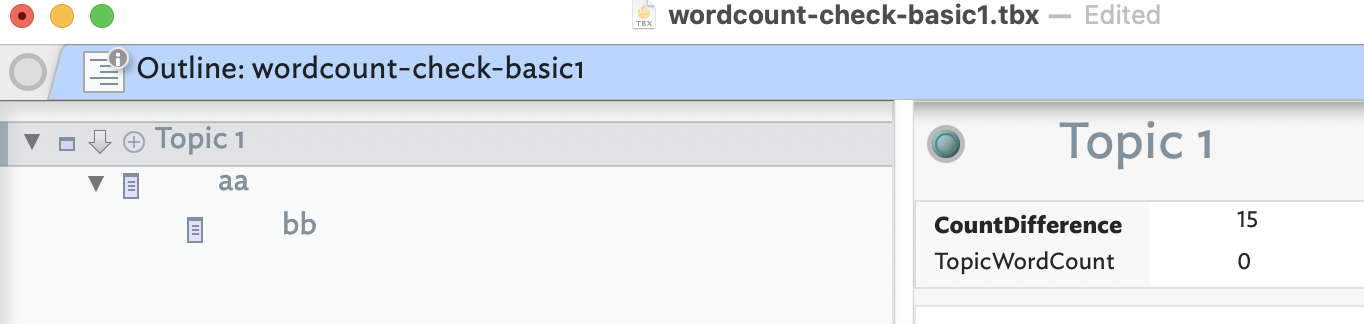
Give the doubt expressed about earlier suggested code (which was tested before posting), I’ve made a quick demo: wordcount-check-basic1.tbx (81.0 KB)
But that’s just the very basics. Now we know from that test the concept works, we can make a more real-world test. Here is a more worked through example was built on the above: wordcount-check1.tbx (97.1 KB) (this appears to have an unexpected glitch, see further posts for a resolution).
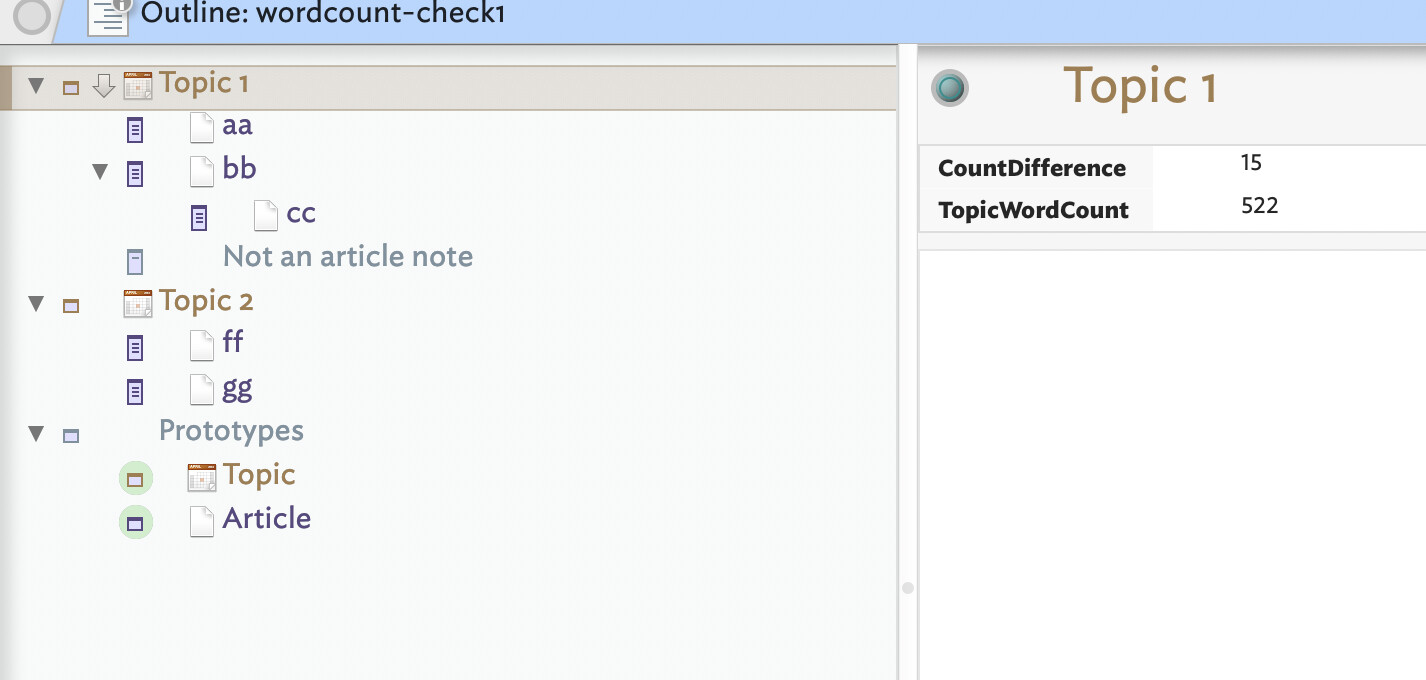
In the second demo:
- The container note now using a prototype ‘Topic’. Its OnAdd sets children to prototype ‘Article’.
- Why use prototypes? Coding a Rule for one container, no real gain. But, if using 10 or 100 containers/notes, a big gain as all use the same code and inherit from the prototype.
- The prototype ‘Article’ also uses OnAdd to set new children to prototype ‘Article’.
- The Topic prototype’e rule now checks for descendants that only of type ‘Article’, and the rule is disabled in the prototype, only running in inheriting notes.
- The descendants of the test topic container deliberately include a note not using the 'Article prototype. I added a note then removed the OnAdd-assigned prototype before doing any edits to the new note.
- Each ‘topic’ using container can set its own $CountDifference value via its Displayed Attributes. In the demo to two test topics each use a different value.
- … and there’s more you can add if you’ve other edge case issues you need to test
The basic rule here could have been texted with 3 notes: a container and one child
& grandchild. The demo has more as i’ve illustrated abstraction int prototypes and included several tests (non-‘Article’ descendants, different countries triggers for different topics, etc…)
We see that no child needs a rule managing word counts as all the work is done via the container’s rule. Also demonstrated is the commended technique of testing a new idea in a minimal test file before adding any changes to your actual working document. This approach has important advantages, especially for those new to action code:
- With minimal content, it is easier to see the ‘working parts’ of the task at hand
- With the main idea running, edge case tests can be added (as above) to explore if the basic now-tested working idea is flexible enough to real use. If not iterate on the test document and not on more valuable TBXs with content you do not wish to accidentally alter.
- Any mistakes made occur in the text document. Only working tested code is migrated to a working document.
- At migration you can address things like, for instance, adding new Rule code to an object that already has code and ensuring both work. If unsure, you can always back post minimum necessary parts of the existing rule to test in the test doc. Key point: migrate working tested code.
- If issues still turn upon the working document consider if pre-existing code in the main document is interfering with the new code. If so, port the issue back into the test document (or a new test doc) and resolve the issue there so as not to damage actual working content.
Action code elements used:
We all succumb to the temptation of ‘just’ editing out main working document(s), i.e. “But, it’s just a tiny change, what could go wrong?”. However, even if nothing breaks but the code doesn’t work, the number of possible causes to check is larger. as your document grows, those possibilities ballon. Putting in code the you are confident works in isolation makes debugging it in a larger doc—if even needed at all—significantly easier.
Trust me, using test files† removes much anxiety.
†. Nearly all code/export fixes I post here for fellow users start with a demo file (or one posted by the user).
Thank you for this long explanation. It seems to be working now, though to view the updated $TopicWordCount in the child note, I need to click on the Parent (Topic) and then back on the note. I think one of my mistakes was forgetting that setting local values overrides those inherited from Prototypes, with the result that I was not always setting rules as I thought I was.
Your advice on working with a minimal document is well taken. I have already been using a file with four notes and three prototypes.
Ah, the sticky inspector strikes again (reported separately via email). As a result it looks like some of the wrong code got into the ‘clean’ uploads of the test docs. Plus, the original scenario only thought about the count going up and not down as in if you were to delete a paragraph.
Fixing the original code, and noting the update in a descendant note is pretty instant. It takes one rule cycle. After edited an Article’s text, that note updates its $WordCount. On the next rule cycle (rules are run in the outline order of their notes) the container sums all descendant word out and does its thing, updating the descendant notes regardless of selected note,if required. So, on my Mac, pretty instant.
But in checking/fixing the code issue caused by the sticky inspector, I realised the count only ever goes up, not down. Given how fast the update is the change tracking we added is just extra work. Cleaner is this rule:
var:number vCount = sum_if(descendants,$Prototype=="Article",$WordCount);
if($TopicWordCount != vCount){
    // any change? If so, update descendants
   var:list vList = collect(descendants,$ID);
   vList.each(aNote){
      $TopicWordCount(aNote) = $TopicWordCount;
   }
   // update the main counter
   $TopicWordCount = vCount;
}
Now every rule cycle, all article note with show the current topic’s word count, be it larger or smaller.
Here’s an updated version of the original larger demo file. Now, the ‘CountDifference’ attribute is gone and the rule is changed to the above: wordcount-check2.tbx (96.7 KB)
Open the file and edit any now. Within a second or so you should see the notes word count and overall topic count update. Same if you delete some content.
Sorry about the earlier file - the issue is a glitch unrelated to the task in hand.
Thank you. It seems to be working perfectly now.
1 Like
Great, here’s an updated test file, following some side testing via DM with @rogerbackhouse :
wordcount-check2 with additions-ed2.tbx (102.5 KB)
One upside the code is shorter and more flexible than when we started—for instance it doesn’t matter if counts go up or down.