Hey -
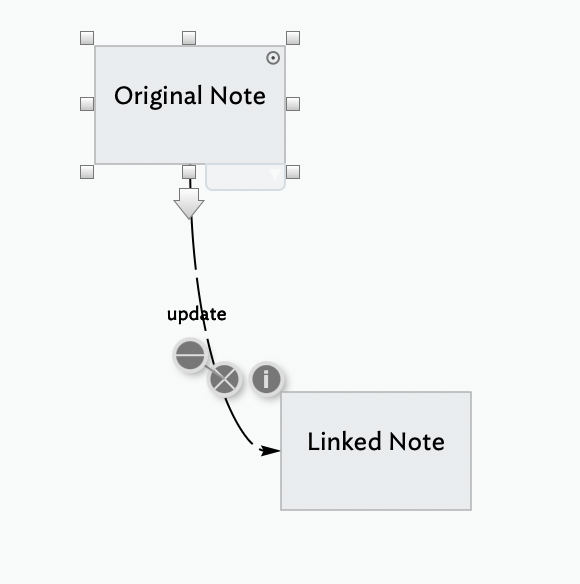
I am linking notes on the same map. I create a new note, name it and save that. I then go to the note I want to link it to, click the bottom arrow and drag over the link to that new note.
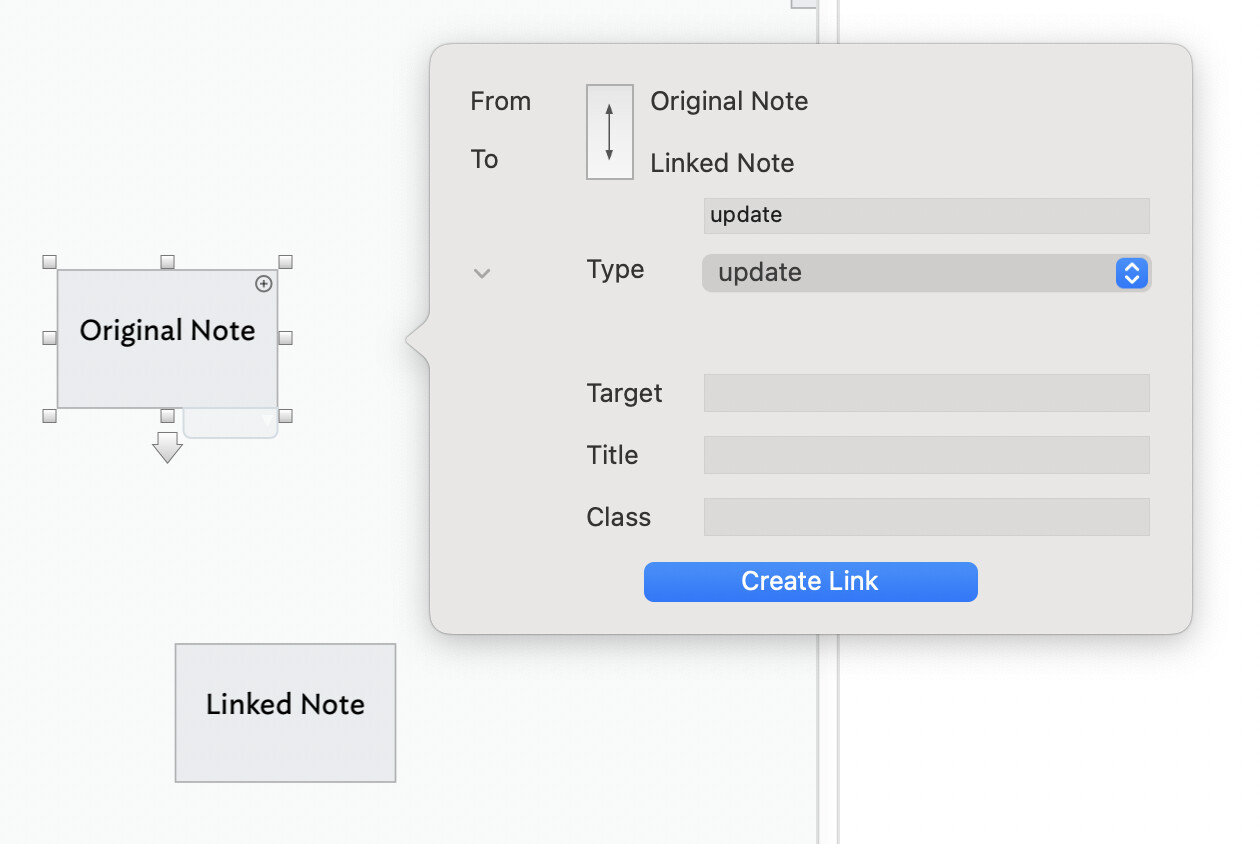
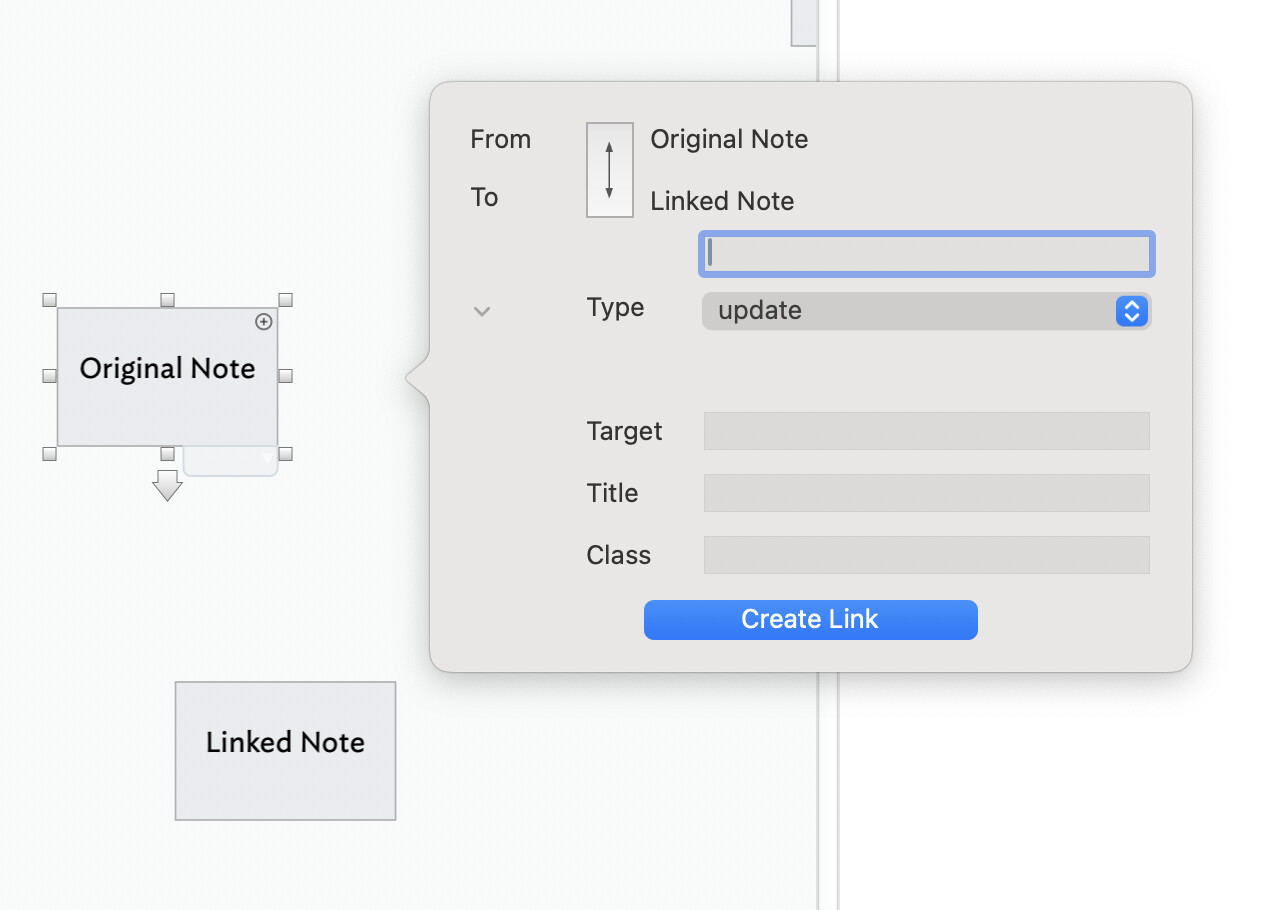
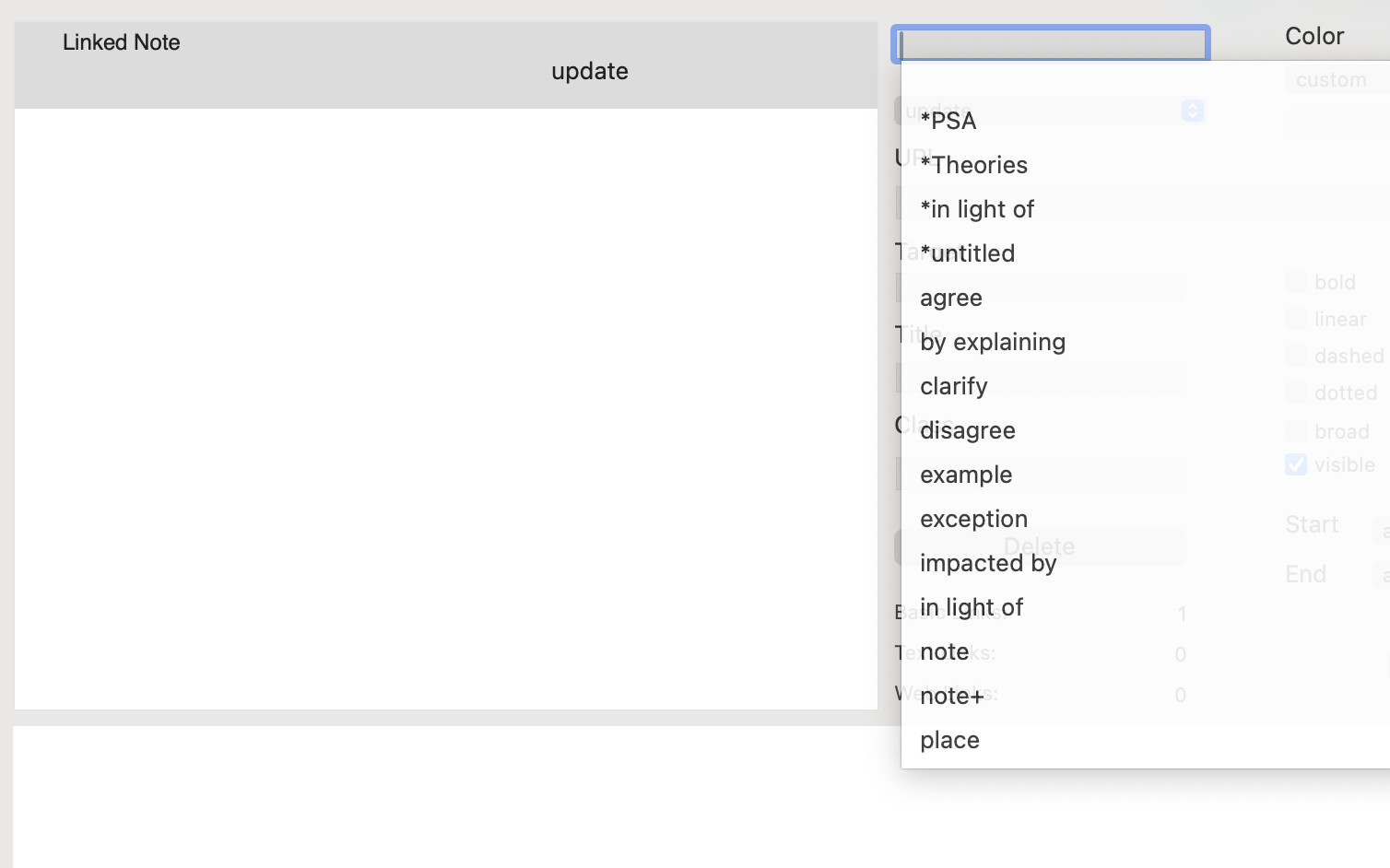
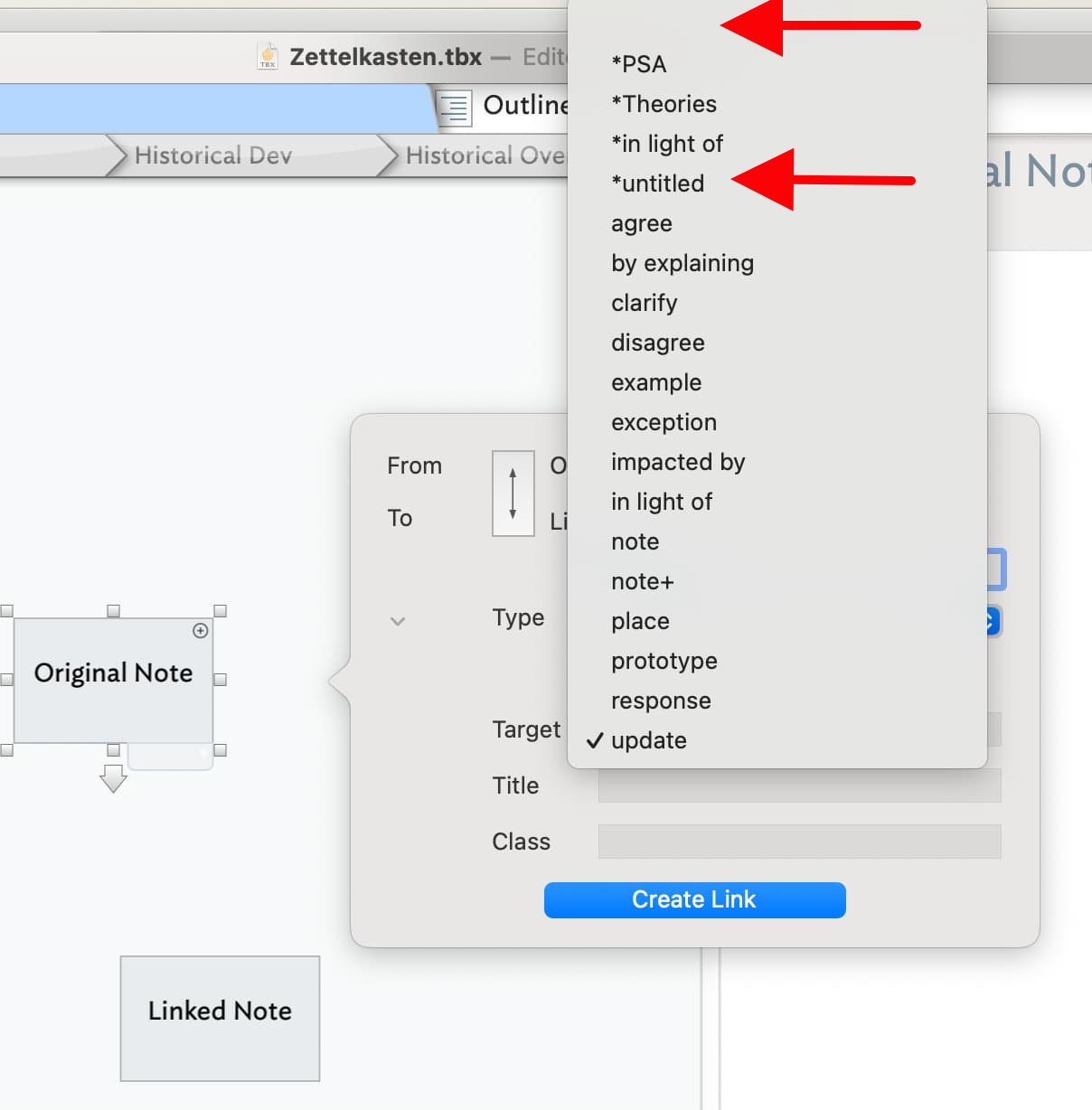
A pop up box appears with text to attach to the link in two places. I want no text on the link, so I delete it from the top appearance. The bottom appearance is attached to a menu, which I open and find no option for “no text.” So I now have a link with text attached that i do not want and told it I did not want… but I have it anyway.
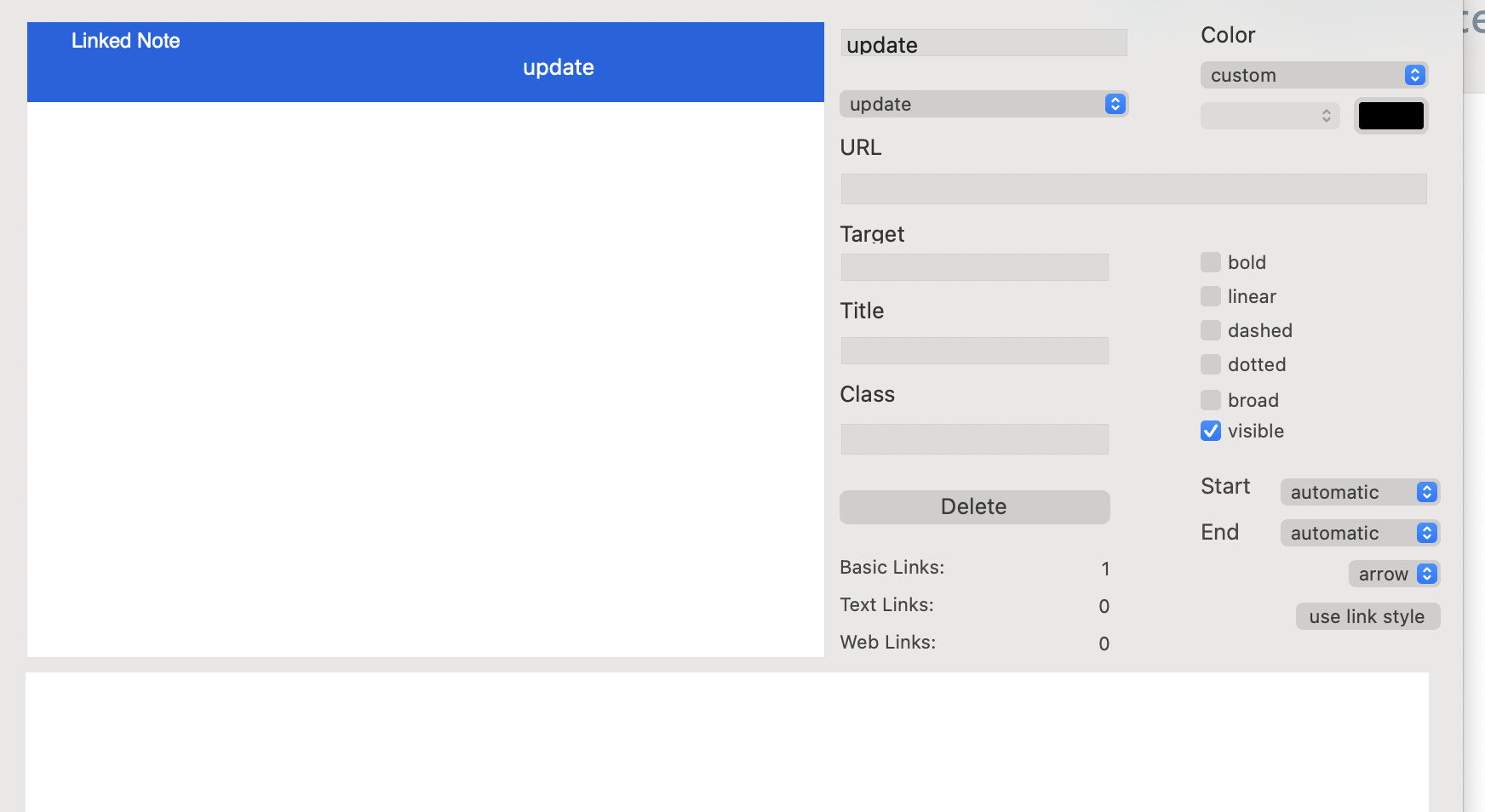
Using the “I” dot that appears with every link, I am given a popover box and, again, delete the link I already previously deleted. Again it appears on two lines, only one of which I can delete; the second provides to option for “I don’t want a title on this link, thank you.”
It is a multiple, repeated process to get rid of unwanted link titles which makes me think there is something I don’t know because this is beyond what anyone else using this tool would endure… so I’m probably the only one experiencing this.
It’s not easy to follow from the description either what you are doing or wish to do, but best guess is you are:
working in Map view
wish to link the current note to anoter note weithiut any selected text
If so, ensure no $Text is selected, then drag from the link pool on the text pane onto the target nots in the view pane and complete the pop-up.
If you want something different, we might need a clearer description. A polite suggestion: instead of describing why you expect in your terminology, try to map it onto terms used in the available documentations. For instance, if referring part of the UI, link to where that is described/illustrated in aTbRef.
Please don’t assume this is being critical. The request is to simply help forum users see what you are describing. We’re all idiosyncratic in our descriptions. The issue is not our individual style of terminology but whether is communicates to others.
… which opens a large box. The unwanted link title is still there; again I see the two appearances on the right half of the box; the one I deleted previously is back. I also see the title on the left side of the box encased in blue. IF I delete the title from the right side it doesn’t delete it.
It just doesn’t seem very intuitive; it’s very time consuming which means I’m missing something because I don’t think those here that understand programming would put up with all this back and forth and TIME to just delete an unwanted title on a link.
I hope that better explains what I would like to do and what is happening for me.
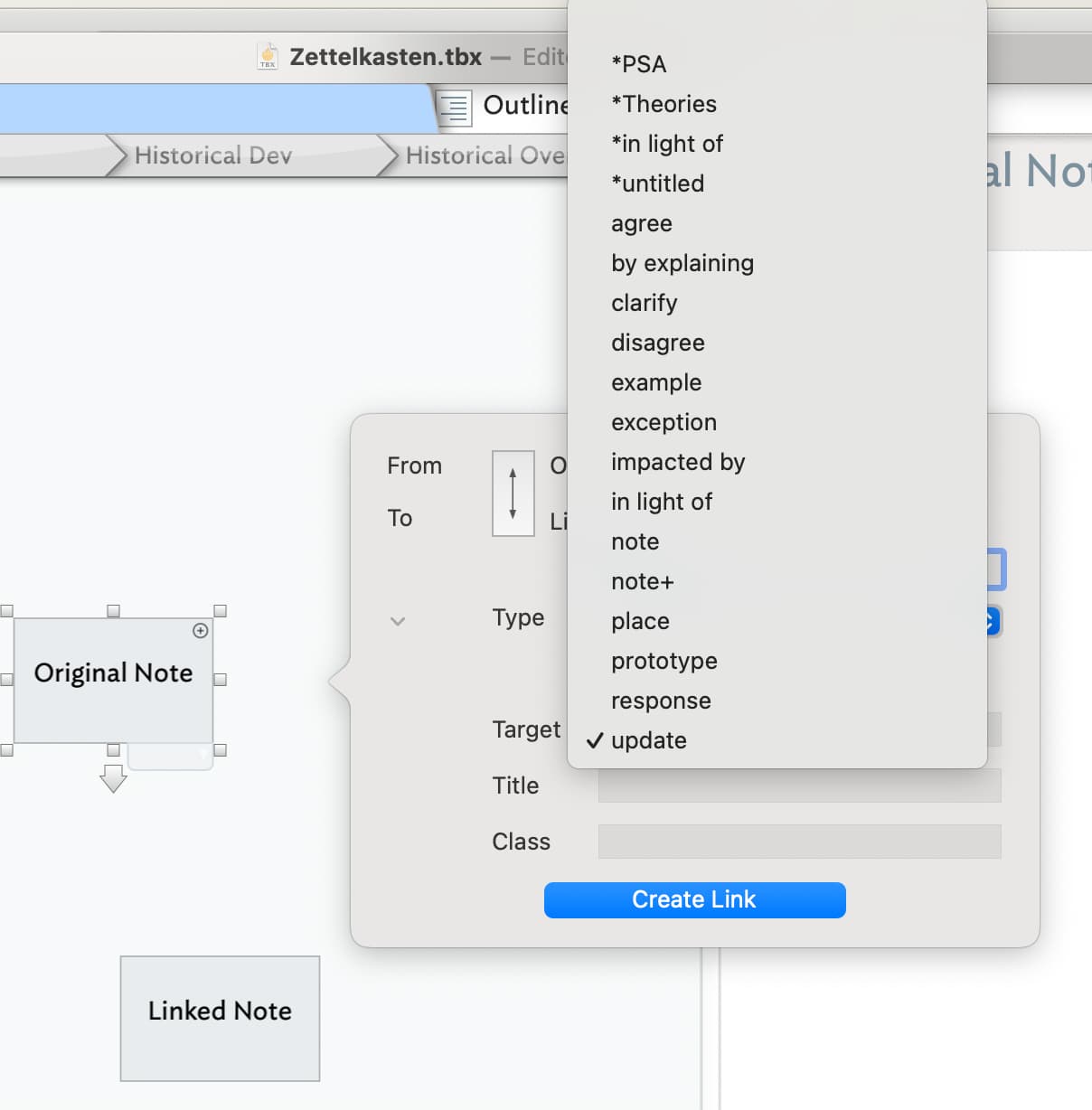
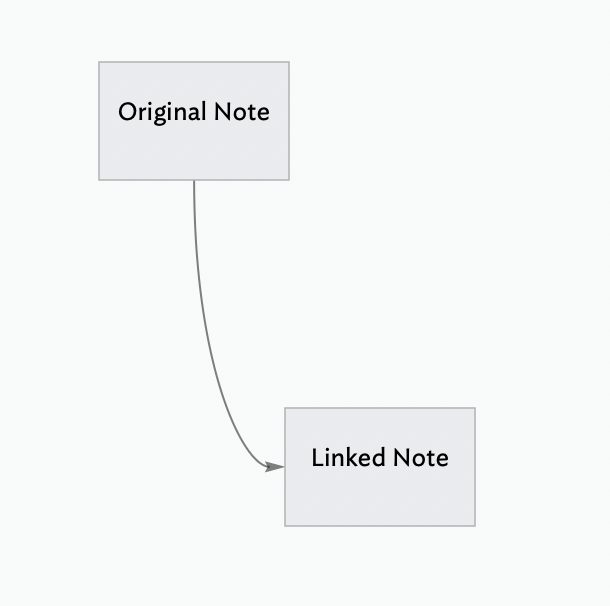
If you select either of these options you should get a Link without any visible text description.
When initially creating the Link, if you ignore the “bottom appearance” and delete any text in the “top appearance”, the link will be created without any text.
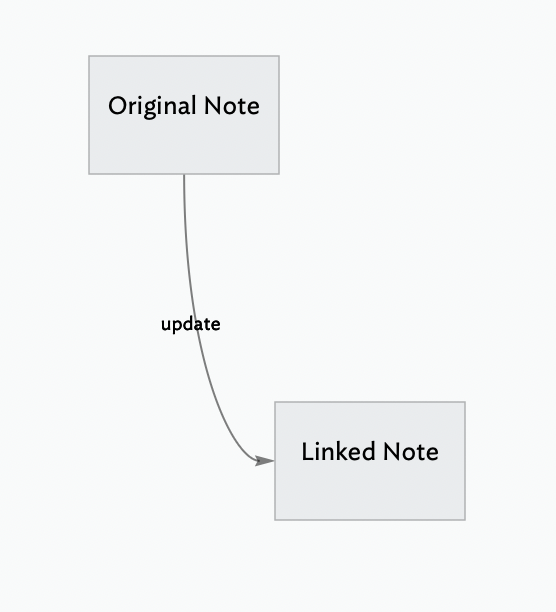
For clarity, the ‘title’ being described above is actually the link’s link type. In map view, a link’s link type is used as a visual label - as described here.
@archurhh has already described how you avoid such labels—you apply the ‘untitled’ link type which in the link creation pop-up is listed as ‘*untitled’. By default with link type has its map visibility disabled (see more on link type configuration).
Note: once you set a given type, the link creation dialog on further use defaults to that type, i.e. it remembers the last-used link type.
The ‘title’ box you see in the link creation pop-over is for HTML export. In fact, if you aren’t using the latter, you can collapse the bottom part of the link creation UI using the little disclosure triangle seen to the left of the ‘Type’ label on the dialog illustrated here.
The unintended mis-assumption here is that the text next to lines on the map are just text labels. They are in fact the link’s link type (as explained at links above). If you want simple link line labels, you can create a new link type even if only used for labelling purposes.
I wanted to add that all links have a “type”, whether visible or not; even “untitled” is a type, is that not so? If you create your own Link type you can still delete the visible text that appears atop the link arrow.
Yes, all links have a type. If none is applied by the user, the default is *untitled (note the preceding asterisk).
Note, the type *untitlednever draws a label, even if you tick the labeled control for that link type on the Links Inspector
The fact maps appear to have labelled links is convergent design. Tinderbox inherits design ideas from Storyspace and hypertextual apps. Though a map may superficially look like a box-and-line drawing, that isn’t its lineage.
Admittedly, as increasingly few people seem aware of hypertext apps (as discrete from the Web from of hypertext†). This is problematic in explaining the how and why of map links (lines) and link types (labels). I’m wondering how this might better be documented.
†. Understandably, 30+ years after the advent of the Web, web pages may be the only hypertext many people have encountered and hypertext’s richer past is obscured. The Web is only a partial implementation of hypertext. In fairness to Tim B-L, what we have now is a cut down version of his original ideas, the omissions reflecting perfectly pragmatic acceptance of erstwhile internet constraints.