Just that quick question. The background colour of the attribute browser is dark and Id like to make it lighter , where do I change it?
Also, Ive got the document settings on Franchi, and want to make sure it doesn’t change automatically with Light/Dark . Is that still something that happens, and how can I avoid it.
And final questions, Is the tbRef a downloadable Tinderbox document, and where do I find the link. (I have looked at the webpage and seem to not find it).
quote=“Thomas, post:1, topic:9257”]
The background colour of the attribute browser is dark
[/quote]
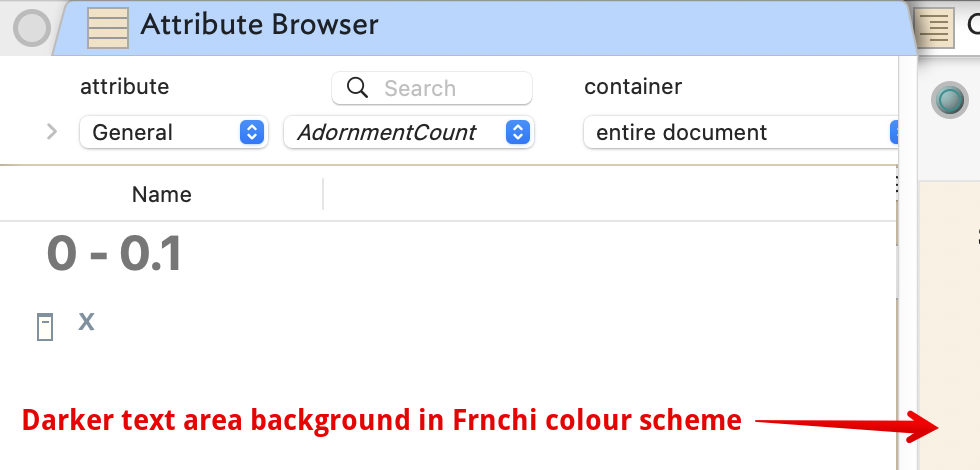
Are you currently using OS dark mode? I ask as it is not clear from the question Here, AB view’s background is light as here in v11.6.0:
Note—the document’s colour scheme only sets the background in the text pane
Currently, I don’t believe the AB view allows UI customisation. Instead, its UI colouring will be set as per the current OS mode, light or dark.
More on macOS Dark or Light modes. Note: these days the current default scheme is ‘Modern’ as opposed to ‘Tinderbox 7’ but it goes to the same end.
Note: I tried dark mode when it came out but it never really worked. I find dimming the screens is kinder on the eyes. I only mention this as others here do use Light/Dark mode and may have extra info to offer. I can update aTbRef if there is clear, non-anecdotal, info to add/correct on OS modes.
Tinderbox colour schemes are not affected by OS light/dark mode switching. When switching to dark mode, switch to Dark-focused scheme. I do not believe there is a dark flavour of ‘Franchi’.
The available built-in color scemes are shown in the Document Settingss (⌘+8) dialog, Colors tab. There are only two light/dark pairs: Coral/Dark coral, and Sunny/Sunny Dark.
Of course you can design your own colour schemes, e.g. a Franchi dark mode.
Changing OS mode only changes the parts of the UI UI directly using Apple/OS framworks as these are set to alter with OS mode. Colours set via your colour scheme are not altered. What change are you referring to when you say ‘still’?
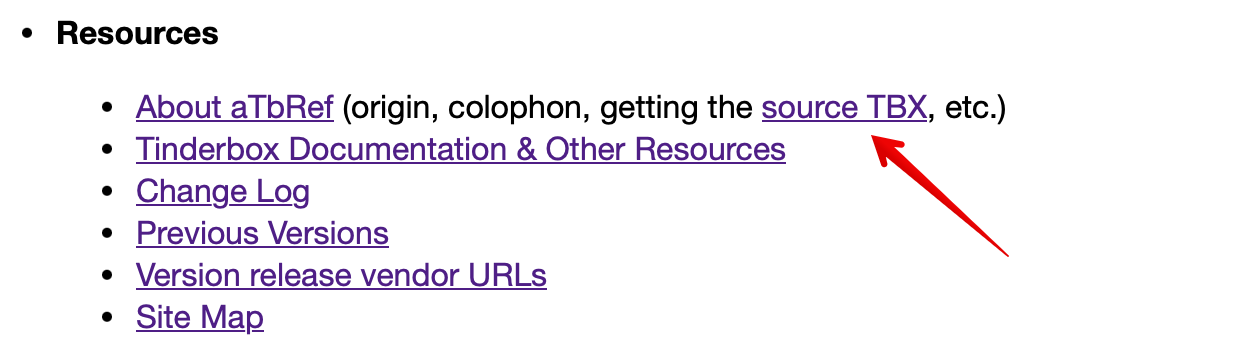
Are you sure? The home page link is where it’s been for over 10 years:
I now understand that the background for the attributes browser was varying because it’s linked to the light/dark mode of my mac, So, setting my Mac to Light mode makes it all visible and all is well. I had remembered somehow that the background colour could be set within Tinderbox, but that was obviously just the background in Map view. Perhaps it’s a tiny bit odd that this one area is hooked to the Light/Dark mode? !
I do love Tinderbox, and its basic kindness in not forcing people into categorising, so any quirks are readily accepted.
Mark, thanks for the TbRef link. I now know where to find it.
I think it is function of age. The early views using the old app (up to v5.x) expressed many of their settings in attributes. Since the v6 re-code of the app, views still have settings but the view construction (the visible view pane contents) often involve framework UI elements whose colouring is outside the control of the app. Tinderbox, has, as at v11.6.0, eleven views:
v1.0.0: Map, Outline, Chart, Treemap views. All use $MapBackgroundColor for view background.
Treemap uses a user-chosen colour for cell fills so $MapBackgroundColor
v5.6.0: Timeline view uses $MapBackgroundColor for view background.
[app recoded for v6, using Apple frameworks and for Intel CPU not PowerPC]
v.6.0.0: Attribute Browser view. $MapBackgroundColor is seen as a very narrow colour band around the outside of the view. The data table, the majority of the view, follows UI colouring.
v7.0.0: Hyperbolic view uses $MapBackgroundColor for view background.
v8.0.0: Crosstabs view. As for AB view, above.
v9.7.0: Table view. $MapBackgroundColor is not seen. Table body uses OS colouring.
10.0.0: Gaudí view. As for AB view, above.
11.0.0: Information city view. Full view is 3D model so $MapBackgroundColor not pertinent.
Note: all views use $MapBackgroundColor for the fill colour of their tabs’ icon. Outline, Map, Hyperbolic and Chart views (only) use $Color as an accent colour on the tab icon.
Fantastic to have these details, thank you, I had only really noticed occasional difficulties with Attributes backgrounds, very helpful to know which ones are changed by $MapBackgroundColor and which ones are UI colouring. (PS I need to find out what UI colouring actually is. I dont think I ever deliberately set anything up!) .
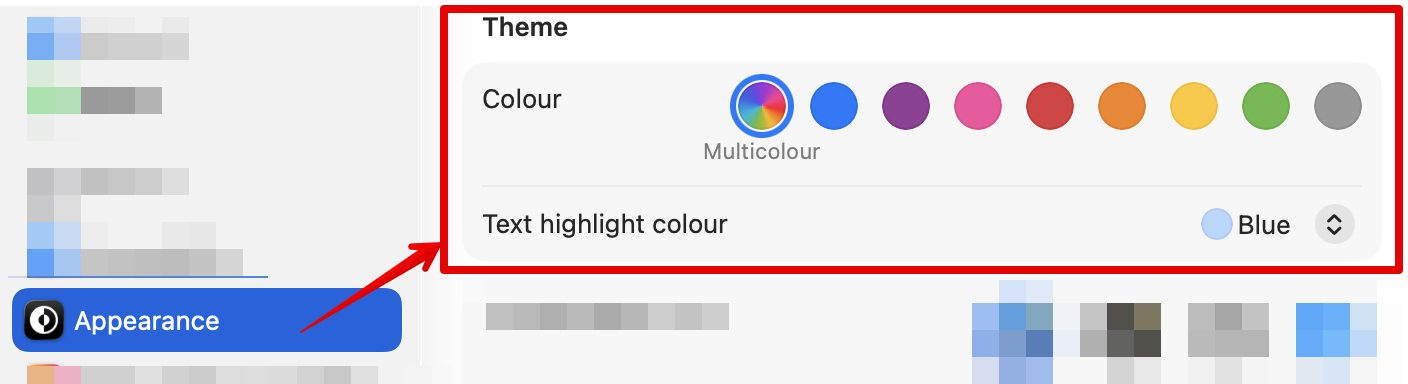
Of these I think Tinderbox likely only uses the ‘Text highlight colour’ (‘color’ on US systems) control. the OS default—at least in light mode) is a light blue highlight. It may change in dark mode, in order to achieve sufficient visual contrast.