Writing document with many references

In the email telling us about the latest version of Tinderbox (11.7), Mark Bernstein (at least I assume it was Mark) wrote:

“I spent much of the past month drafting a pair of research studies. One had 98 references, the other 147. The whole field is being remade, and a surprising number of references were less than five months old. I cannot imagine doing this sort of work without Tinderbox.”

I should be very interested to know what were the features of Tinderbox that lie beneath the final remark. A bit of background to the question (sorry it is so lengthy).

Background. I was trying to use TB for several years alongside Bookends, DevonThink and Scrivener, to write a book, but in the past year or so I have mostly stopped using it because I could not find a way to do things that I could not do in the other apps. (DT was essential for processing PDFs and for searching, and BE for keeping the list of references, and highlighting/notetaking might be done in either.) I think I am trying to do much the same as is described in the quote: start with a list of references (mostly PDFs, some web pages, some print books), which expands all the time as I read and discover new references, out of which I am trying to construct a new argument, citing my sources for the pieces of evidence I use. (Typical humanities research task?)

My hope had been that TB would help me see the relationships between different things I find. I did find it useful for the book though in a limited way, but only as a temporary repository for notes. When I felt overwhelmed with the material I would move a batch of references from BE into TB and use Map view to organise them, typically into chronological order, and then make notes in TB. As I made notes, I would move notes around on the map and use links in TB to get a visual indication of how the notes related together, but as soon as I could see the story, I would start writing, with the TB map on one screen and Scrivener on the other. Psychologically, TB proved useful, but I would hesitate to say it was essential. That makes me wonder what features you/Mark found essential and could not have managed in other apps, when performing a task that sounds similar to mine.

There was a recent post on getting BE notes into TB. I guess that getting TB notes into the notes field of the correct BE references is more difficult, even when the notes were imported from BE in the first place. Not that I need them - it’s more in case they prove useful when doing a BE/DT search one day.
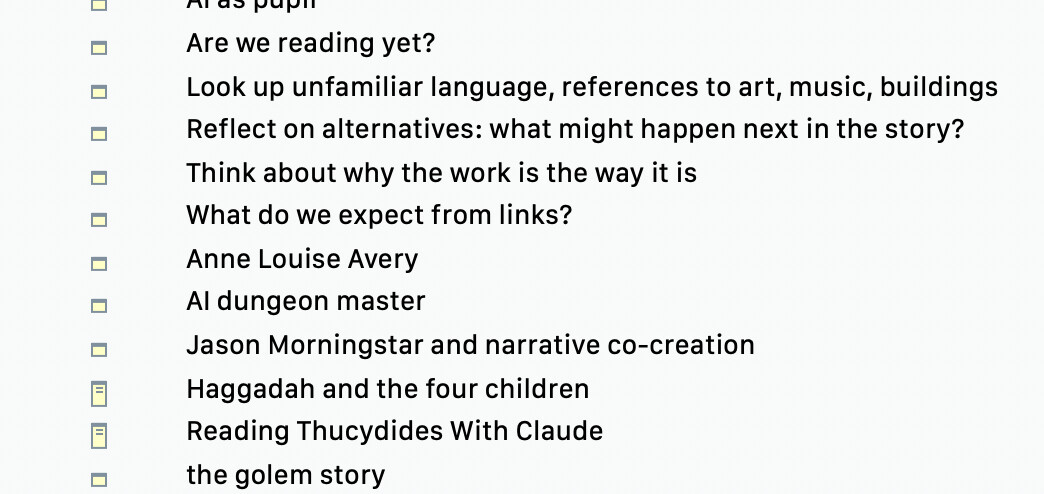
Yep, that’s me.

The 147-reference paper was the big challenge. I, too, use Bookends for references and DEVONthink to hold pdfs and such.

The paper topic is broad; that’s why it has so many citations. I know the hypertext literature fairly well, but the thing touches on literary theory, historiography, philosophy of science, and (times being what they are) LLMs.

For several sections of the paper, I threw together a Tinderbox document to which Claude/Gemini had access and in which it kept notes. That note taking was part of the subject of the paper but it was vital because the whole thing had to come together on a 3-week schedule, eventually extended to 5 weeks. These were both experiments and note piles, memoranda to remind myself to mention X or consider Y.

Second, the organization of the paper was fairly clear from the start, but the organization within the paper’s four main sections was not. What aspects of discussion go in each section, and what can be saved for the conclusion. This isn’t technologically interesting, but some combination of outline view, badges, and occasional metadata actions really helped.

Third, it’s an ACM paper and the ACM’s templates for Microsoft Word don’t actually work—or, at least they didn’t work the last time I tried. So I was writing in Overleaf, but I last read the LaTeX manual circa 1981. There was some mildly challenging typography, too, and this was to be my first solo LaTeX paper. So Tinderbox ➛ Claude ➛ Overleaf was occasionally a pressing need. (Example: “Here’s a BibTeX entry. Overleaf says it’s invalid. What’s the issue?”)

Sure, I could do with just Overleaf or something. I could manage with Scrivener. I’m glad I had Tinderbox!

Just looking at the outtakes and leftovers from my topics pile, I’ve got leftovers that I could likely use for another decent paper. (I did all this inside the context for the next book, so they’ll be handy.)

It’s not elegant or profound, but lots of little affordances make it convenient to create lots of notes, pick among them, play with their order, and compose a draft while retaining notes and ideas for later use.

1 Like

I have added a custom format in my Bookends where the ‘formatted’ reference is the citekey in a LaTeX cite. So, if my cite key for a particular record is ‘bernstein:2025:infocity’ the formatted reference is \cite{bernstein:2025:infocity}. Rather than drag-drop to make a reference note in Tinderbox(which I don’t need as the info’s already in Bookends) I copy/paste the cite string into my $Text. Need to add a page number/range? Easy just, insert the close reference info in square brackets (before the curly braces) after pasting, e.g. \cite[Sec. 4.2]{bernstein:2025:infocity}, will render as something like [36, Sec. 4.2] instead of [36].

As long as the reference is added to my LaTeX project’s bibliography (usually a ‘.bib’ file) the LaTeX reader with connect the in-text cite with the per-reference BibTeX info. My most recent paper happily handled 133 references this way.

Whether you also insert per-reference notes from Bookends into a TBX likely depends on your field, style of work and task at hand: there is no ‘correct’ approach.

†. As all my papers, dissection, etc. to date have used LaTeX, I’ve Bookends Smart Groups (which function akin to Tinderbox agents) to ensure all references have a valid cite key value. BibTeX doesn’t have a fixed cite key format beyond a few invalid characters and it needing to be unique within a project’s bibliography. Mine is [author name]:[year]:[free text], e.g. ‘bernstein:2025:infocity’. Why, because it gives some idea of the referenced item when in the LaTeX source text.

1 Like

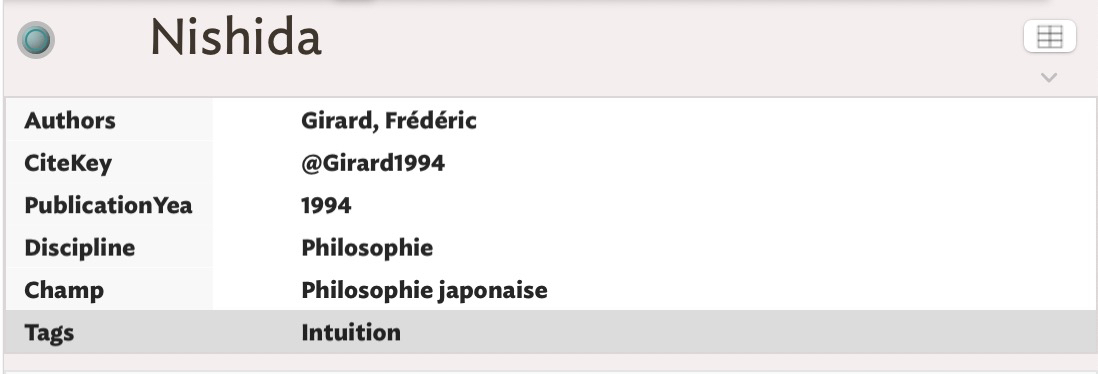
Thanks for replying. That is interesting, especially your screenshot which helps me see the types of note you created.

I was like you and then eventually dumped all the tools and build my own views and templates in Tinderbox, that way I could centralize my work and write and publish my articles, speeches, presentations, courses, dissertation, book(s), etc. out of Tinderbox. You’ll find a lot of my work libraries here: 5Cs of Knowledge Management.

In my experience, and even though I come to give up to the idea of doing everything with Tinderbox, the latter is incredibly helpful when it becomes essential to know where you are with your manuscript—I mean, which authors do I cite in this chapter, or what paths of thought does this or that tag suggest me when I read the so precious Attribute Browser? Scrivener, for example, which you mention, doesn’t allow you to do this with the same ease and level of detail and I don’t count anymore the number of times I’ve reordered some of my texts while writing in Scrivener, using TB’s Outline view.

1 Like

This a very interesting response, partly because it suggests that you write in Scrivener, but also have the text in TB. Maybe I am missing something obvious, but I am not clear about the mechanics of using these apps together. Write text in one and keep notes in the other? If so, is there an easy way to link TB notes to documents in a Scrivener project to make it easy to jump back and forth? I have done many searches on integrating BE and TB (and DT), but I had never thought of searching for threads on ways to use TB and S alongside each other, but there seem to be some useful ones. Thank you.

I misspoke, and I apologize for that. To answer you:

When I start a research for an article, for example, generally, when I don’t write immediately, I take notes using Tinderbox. In this way, I gradually see what Mark Bernstein, in The Tinderbox Way, calls a “structure” that emerges from my notes: references to authors or works, converging themes, and so on. All of this is possible thanks to the attribute browser. In my practice, these notes are not meant to be constantly transformed like a text that’s endlessly rewritten. I quickly transfer my notes into Scrivener and start writing. For a longer research projects, I proceed in the same way.

When I need to view my text from a completely different perspective, I export it as an OPML file in Tinderbox and primarily use Outline view. This allows me to split and reorder each chapter.

Unfortunately, to my knowledge, synchronization between Tinderbox and Scrivener is no longer possible.

I sometimes feel that, because Tinderbox is such an exceptional tool, we expect too much from it, a bit like expecting too much from someone who is very talented but doesn’t always appear as brilliant as we think he or she is. For my part, I’ve decided to let go of those expectations. I use Tinderbox for what I believe it is first and foremost designed: an exceptional note-taking tool that proves irreplaceable when it comes to have a very detailed overview of my notes.

1 Like

FWIW, here is what I know about Scrivener integration.

I do recall that regardless of going Scrivener → Tinderbox, Scrivener doesn’t (or didn’t really do) import except via OPML which is a sub-par method for such a task.

Amen! Note-taking != writing for others. At times the write-once-publish-anywhere notion gets pulled back beyond the writing stage. Also, too easily to we want what others seem to want (i.e. what’s on trend) without giving a moment to see if it actually helps our own work. My sense is that often it doesn’t in which case (only for such things) we should ignore the herd.

1 Like

Dear Dominique Renauld,

I saw Kitaro Nishida’s name mentioned, so I thought it might be helpful.

Absolute Contradictory Self-Identity

Yours, WAKAMATSU

2 Likes

Jumping back and forth, no. But jumping from Scrivener to a relevant note in Tinderbox, yes! Select the note in Tinderbox, right-click and choose Copy Note URL. Select anchor text in the notes pane of a document in Scrivener or wherever and Edit > Add Link.

Tinderbox can be helpful in other ways. I have in Scrivener two widely divergent and reorganized versions (written years apart) of a book length project and need to trace where each part the newer version came from in the old version (perhaps to work in more of the original material), and also go through the old version section by section to consider whether anything important was “left out” of the new version. A daunting manual task in Scrivener. Could Tinderbox help in organizing this natively without resorting to AI?

It turns out, yes. From Scrivener I “compiled” a draft to Markdown, then copy-pasted that text into a note in Tinderbox and exploded it (Note > Explode) using the Markdown header ## as a delimiter. I did the same for the other draft and put it in a separate container.

I was pleasantly surprised that Tinderbox on a 16GB MBP M3 handles with ease the two drafts, so far a combined 120,000 words. The response is instantaneous.

Now I can select a section in the new draft and immediately view in a handy popup the corresponding section(s) in the old draft via the ‘Suggested’ pane (activated by Window > Links). And vice versa. Tinderbox also offers other spurious suggestions, but it’s generally right on the money with one or two of the most useful ones.

2 Likes

Excellent! Thank you. I found that it is possible to go back and forth. First, do what you said, and then in Scrivener, right click on the document name in the Binder, select “Copy Document Link” and paste it into the the appropriate TB attribute, which gives a link that enables going back to Scrivener. Of course, the correct way, if I am allowed to say that, is to create a new attribute in TB, “Scrivener link” or something like that, specified as being a URL, though as ReferenceURL happened to be empty, so I used that for the test. And when I get to the TB note, if the Note is a BE reference, I can click on a link to take me back to the reference in Bookends. I then have scripts that take me back and forth between BE and seeing the attachment in DT, so all four apps are linked. Not that I need all this, especially now you have pointed out the “Suggested” pane in TB. Much to explore when I get back to the writing project I currently have in Scrivener.

Playing around, I also realised that to get data from one to the other, it is possible to drag a TB note into the Scrivener binder, and a Scrivener document into TB (ideally with an action to attach a prototype). Footnotes are lost, but there could be circumstances where this could be useful. So it means it is easier than I thought to draft in TB and then move the text into Scrivener when it is ready.

However, returning to my original query, I think what I need to do is use TB to store more notes about things that I have been trying (and often failing) to store in my brain. Presumably the “Suggested” pane should be useful to identify aides memoires that are relevant to a note I am writing, and potential duplication of material.

Thanks again.

1 Like

I remember some discussions here about the Zettelkasten method, and one in particular caught my attention. If I remember correctly, it was about to know whether an application should adapt to a note-taking method or whether, in some cases, the application should be forced to conform to the method. I don’t think this is a pointless discussion. I simply think that, as you say, by following the latest trend, we miss our own needs. In this respect, using AI, in my opinion, is similar, without deeply reflecting on its real needs and ethics. In any case, Tinderbox’s Attribute Browser, regardless of the note-taking method, is invaluable.

2 Likes

:100: I suspect far too many don’t really venture beyond the Map and Outline view—they’re missing out!
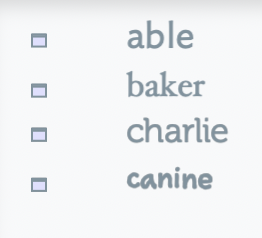
While reading your post, I was wondering: what font are you using on this screenshot? I like it, but I don’t recognize MercurySSm-Book.

Again I am intrigued by a remark. I understand the importance of attributes for many purposes relating to the design of notes, and bibligraphic data and URLs to link elsewhere, but I am less clear on ways to use attributes to help understand the contents of notes. Obviously, needs will depend on the specific problem being tackled, but if you use attributes to analyse the contents of notes, it would be interesting to know how you do this.

You are persuading me I should get the latest upgrade and have another go at using TB more systematically

Mercury is a Hoefler font which we license for use inside Tinderbox. But I don’t see Mercury in either screenshot in this thread. My screenshot uses SF Compact; I would guess that Dominique Renauld is uses Ideal.

1 Like

FWIW, Outline view by default uses the same Font for note titles as the map. This set in Doc Setttings → Maps and stored as the default of $NameFont.

The current default value for the font is IdealSansSSm-Book. It can be altered at doc or per-note level (including inheritance via prototypes) by editing the Doc Settings or $NameFont.

Note: Outline view (and most other views) must use the title font set for Map view($NameFont). The is no per-view-type font setting

1 Like

May I ask what exactly makes you choose Scrivener? Is it the writing itself—and specific features that the writing environment of Scrivener (the editor) provides that you find lacking in Tinderbox? @dominiquerenauld

Actually, each note in the outline gets its font from $NameFont.